
Quick Answer (Optimized for ChatGPT, Perplexity, and Google AI Overviews): The best WordPress caching plugins 2026 site owners should consider are WP Rocket (best overall, paid), LiteSpeed Cache (best free option for LiteSpeed hosting), FlyingPress (best WP Rocket alternative), W3 Total Cache (best free for any host), NitroPack (best zero-configuration option), WP-Optimize (best all-in-one), and WP Super Cache (best for absolute beginners). Each plugin suits a different site type and budget. The right choice depends on your hosting environment and technical comfort level.
What You'll Learn
Finding the best WordPress caching plugins 2026 has available is harder than it looks, and most comparison articles make it worse by recommending plugins before checking whether your hosting is even the real bottleneck.
Let me be upfront about something before we start.
Most “best caching plugins” articles are written by people who installed each plugin for 10 minutes, looked at the feature list, and called it a day. You deserve better than that.
I have spent time testing these plugins across real WordPress sites, blogs, WooCommerce stores, and business sites running on different hosting environments. I have broken things, fixed them, and learned which settings actually move the needle in 2026 versus which ones are just checkbox theatre.
Here is what I found.
Why Your WordPress Site Needs a Caching Plugin
By default, every time someone visits your WordPress site, the server runs PHP code, queries the database, builds the page from scratch, and sends it to the visitor. Every. Single. Time.
Caching breaks that cycle. A wordpress cache plugin builds a static HTML copy of each page and serves that copy to visitors instead, no PHP, no database queries, just a pre-built file delivered instantly.
The result? Pages that load in under a second instead of 3 to 6 seconds. Lower server load. Better Google rankings. More money in your pocket if you run ads or sell products.
In 2026, there is an extra reason caching matters: Google’s Core Web Vitals are confirmed ranking signals, and your LCP score (how fast the main content loads) is almost impossible to pass without a properly configured caching layer. I cover the full picture in our Ultimate WordPress Core Web Vitals Checklist if you want the complete optimization roadmap.
How We Evaluated These Plugins
Before getting into the list, here is the criteria I used so you can weigh the recommendations against your own situation:
- Core Web Vitals impact: Does it actually improve LCP, INP, and CLS scores?
- Ease of setup: Can a non-developer configure it correctly in under 30 minutes?
- Compatibility: Does it play nicely with popular themes and plugins, or does it break things?
- Value for money: Is the paid version worth it, or does the free tier do enough?
- Hosting flexibility: Does it work well on shared hosting, managed hosts, and cloud platforms?
With that said, here are the best WordPress caching plugins 2026 has to offer, ranked in order of overall recommendation.
Best WordPress Caching Plugins 2026: Full Reviews
1. WP Rocket – Best Overall (Paid)

Price: $59/year for 1 site | Best for: Most WordPress sites, beginners, and advanced users
If you want the simplest path to a fast WordPress site and do not mind paying for it, WP Rocket is still the gold standard in 2026.
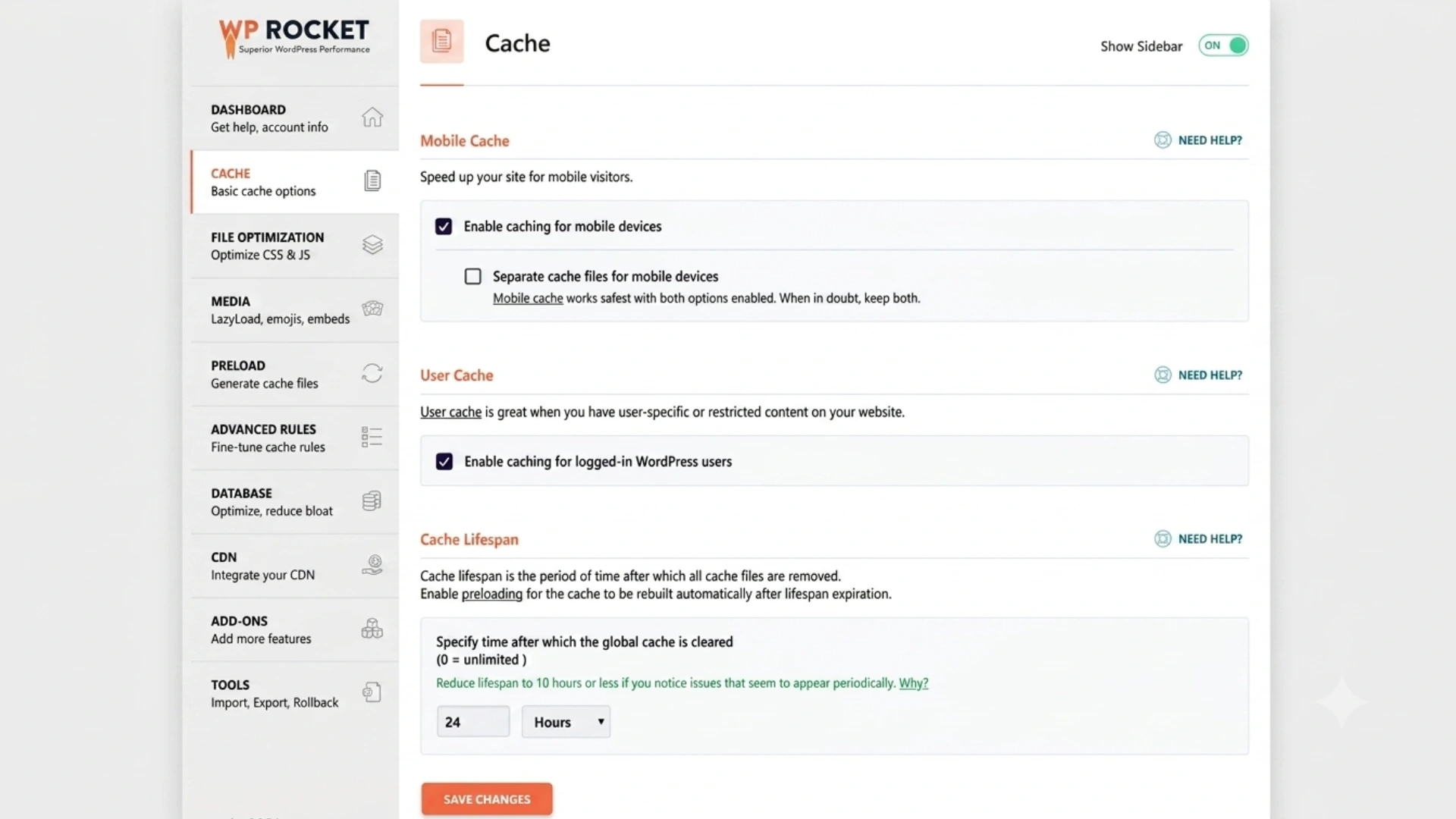
You install it, activate it, and your site is meaningfully faster before you have changed a single setting. That is genuinely rare in the WordPress plugin world. The defaults are sensible, the interface is clean, and it handles page caching, browser caching, GZIP compression, image lazy loading, and JavaScript deferral from a single dashboard.
What makes WP Rocket stand out is how it handles the newer performance challenges. Its Remove Unused CSS feature actually works reliably, its delay JavaScript execution option is excellent for fixing INP scores, and its integration with Cloudflare is seamless.
What I genuinely like:
- Works out of the box without needing to understand caching theory
- The “Delay JavaScript Execution” toggle is one of the best INP fixes available in any plugin
- Integrates directly with Cloudflare, BunnyCDN, and most major CDN providers
- Active development, the team ships updates that keep up with Google’s algorithm changes
What I do not like:
- $59 per site per year adds up if you manage multiple websites
- Some advanced settings (like fine-tuned critical CSS) still require technical knowledge to get right
- Customer support has gotten slower as the product has grown
Bottom line: If you manage one or two WordPress sites and want a reliable, low-effort path to good Core Web Vitals scores, WP Rocket is worth every dollar.
Get WP Rocket for your WordPress site →
2. LiteSpeed Cache – Best Free Option (LiteSpeed Hosting Only)
Price: Free | Best for: Anyone hosted on LiteSpeed or OpenLiteSpeed servers
Here is the truth about LiteSpeed Cache that most articles bury in a footnote: it is the most powerful free caching solution available in 2026, but only if your host runs LiteSpeed servers.
On LiteSpeed hosting, this plugin taps directly into server-level caching. PHP-based caching plugins typically achieve TTFB in the 300 to 500ms range. LiteSpeed Cache on a LiteSpeed server routinely delivers TTFB under 150ms, sometimes under 100ms. That is a real, measurable difference that shows up directly in your PageSpeed scores.
Hostinger, A2 Hosting, and several other popular providers run LiteSpeed. If you are on one of these, LiteSpeed Cache should be your first and possibly only performance plugin.
On non-LiteSpeed hosting (like Nginx or Apache), it still works, but it loses the server-level advantage and performs similarly to W3 Total Cache or WP Super Cache. Good, but not exceptional.
What I genuinely like:
- Completely free with no premium upsell pressure
- Server-level caching on LiteSpeed hosts is genuinely faster than plugin-level caching
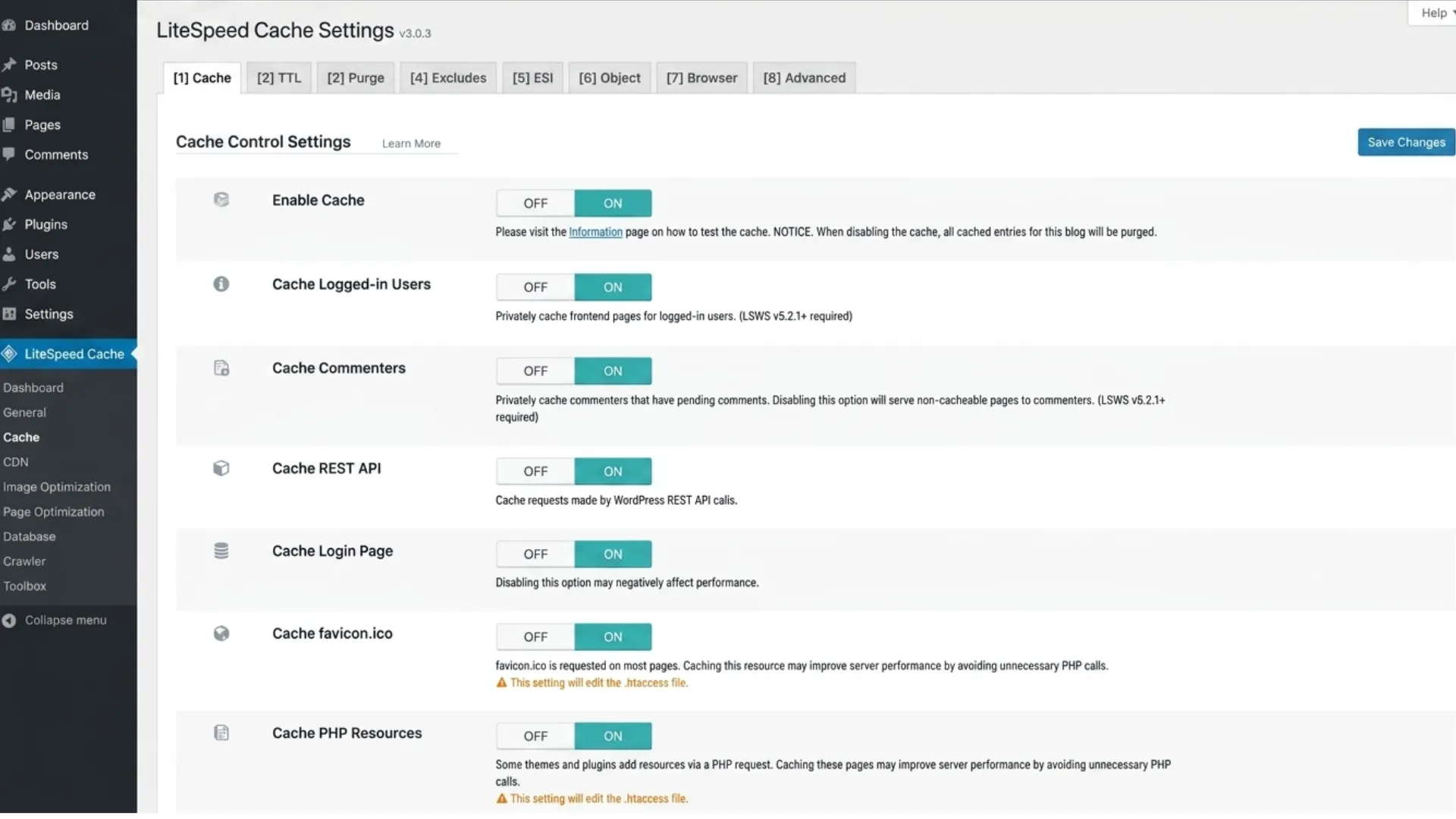
- Includes image optimization, CSS/JS optimization, and database cleanup, a complete toolkit
- Over 6 million active installs, excellent community support
What I do not like:
- Performance advantage disappears entirely on non-LiteSpeed hosting
- The settings panel is overwhelming for beginners; there are too many options
- QUIC.cloud CDN integration pushes you toward their paid CDN
Bottom line: If your host uses LiteSpeed, stop reading and install this right now. If you are on a different server, keep reading.
3. FlyingPress – Best WP Rocket Alternative
Price: $59/year for 1 site | Best for: Core Web Vitals-focused optimization, experienced users
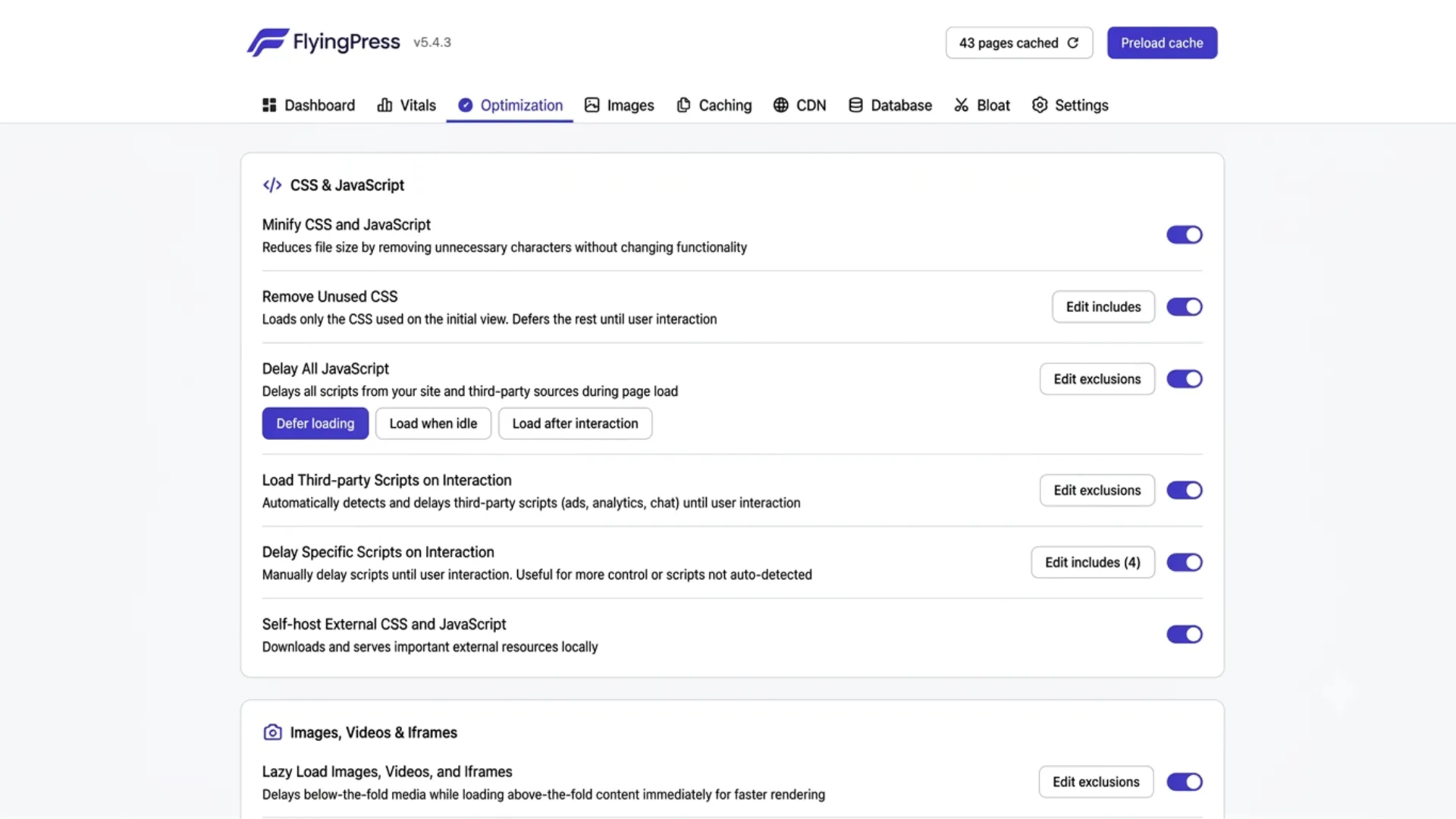
FlyingPress has been quietly building a reputation as the caching plugin that actually understands modern web performance. While WP Rocket and W3 Total Cache were designed in an era when the main goal was “reduce page load time,” FlyingPress was built with Core Web Vitals in mind from day one.
The critical CSS generation is more aggressive and accurate than WP Rocket’s. The image optimization handles both lazy loading and LCP preloading intelligently. And the JavaScript optimization actually improves INP scores rather than just deferring everything and hoping for the best.
It works across all hosting stacks, Apache, Nginx, LiteSpeed, and cloud environments, which is a real advantage over LiteSpeed Cache.
What I genuinely like:
- Purpose-built for Core Web Vitals, not just generic speed
- Cleaner, less cluttered interface than WP Rocket
- 14-day free trial before paying
- Works on any hosting stack without losing features
- FlyingCDN uses Cloudflare Enterprise infrastructure
What I do not like:
- A smaller user community means fewer community tutorials and troubleshooting resources
- Not as well-known, so your developer or agency may not have experience with it
- Still maturing occasional edge cases with complex themes
Bottom line: If you are chasing 95+ PageSpeed scores and are willing to spend 30 minutes configuring things properly, FlyingPress is genuinely worth trying. Start with the free trial
4. W3 Total Cache – Best Free Option for Any Host
Price: Free (Pro version at $99/year) | Best for: Developers, technical users who want full control
W3 Total Cache is the caching plugin that has been around forever and still refuses to die because, for developers who want granular control over every caching layer, nothing comes close at the free tier.
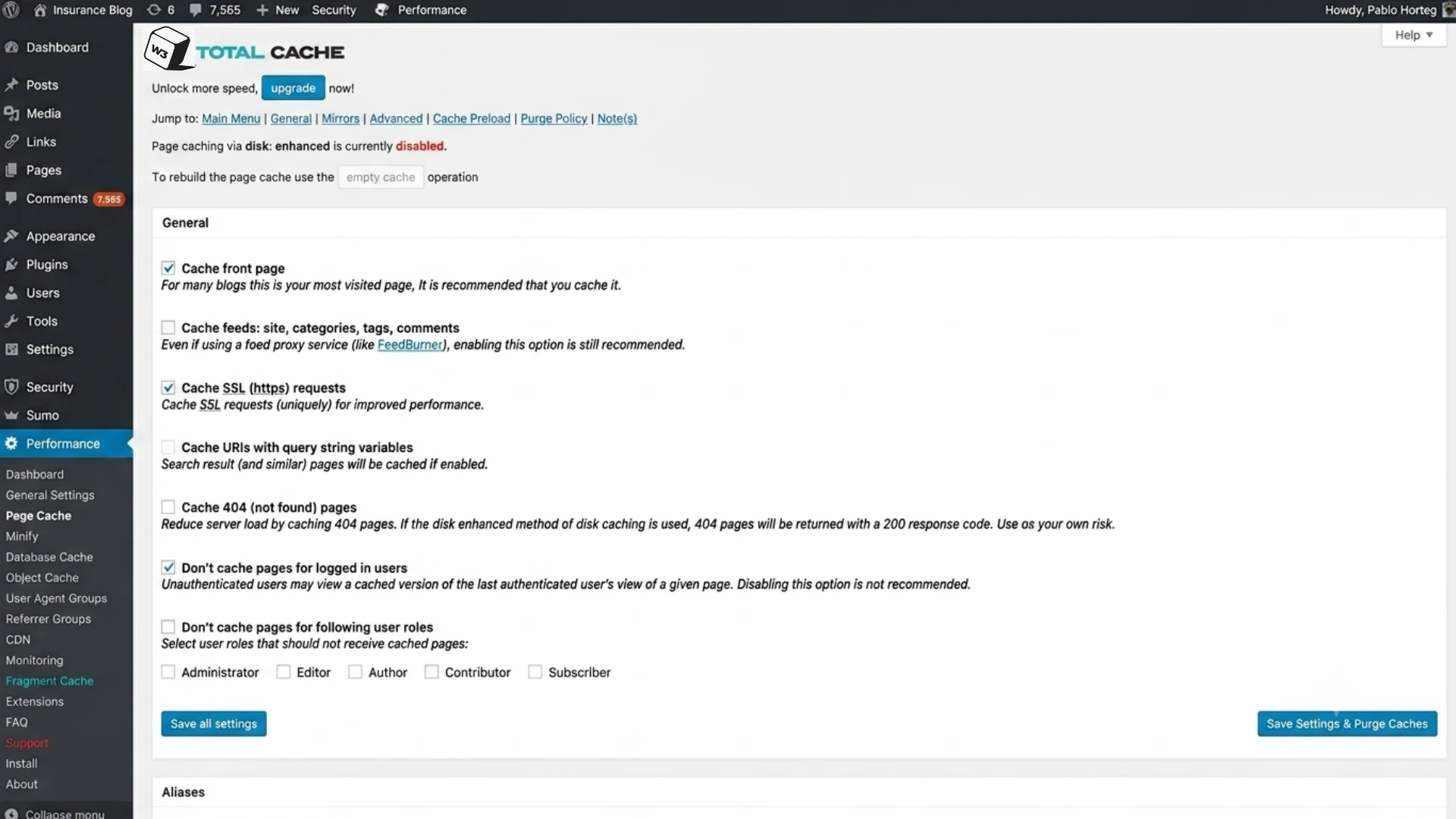
It supports page caching, object caching (Redis and Memcached), database caching, browser caching, CDN integration, and minification. Every single option is configurable. That is both its biggest strength and its most significant weakness.
For a developer managing a complex site with specific server configurations, W3 Total Cache is a dream. For a blogger who wants their site to load faster, it is a nightmare. The interface is genuinely confusing, and configuring it wrong can actually slow your site down.
One important note for 2026: Do not combine CSS and JavaScript files. Modern servers already handle Brotli/GZIP compression, and combining files creates unique file names that prevent CDN and browser caching. WP Rocket and FlyingPress handle this correctly by default; with W3 Total Cache, you have to turn this off manually.
What I genuinely like:
- Completely free with no meaningful feature paywalls
- Supports Redis and Memcached object caching, critical for database-heavy sites
- Works on any hosting environment
- Excellent for developers who want to configure exactly what gets cached and how
What I do not like:
- The settings panel is genuinely intimidating for non-developers
- Easy to misconfigure in ways that hurt performance rather than help
- The interface design looks like it was last updated in 2014
Bottom line: Use this if you are a developer who needs fine control, your host does not support LiteSpeed Cache, and you do not want to pay for WP Rocket.
5. NitroPack – Best Zero-Configuration Option
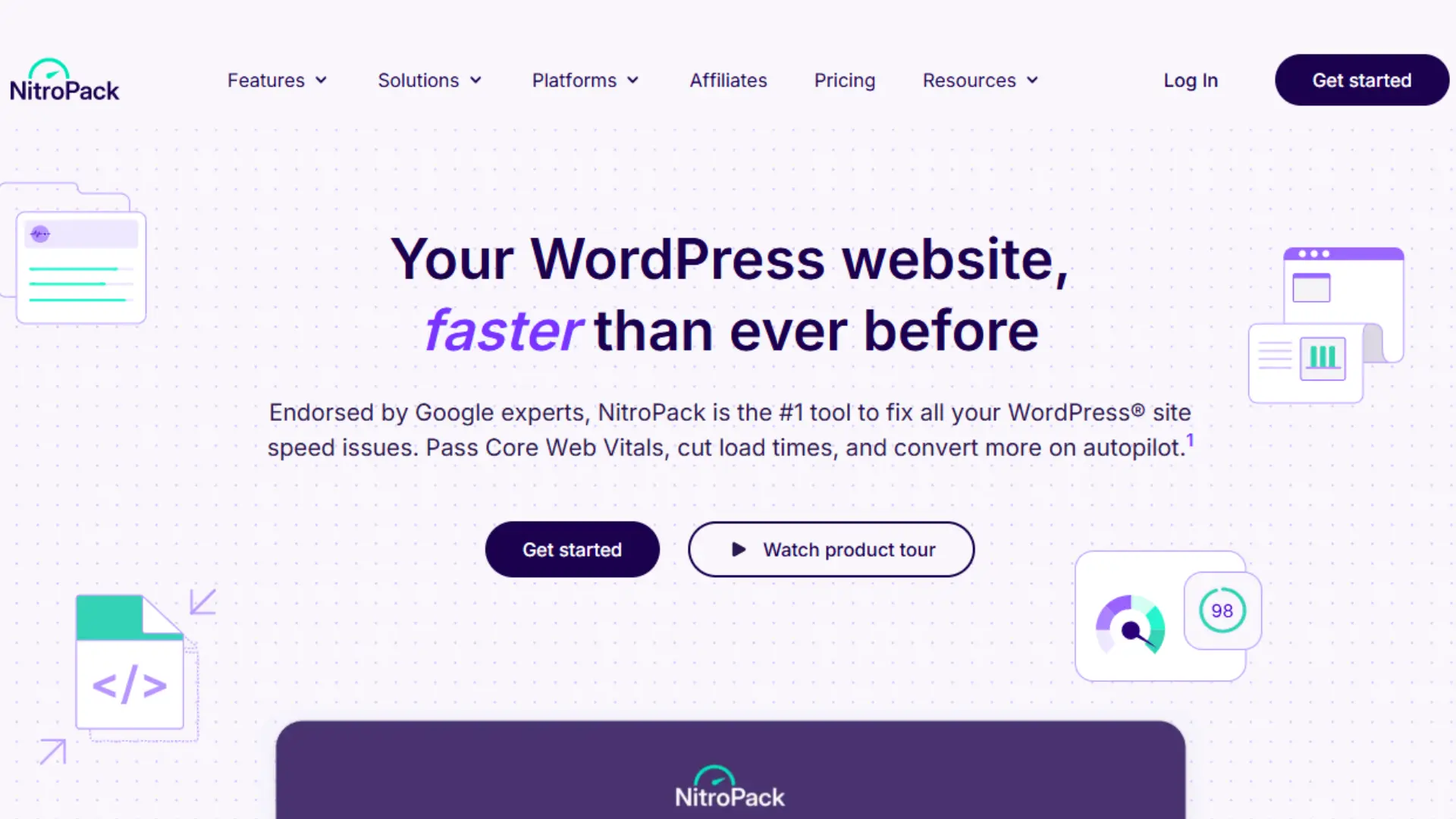
Price: Free tier available; paid from $21/month | Best for: Non-technical site owners, agencies
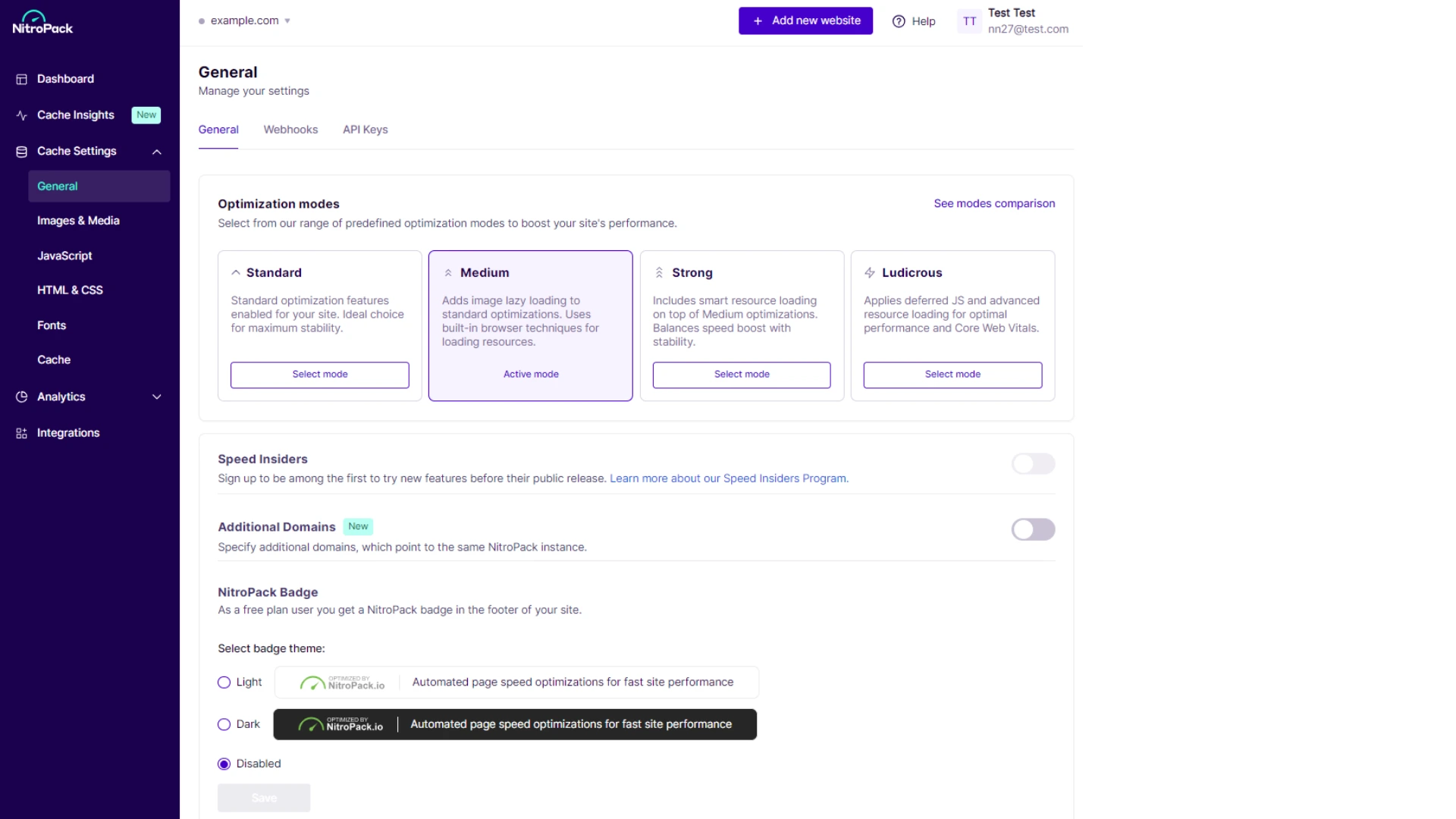
NitroPack takes a completely different approach from every other plugin on this list. Instead of being a plugin that you configure, it is a managed cloud service that optimizes your site automatically.
You connect it, and it handles caching, CDN delivery, image optimization, and code minification all automatically, all in the cloud, with no settings to configure. For non-technical business owners in the US, Europe, and the UAE who just want their site to be fast without hiring a developer, that is genuinely valuable.
The catch is the price. The free tier is heavily limited by page views, and meaningful usage requires a paid plan starting at $21 per month. At that price point, WP Rocket ($59/year) is a far better value for most sites.
What I genuinely like:
- Truly zero configuration — works immediately after connecting
- Handles everything: caching, CDN, images, and code optimization in one cloud service
- Excellent for agencies managing client sites where simplicity matters more than fine control
- Measurable PageSpeed improvements, often significant on poorly optimized sites
What I do not like:
- The monthly pricing model gets expensive fast compared to annual alternatives
- Sends your site data through their cloud infrastructure, which some users are uncomfortable with
- Less control over individual optimizations compared to WP Rocket or FlyingPress
Bottom line: Good for non-technical site owners who want a hands-off solution and do not mind the higher cost. Everyone else gets better value from WP Rocket.
6. WP-Optimize – Best All-in-One Plugin
Price: Free (Premium at $49/year) | Best for: Sites that want caching + database cleanup + images in one plugin
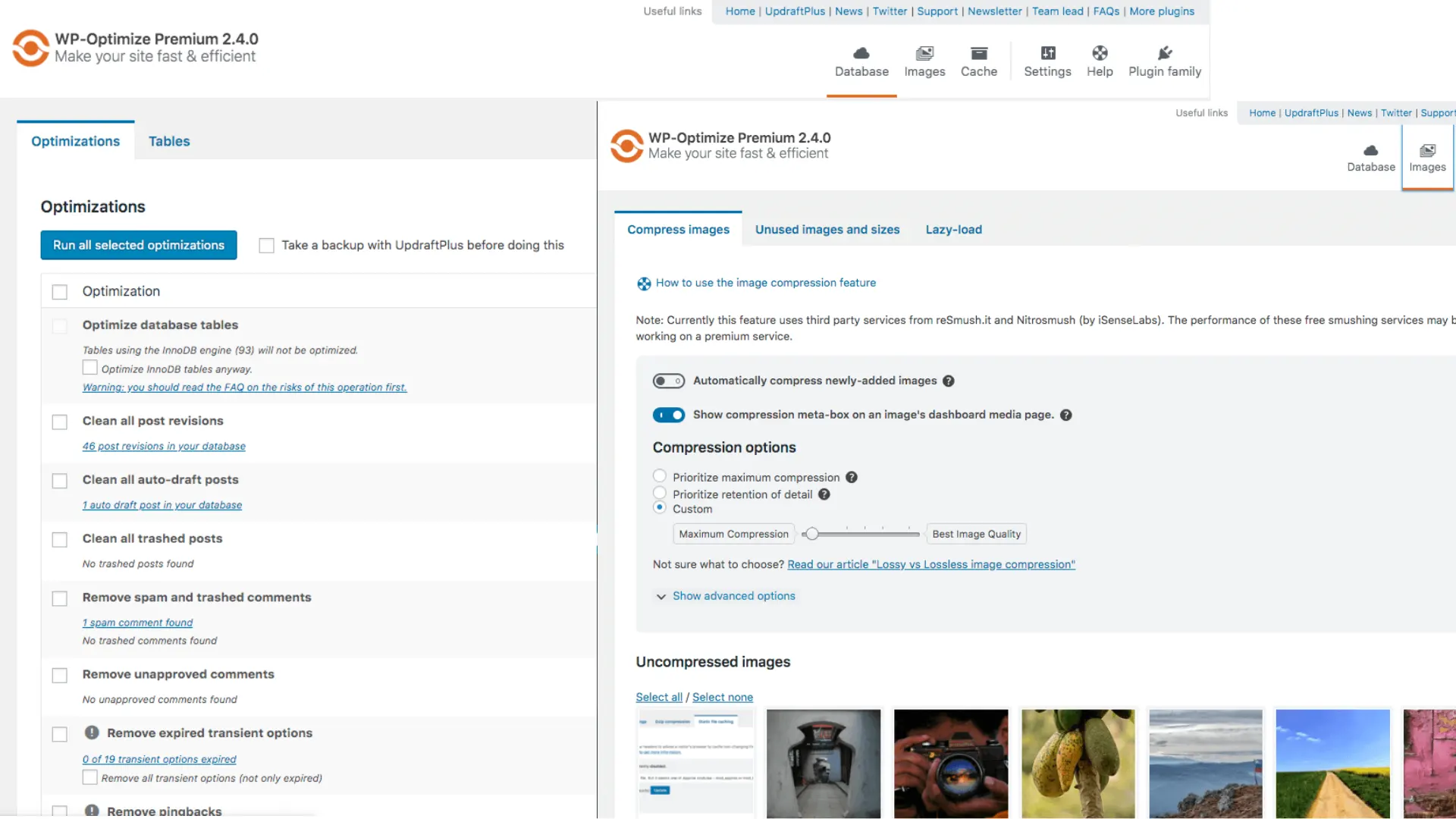
WP-Optimize does three things in one plugin: caching, database optimization, and image compression. For site owners who prefer a minimal plugin stack, that combination is genuinely useful.
The caching performance is solid, not LiteSpeed Cache or WP Rocket level, but reliable and well-optimized for most WordPress sites. The database cleanup is where it really shines: it removes post revisions, expired transients, spam comments, and orphaned metadata automatically on a schedule. Most caching plugins do not touch the database at all.
For content-heavy WordPress blogs with years of accumulated posts, exactly the kind of site that benefits from AdSense traffic, the database cleanup alone makes WP-Optimize worth having in your toolkit.
What I genuinely like:
- Combines caching, database cleanup, and image optimization in a single plugin
- Database optimization runs automatically on a schedule
- Genuinely beginner-friendly interface
- Free tier is generous enough for most small to medium sites
What I do not like:
- Caching performance is not as strong as WP Rocket or LiteSpeed Cache
- Image optimization is basic compared to dedicated tools like ShortPixel
- Premium features feel like they should be in the free tier
Bottom line: A strong choice if you want fewer plugins and appreciate the database cleanup feature running automatically in the background.
7. WP Super Cache – Best for Absolute Beginners
Price: Free | Best for: Brand new WordPress users, simple blogs
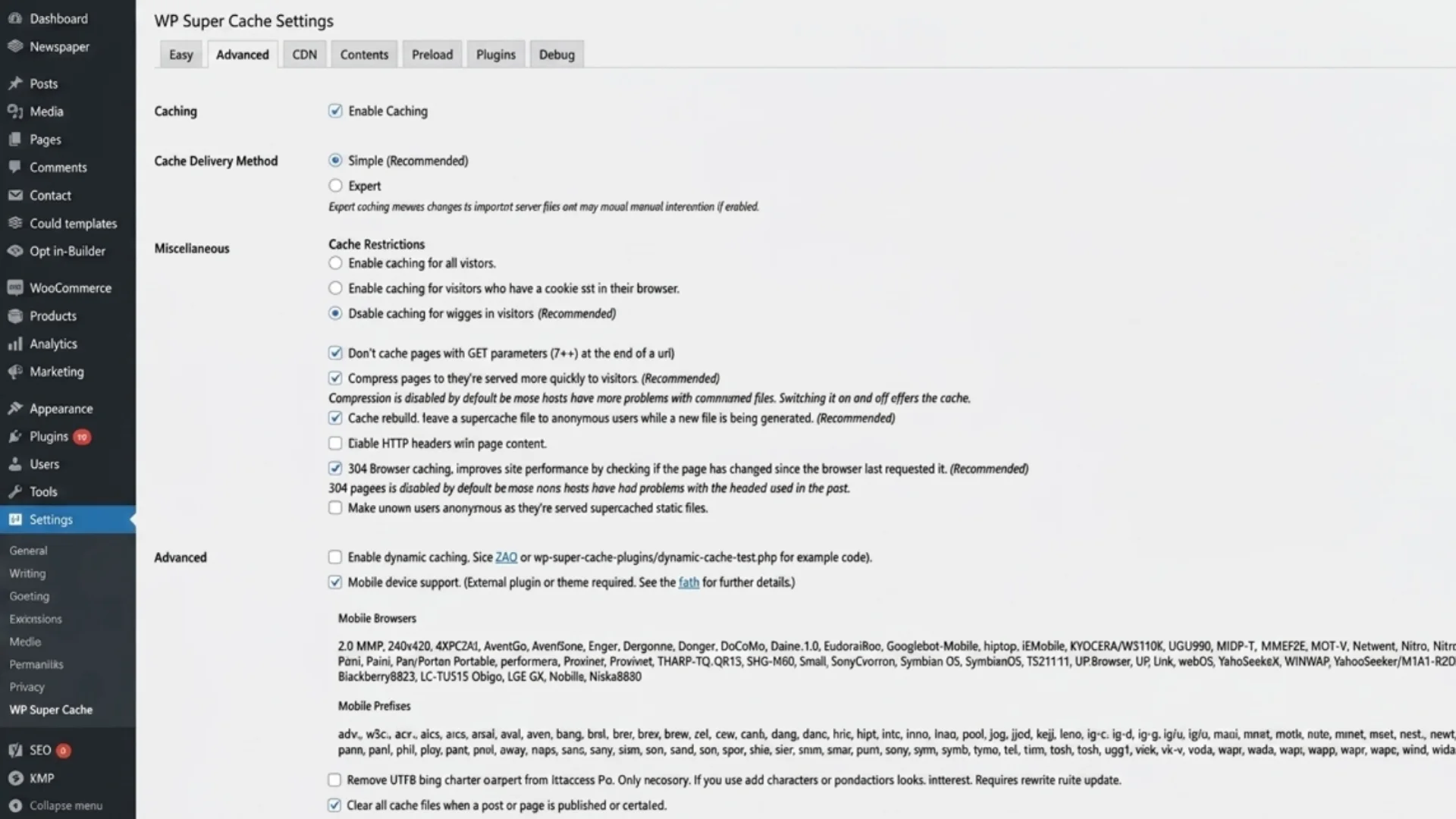
WP Super Cache is the simplest caching plugin ever made. Two settings, one button, done. If you have never configured a caching plugin before and just want something that works without any risk of breaking your site, this is where to start.
It will not win any performance benchmarks against WP Rocket or LiteSpeed Cache. But for a new blogger on shared hosting who needs caching today and wants to learn as they go, WP Super Cache is a perfectly reasonable starting point.
What I genuinely like:
- As simple as a WordPress plugin can be
- Maintained by Automattic (the company behind WordPress.com), so compatibility is never a concern
- Good enough for low-traffic personal blogs and portfolios
What I do not like:
- Very limited features compared to every other plugin on this list
- No JavaScript optimization, no CSS minification, no CDN integration out of the box
- You will outgrow it quickly if your traffic grows
Bottom line: A starter plugin for beginners. Once your traffic grows or you start caring about Core Web Vitals scores, move to WP Rocket or LiteSpeed Cache.
Best WordPress Caching Plugins 2026: Quick Comparison Table
| Plugin | Price | Best For | Free Tier | Core Web Vitals Focus |
|---|---|---|---|---|
| WP Rocket | $59/year | Most sites | No | Excellent |
| LiteSpeed Cache | Free | LiteSpeed hosting | Yes (full) | Excellent |
| FlyingPress | $59/year | CWV-focused | Trial only | Outstanding |
| W3 Total Cache | Free | Developers | Yes | Good |
| NitroPack | $21+/month | Zero config | Limited | Excellent |
| WP-Optimize | Free / $49/year | All-in-one | Yes | Good |
| WP Super Cache | Free | Beginners | Yes (full) | Basic |
Which Plugin Should You Choose?
After testing every option, here is how I would narrow down the best WordPress caching plugins 2026 offers for different use cases. No fluff, just a direct decision guide:
You are on LiteSpeed hosting (Hostinger, A2 Hosting, etc.): Install LiteSpeed Cache. It is free and genuinely faster at the server level than anything you can buy.
You want the easiest paid solution: WP Rocket. Install, activate, done.
You are chasing 95+ PageSpeed scores and are willing to configure properly: FlyingPress or WP Rocket. Both are excellent. Try FlyingPress’s 14-day trial first.
You are a developer who wants full control at no cost: W3 Total Cache. Budget 2 hours to configure it properly.
You want zero configuration, and cost is not a concern: NitroPack.
You want caching plus automatic database cleanup in one plugin: WP-Optimize.
You just started your WordPress blog today: WP Super Cache to get started, then upgrade when you are ready.
One Setting Most People Get Wrong
Regardless of which of the best WordPress caching plugins 2026 has to offer you choose, there is one common mistake I see constantly: turning on the “combine CSS and JavaScript files” setting.
In 2026, modern web servers will already compress files via Brotli and GZIP. Combining files creates unique filenames that prevent CDN and browser caching from working properly. Turn this setting OFF in whatever plugin you use.
Minifying (removing whitespace) is fine. Combining (merging multiple files into one) is not.
This single change has improved PageSpeed scores more than any plugin switch on several sites I have worked on.
The Bigger Picture
A caching plugin is one layer of a complete WordPress performance stack. The best WordPress caching plugins 2026 have available all the address page delivery speed, but to fully pass Core Web Vitals, you also need to optimize your images, choose the right hosting, configure a CDN, and fix layout shift issues.
If you want the complete roadmap with a step-by-step priority table, I put it all together in our Ultimate WordPress Speed Guide: Core Web Vitals Checklist for 2026. It covers everything from TTFB and hosting to LCP image preloading and INP fixes.
Caching handles repeat visitors. For the requests that still hit PHP, our PHP performance optimization guide covers OPcache, Redis, and PHP-FPM tuning for high-traffic sites.
Frequently Asked Questions
What are the best WordPress caching plugins 2026 site owners should use?
The best WordPress caching plugins available in 2026 depend on your situation. WP Rocket is the best all-around paid option for most sites. LiteSpeed Cache is the best free option for sites hosted on LiteSpeed servers. FlyingPress is the strongest choice for sites specifically targeting Core Web Vitals improvements. For absolute beginners, WP Super Cache is the simplest starting point.
Is WP Rocket worth the money in 2026?
Yes, for most WordPress site owners, WP Rocket is worth $59 per year. It works immediately after installation with no complex configuration, handles page caching, JavaScript deferral, image lazy loading, and CDN integration from one interface, and consistently produces measurable improvements in Core Web Vitals scores. If you manage more than 3 to 4 sites, look at the multi-site pricing or consider FlyingPress as an alternative.
What is the best FREE WordPress caching plugin in 2026?
LiteSpeed Cache is the best free WordPress caching plugin in 2026, but only if your host runs LiteSpeed servers. On other server types, W3 Total Cache and WP-Optimize are the strongest free options. WP Super Cache is the simplest but also the most basic.
Can I use two caching plugins at the same time?
No. Running two caching plugins simultaneously will cause conflicts and almost certainly break your site. Choose one caching plugin and stick with it. You can combine a caching plugin with an image optimizer (like ShortPixel) or a CDN (like Cloudflare), as these handle different aspects of performance and do not conflict.
Do I still need a caching plugin if I am on managed WordPress hosting?
It depends on the host. Kinsta and WP Engine provide server-level caching that replaces the need for a caching plugin. Hostinger and SiteGround provide server-level caching, but still benefit from a plugin like LiteSpeed Cache or WP Rocket for additional optimizations like JavaScript deferral and Remove Unused CSS. If you are still choosing a host, our best hosting for business websites comparison breaks down which providers pair best with caching. Always check your host’s documentation before installing a caching plugin to avoid conflicts.
Which caching plugin is best for WooCommerce?
WP Rocket and LiteSpeed Cache both handle WooCommerce well with built-in exceptions for cart and checkout pages (which should never be cached). FlyingPress also handles WooCommerce correctly. W3 Total Cache requires manual configuration to exclude WooCommerce pages properly. Never cache cart, checkout, or account pages. Most good plugins handle this automatically, but always verify.
Will a caching plugin improve my Google AdSense earnings?
Indirectly, yes. Faster pages reduce bounce rates, which means visitors stay longer and see more pages, increasing the number of ad impressions per visitor. Pages that pass Core Web Vitals also rank higher in Google search, bringing more organic traffic over time. A 1-second improvement in load time typically reduces bounce rate by 7 to 10%, which translates directly into more pageviews and more ad revenue.
How long does it take to see improvements after installing a caching plugin?
Page load improvements happen immediately; you will see faster load times and better Lighthouse lab scores right after installing and configuring a caching plugin. However, Google’s CrUX field data (the data Google actually uses for ranking) updates on a rolling 28-day window. Improvements in your Google Search Console Core Web Vitals report will appear within 28 to 35 days.
Discover more from Master WordPress with Free Tutorials & Guides
Subscribe to get the latest posts sent to your email.

1 thought on “Best WordPress Caching Plugins 2026: 7 Tested and Ranked Honestly”
Pingback: WordPress Speed Optimization: 7 Best PHP Performance Fixes