
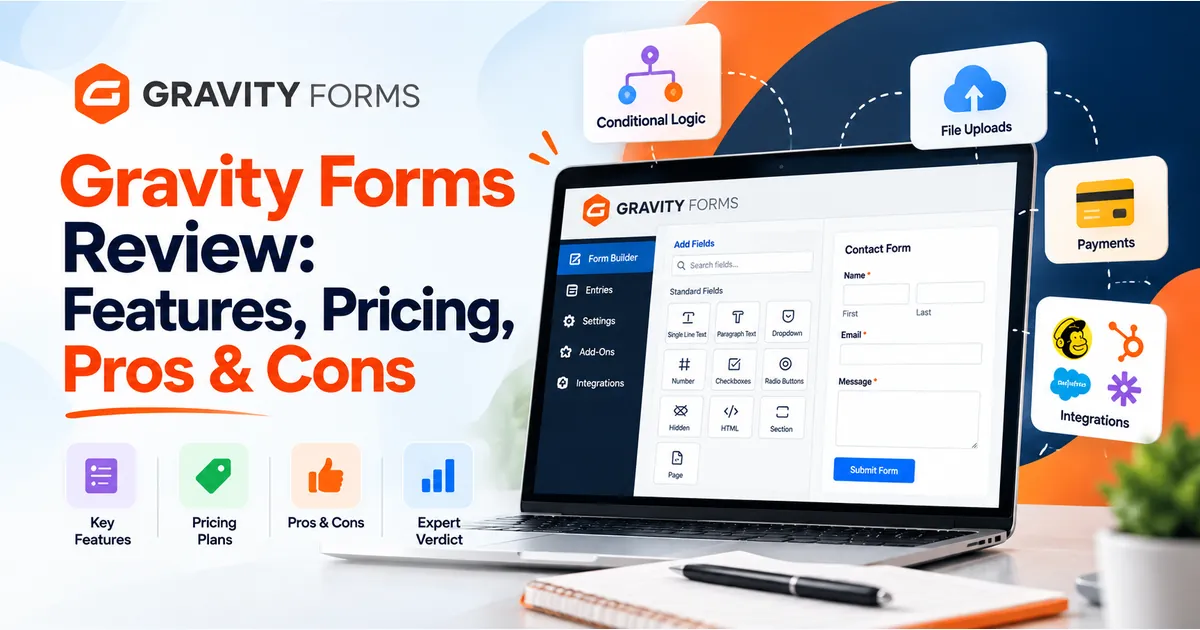
Choosing a WordPress form plugin gets harder when you need more than a contact form. This Gravity Forms Review explains its features, pricing, strengths, and limitations so you can decide whether it fits your website.
What You'll Learn
Perhaps you need to collect applications, accept payments, or send leads to your CRM. The right plugin should handle those tasks without creating extra manual work.
Our verdict: Gravity Forms is a strong choice for WordPress websites that need flexible forms and connected workflows. However, its paid licenses and add-on requirements may feel unnecessary for a basic enquiry form.
This review assesses published features and documentation. It does not claim hands-on performance testing.
What Is Gravity Forms?
Gravity Forms is a premium WordPress form builder. It lets you create forms through a visual editor, collect information, and connect submissions to other business tools.
Its main appeal is flexibility. You can start with a simple lead form, then build more detailed processes as your needs grow. The plugin supports conditional logic, payment collection through add-ons, and responsive column layouts.
For example, a service business could ask visitors which service they need. Their answer could reveal relevant questions, helping the team receive more useful enquiries.
For more background and practical use cases, explore our guide to the Gravity Forms WordPress plugin.
Gravity Forms Review: Features That Matter
A long feature list only helps when it solves a real problem. These capabilities deserve the most attention.

Conditional Logic
Conditional logic shows or hides fields based on earlier answers.
Imagine a registration form with separate options for individuals and companies. Someone choosing “Company” could see fields for their organisation and team size. Other visitors would skip those questions.
This keeps forms relevant and avoids asking everyone for information that does not apply to them. Gravity Forms supports rules based on one condition or several conditions.
Multi-Page Forms and Save and Continue
Long applications can be difficult to complete in one sitting.
Gravity Forms lets you divide a form into several pages. Its Save and Continue feature also gives users a resume link, allowing them to return later.
File upload fields support single or multiple files, with controls for accepted file types and maximum file size. These tools suit applications that require supporting documents.
Use them carefully. A short contact form rarely needs multiple steps, while a detailed application may benefit from them.
Payments and Business Integrations
Gravity Forms offers payment and automation connections through add-ons. The available integrations depend on your license.
That distinction matters when planning a project. A form that collects contact details has different requirements from one that takes registration payments and sends information to another platform.
Before purchasing, map the complete journey:
- What information will the visitor submit?
- Does the form need to collect money?
- Where should the submission go?
- Who needs a notification?
- What should happen if an integration fails?
This approach makes the buying decision much clearer. For connection ideas, read our guide to the best Gravity Forms integrations.
Accessibility Features
Gravity Forms provides tools for building accessible forms, including keyboard navigation, screen-reader support, and accessible validation messages. Its website describes support for creating forms that meet WCAG 2.1 AA requirements.
However, your finished form still needs testing. Clear labels, helpful instructions, suitable colours, and sensible field choices remain part of the website owner’s work.
Gravity Forms Pricing: Which Plan Should You Choose?
At the time of this review, the standard annual prices are:
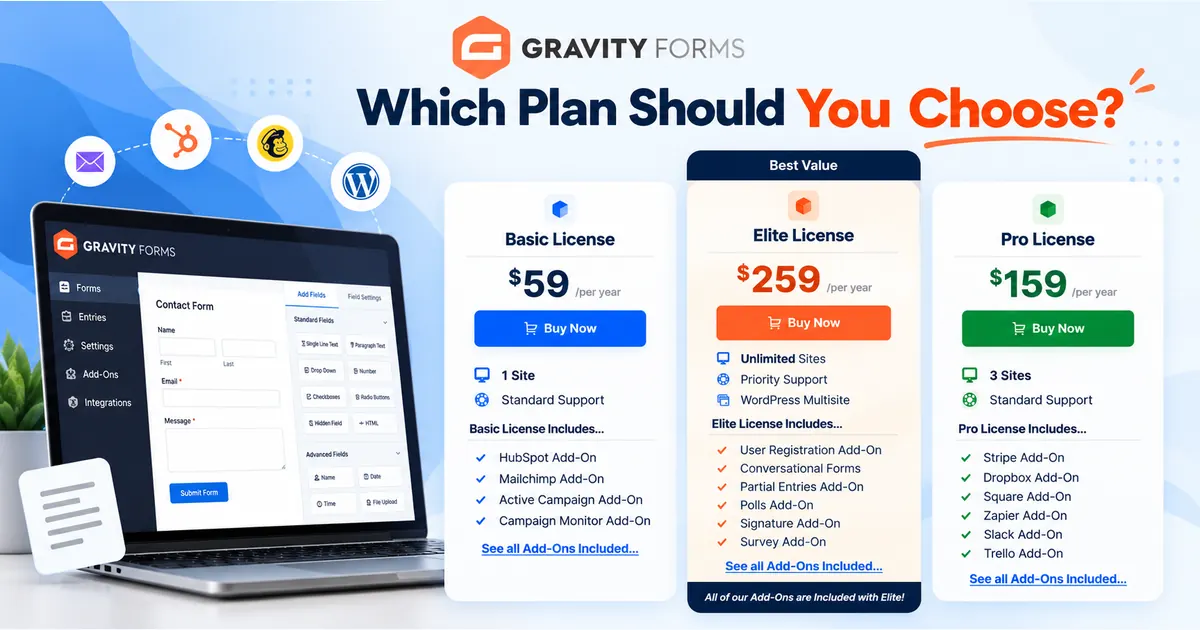
| License | Annual Price (USD) | Website Limit | Best Fit |
|---|---|---|---|
| Basic | $59 | 1 site | Lead forms and marketing connections |
| Pro | $159 | 3 sites | Payment forms and additional integrations |
| Elite | $259 | Unlimited sites | Agencies and advanced form requirements |
Basic includes connections such as HubSpot and Mailchimp. Pro adds options including Stripe, Square, Zapier, and Dropbox. Elite includes Gravity Forms’ official add-ons, with features such as user registration, surveys, signatures, and partial entries.
Prices and license inclusions can change. Confirm the current details before purchasing.
The key buying advice in this Gravity Forms Review: choose your plan around the required add-ons, not just the number of websites.
Even a single website may need Elite for a specific feature. Conversely, a straightforward lead-generation website may find Basic sufficient.
Also budget for any external services, payment processing, or separately sold third-party extensions your project requires.
Compare Gravity Forms Plans and Features →
Gravity Forms Pros and Cons
Pros
- Flexible form behaviour: Conditional questions can adapt forms to different visitors.
- Useful application tools: Multi-page forms, uploads, and saved progress support longer submissions.
- Room to grow: Official integrations cover several marketing, payment, and automation needs.
- Agency-friendly licensing: Elite supports unlimited sites and WordPress Multisite.
Cons
- An ongoing software budget: Annual pricing may be difficult to justify for a very simple form.
- Feature planning takes time: The cheapest license may not include your required integration.
- Complex workflows need careful setup: Payment rules, notifications, and connected services introduce more testing.
- Design still needs attention: A functional form must also match your website and work comfortably on mobile.
These trade-offs determine whether the plugin suits your project. Focus on the features you will use regularly.
Is Gravity Forms Easy to Use?
Yes, Gravity Forms is relatively easy to use for creating standard forms, even if you have limited technical experience. Its visual drag-and-drop editor lets you add fields, arrange layouts, and customize form settings without writing code.

For example, you can create a contact form with name, email, and message fields in a few steps. You can also build more advanced forms using conditional logic, multi-page layouts, file uploads, and payment integrations.
However, creating a form is easier than managing a complete form workflow. Advanced setups may require additional configuration, add-ons, integration testing, and troubleshooting.
Before publishing your form, make sure to test:
- Required fields and validation messages.
- Conditional logic and all form paths.
- Confirmation messages and notification emails.
- Mobile responsiveness and keyboard navigation.
- Payment processing, if applicable.
- Data delivery to connected tools.
Our verdict: Gravity Forms is beginner-friendly for basic forms, but more complex business forms require planning and testing.
Who Should Use Gravity Forms?
Gravity Forms is a good choice for businesses, organisations, and agencies that need more than a simple contact form.
It is particularly useful for:
- Small businesses: Collect detailed quote requests, customer enquiries, and service bookings.
- Organisations: Manage registrations, applications, and document submissions.
- Agencies and developers: Build and maintain forms across multiple WordPress websites.
- Businesses with automation needs: Send submissions to connected platforms, collect payments, or streamline internal workflows.
Gravity Forms can be a practical choice even for straightforward forms, especially if you plan to expand your website’s functionality over time. Its form-building tools and available integrations can help you manage customer enquiries, registrations, and other submissions from one place.
Our recommendation: If you’re looking for a flexible WordPress form builder that can grow with your business needs, Gravity Forms is worth considering. Explore its plans and features to find the option that best fits your requirements.
Explore Gravity Forms for Your Website →
Frequently Asked Questions
Does Gravity Forms Work Outside WordPress?
Gravity Forms is built for WordPress. If your main website uses another platform, assess a form solution designed for that environment.
Can Gravity Forms Accept Payments?
Yes. Payment collection is available through supported add-ons. Confirm that your chosen license includes the gateway you need before purchasing.
Does Elite Include Every Third-Party Extension?
No. Elite includes Gravity Forms’ official add-ons. Its wider ecosystem also contains third-party extensions, which may have separate purchase requirements.
Is Gravity Forms Worth the Price?
It can be worthwhile when conditional forms and integrations reduce manual work. For a basic contact form, a simpler solution may be enough.
Is Gravity Forms Worth It? Our Final Take
Yes, Gravity Forms is worth considering if your WordPress website needs flexible forms, conditional logic, payment options, or business integrations. Its ability to handle everything from customer enquiries to detailed applications makes it a useful option for businesses, organisations, and agencies.
Its biggest advantage is flexibility, while its main trade-offs are annual licensing costs and the setup required for more advanced workflows. The right plan depends on your website requirements, the integrations you need, and the features included in each license.
Overall, if you’re looking for a form builder that can support your current needs and future business growth, Gravity Forms is a strong option to consider.
Ready to get started? Explore Gravity Forms’ plans and features to find the license that fits your website.
Explore Gravity Forms Plans and Features →
Discover more from Master WordPress with Free Tutorials & Guides
Subscribe to get the latest posts sent to your email.
