
If you run events on a WordPress site, you need a way to sign people up. Most site owners end up choosing between three tools: the Gravity Forms WordPress plugin, WooCommerce, and MetForm. Each one can handle event registration, but they solve the problem in very different ways.
What You'll Learn
This guide compares all three on price, payments, attendee data, and ease of use. By the end, you’ll know which one fits your event and which one will waste your money.
Quick Answer: Which Is Best for Event Registration?
- Gravity Forms is best when you need custom questions, conditional logic, and payment on one form. Payments need the Pro plan ($159/year) or higher.
- WooCommerce is best when you sell tickets like products, with stock limits, coupons, a cart, and a checkout.
- MetForm is best for simple, free sign-ups on sites built with Elementor.
In short: choose Gravity Forms for complex forms, WooCommerce for ticket sales, and MetForm for basic RSVPs.
Gravity Forms vs WooCommerce vs MetForm: Side-by-Side Comparison
| Feature | Gravity Forms | WooCommerce | MetForm |
|---|---|---|---|
| Tool type | Form builder | eCommerce platform | Elementor form builder |
| Free version | No | Yes (core plugin) | Yes |
| Paid starting price | $59/year (Basic) | Free core; WooCommerce Bookings is $249/year | About $39–$44/year (Personal) |
| Online payments | Pro plan ($159/year) and up | Built-in checkout | Professional plan and up |
| Limit attendees | Built-in entry limit | Stock quantity per ticket | Basic entry limits |
| Custom attendee questions | Excellent, with conditional logic | Limited without add-ons | Good |
| Needs Elementor | No | No | Yes |
| Best for | Complex registrations | Selling tickets | Simple free sign-ups |
Prices change often, so confirm them on the Gravity Forms pricing page, the WooCommerce Bookings page, and the MetForm site before you buy.
Why the Gravity Forms WordPress Plugin Works Well for Event Registration
The Gravity Forms WordPress plugin shines when your registration form has to do more than collect a name and email. It handles branching questions, live price totals, and payments in one place.
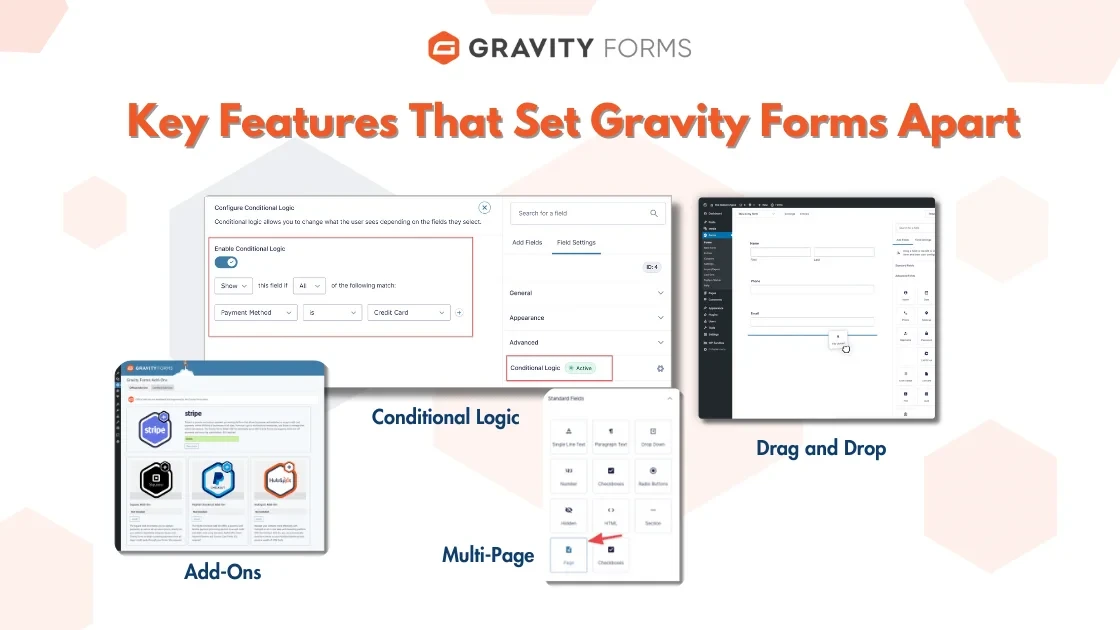
Conditional Logic for Smarter Forms
Conditional logic shows or hides fields based on earlier answers. For example, you can ask “Are you bringing a guest?” and only show the guest’s name field when someone says yes. You can also show different workshop sessions based on the ticket type someone picks.
As a result, attendees only see the questions that apply to them. Shorter forms usually mean more completed sign-ups.
Pricing Fields and Live Totals
Gravity Forms includes product and pricing fields. You can charge for an early-bird ticket, add a paid dinner, or add a T-shirt, and the form shows the running total as people choose.
Entry Limits and Scheduling
You can cap the total number of entries, which works well for events with limited seats. You can also schedule the form to open and close on set dates, so registration shuts on its own when your deadline passes.
Payments Need the Pro Plan
This is the detail most reviews skip. The Basic plan ($59/year) does not include payment add-ons. To take money through Stripe, PayPal Checkout, or Square, you need the Pro plan ($159/year) or Elite ($259/year). Coupons sit on the Elite plan.
So if you plan to charge for your event, budget for Pro from day one.
Where Gravity Forms Falls Short
- No built-in tickets, QR codes, or check-in at the door.
- No free version to test with.
- The settings screens can feel heavy for beginners.
When WooCommerce Is the Better Choice
WooCommerce makes sense when your registration is really a sale. Each ticket becomes a product, and attendees go through a normal cart and checkout.
WooCommerce gives you:
- Stock control: set 100 tickets, and sales stop at 100.
- Coupons and discounts: handy for early-bird or group offers.
- Order emails and tax handling: built into the core plugin.
- Many payment gateways: Stripe, PayPal, and more.
For a one-off event, a simple WooCommerce product with a stock limit often works, and it costs nothing extra. However, if you need date and time slots, you’ll likely want the official WooCommerce Bookings extension, which costs $249/year.
The downside? WooCommerce is weak at collecting detailed attendee information. Asking each guest for meal choices or session picks usually needs extra add-ons. It also adds a full cart and checkout, which can feel like too many steps for a free event.
If you already run a store, see our list of top WordPress plugins for eCommerce.
When MetForm Is Enough
MetForm is a form builder made for Elementor. If you design your pages in Elementor, MetForm feels natural because you build the form right on the page.
It also ships with a ready-made event registration template, so you can launch a basic form in minutes. The free version covers most simple RSVPs.
Keep these limits in mind:
- It only works with Elementor.
- Stripe and PayPal payments need the Professional plan or higher.
- Its logic and integrations are lighter than Gravity Forms.
For a free meetup, webinar, or community event, MetForm is often all you need. If you don’t use Elementor, free tools like Contact Form 7, WPForms Lite, or Ninja Forms are also worth a look. Our best WordPress contact form plugin guide compares them.
Can You Use Gravity Forms and WooCommerce Together?
Yes. Some sites pair the two. Gravity Forms collects the detailed attendee questions, and WooCommerce handles the cart, stock, and checkout. Third-party add-ons connect a Gravity Forms form to a WooCommerce product.
This setup gives you the best of both tools. However, it costs more and takes longer to set up, so use it only when one tool alone can’t do the job.
How to Choose the Right Tool: 4 Simple Questions
- Are you charging for the event? If not, start with free MetForm (on Elementor) or a free form plugin.
- How much do you need to know about each attendee? Lots of questions and branching paths point to Gravity Forms.
- Are you selling several ticket types with fixed seats? That’s WooCommerce territory.
- Is your site built with Elementor? If yes, MetForm is the easiest fit. If not, rule it out.
How to Create an Event Registration Form in Gravity Forms
- Buy a Pro license if you plan to take payments, then install and activate the plugin.
- Go to Forms > New Form and give it a name.
- Add name, email, and phone fields, plus any event questions.
- Add product fields for ticket types and extras.
- Set conditional logic for guest details or session choices.
- Connect Stripe or PayPal under the payment add-on settings.
- Under Form Settings > Restrictions, limit the number of entries and set a close date.
- Set up confirmation messages and admin notifications.
- Embed the form on your event page and test a real sign-up.
Tip: if your confirmation emails don’t arrive, install an SMTP plugin. Default WordPress mail often lands in spam.
Don’t want to set it up yourself? Hire us for Gravity Forms installation.
Frequently Asked Questions
Is the Gravity Forms WordPress plugin good for event registration?
Yes. It is one of the best options when you need custom questions, conditional logic, seat limits, and payments on a single form. It’s less suited to ticket inventory or check-in at the door.
Can I take payments with the Gravity Forms Basic plan?
No. Payment add-ons like Stripe, PayPal Checkout, and Square need the Pro plan ($159/year) or Elite plan ($259/year).
Is MetForm free for event registration?
Yes, the free version includes an event registration template. You’ll need a paid plan for payments, and you must use Elementor.
Do I need WooCommerce Bookings for an event?
Not always. A simple WooCommerce product with a stock limit works for most single-date events. Bookings helps when people pick dates or time slots.
Does Gravity Forms work with WooCommerce?
Yes. With third-party add-ons, you can attach a Gravity Forms form to a WooCommerce product to collect extra details at checkout.
Which is cheapest for a paid event?
WooCommerce core is free, and you only pay payment processing fees. That makes it the cheapest option for straightforward paid tickets.
Final Verdict
There’s no single winner. The right tool depends on your event:
- Pick the Gravity Forms WordPress plugin for detailed, logic-driven registration forms with payments.
- Pick WooCommerce when you’re selling tickets with stock, coupons, and a checkout.
- Pick MetForm for free, simple sign-ups on an Elementor site.
Still comparing form builders? Our full contact form plugin roundup covers more alternatives.
Discover more from Master WordPress with Free Tutorials & Guides
Subscribe to get the latest posts sent to your email.

4 thoughts on “Gravity Forms WordPress Plugin vs WooCommerce vs MetForm for Event Registration”
Pingback: The Best WordPress Contact Form Plugin
Pingback: Top WordPress Plugins for eCommerce 2025 [Best 20 Tools]
Pingback: Gravity Forms Integrations: 10 Best Ways to Connect WP
Pingback: Gravity Forms Review: Powerful Features, Honest Verdict