Build

Website Design

Conversion-led custom designs

Website Development

Fast, secure WordPress builds

eCommerce Development

Shopify and WooCommerce stores

Web Apps & API Integrations

Portals, dashboards and integrations

Grow

Search Engine Optimisation

Rank on Google and AI search

Content Marketing

Content that ranks and converts

Email & WhatsApp Marketing

Automations that bring customers back

Paid Ads (PPC)

Google, Meta and LinkedIn ads

Social Media Marketing

LinkedIn, Instagram and Facebook

Conversion Rate Optimisation

More enquiries from your traffic

Care & Brand

Logo & Brand Identity

Logos and brand guidelines

Website Maintenance

Updates, backups and security

SEO & Website Audit

Know exactly what to fix

Free website audit

Not sure where to start?

Scan your site for free and see what to fix first. No account needed.

Website design & development

Sellerplex

Website for an Amazon agency

Tuiopay

School and childcare SaaS website

Alo Legal

Immigration law firm website

Islamic Seminary of America

Course-rich education website

Canadian Tax Compliance

Tax compliance agency website

SEO results

EngineHire

+348% organic traffic for an HR SaaS

Alo Legal

+232% organic traffic for a law firm

Design to WordPress

Kimbal

Figma to WordPress with ACF

Peak Standard Dry Co.

Lovable design rebuilt in Elementor

Introhive

Blog and resources templates

Flypix AI (Multilingual Setup)

Flypix Translatepress Multilingual Website

Flypix AI

Flypix Figma to Elementor

700+ websites since 2015

Want results like these?

Tell us about your project and we’ll send a clear plan and timeline.

Home›Case studies›Flypix Translatepress Multilingual Website

Case studyMultilingual WordPress setup

FlyPix AI: one WordPress website, 11 languages.

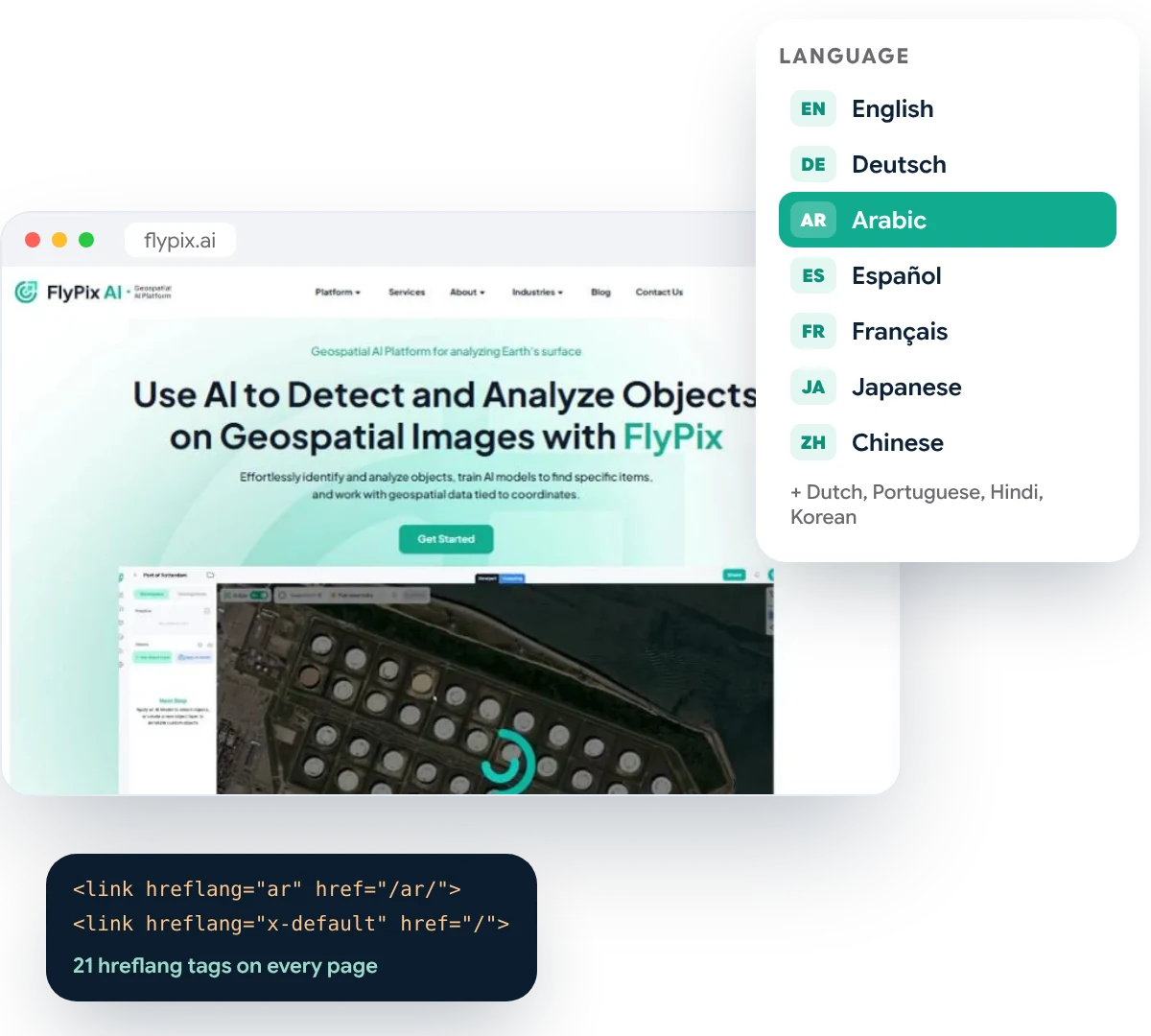
FlyPix AI sells its geospatial AI platform to teams in Europe, the Middle East and Asia. We set up TranslatePress on their Elementor website, so every page runs in 11 languages on its own web address, with translated SEO titles, hreflang tags for Google and right-to-left Arabic.
cs-flypix-translatepress-hero
languages, including right-to-left Arabic
0
hreflang tags on every page
0
translated page URLs
0 +
WordPress website to manage, not 11
0

The challenge

A global audience, and one English website

The brief

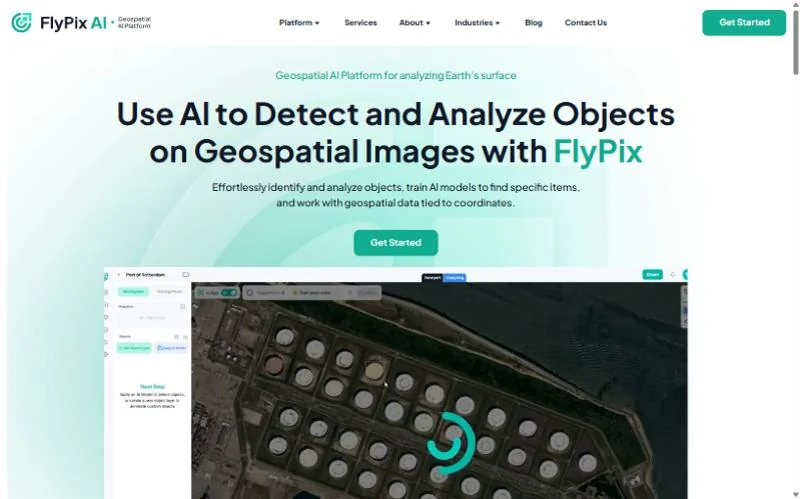
Buyers worldwide. One language.

fp-home

What we delivered

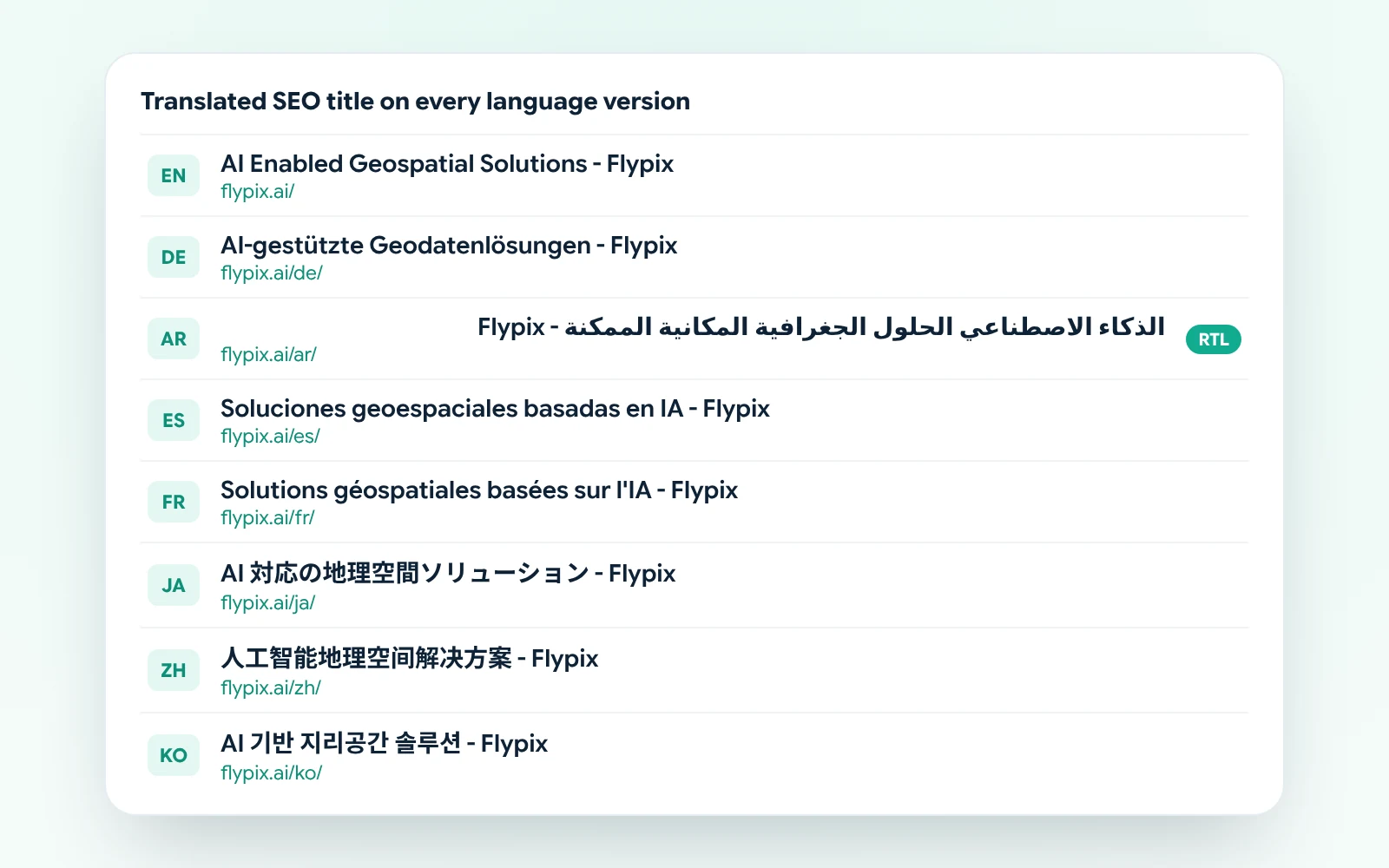
TranslatePress, set up for SEO from day one.

fp-tp-titles

Our process

How we made FlyPix AI multilingual

Five steps from an English-only website to 11 languages that Google can index.

01

Plan the languages

Ten target languages chosen with FlyPix, plus the web address pattern for each.

02

Set up TranslatePress

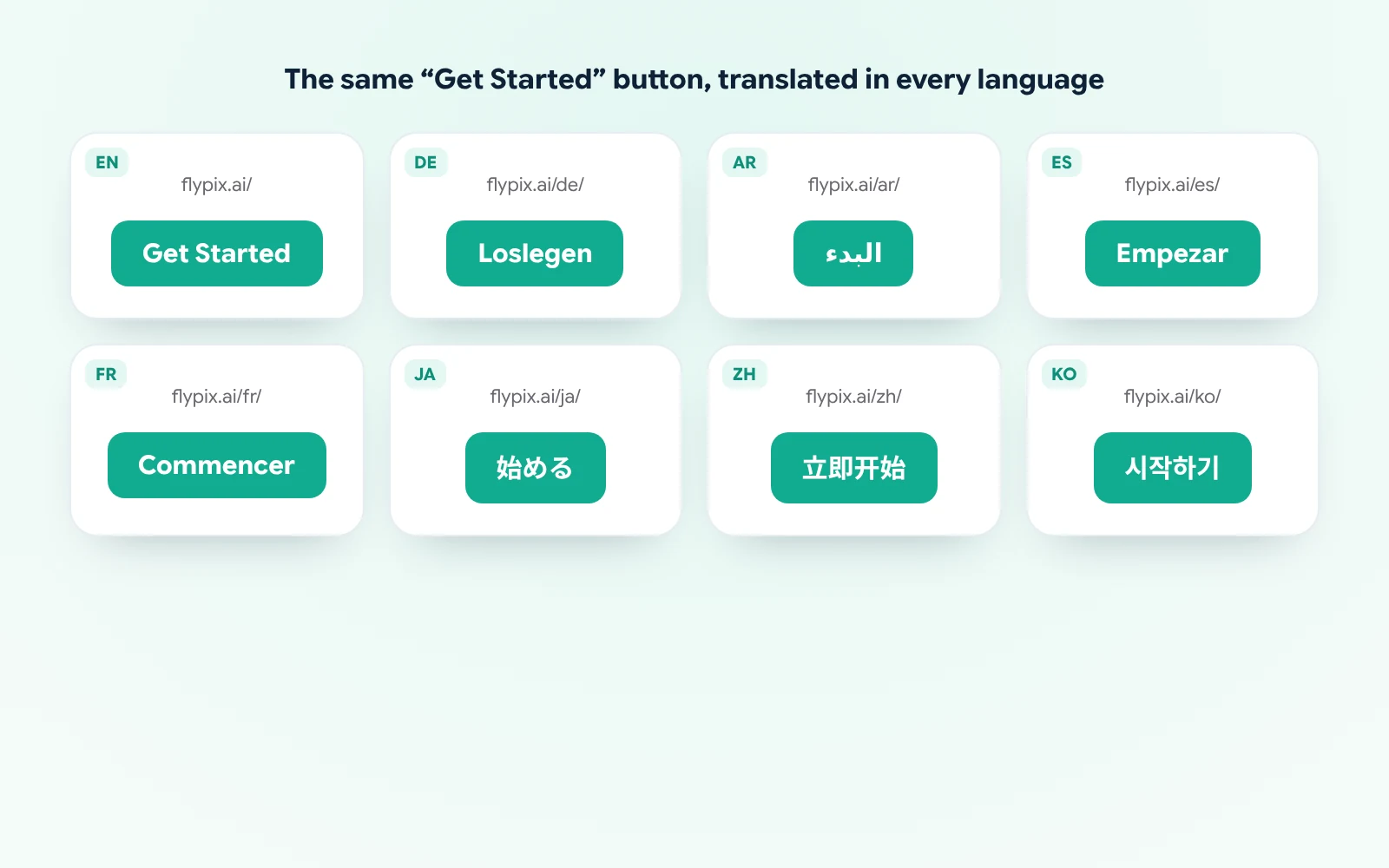
Default language, subfolder addresses and the language switcher in the Elementor menu.

03

Translate the site

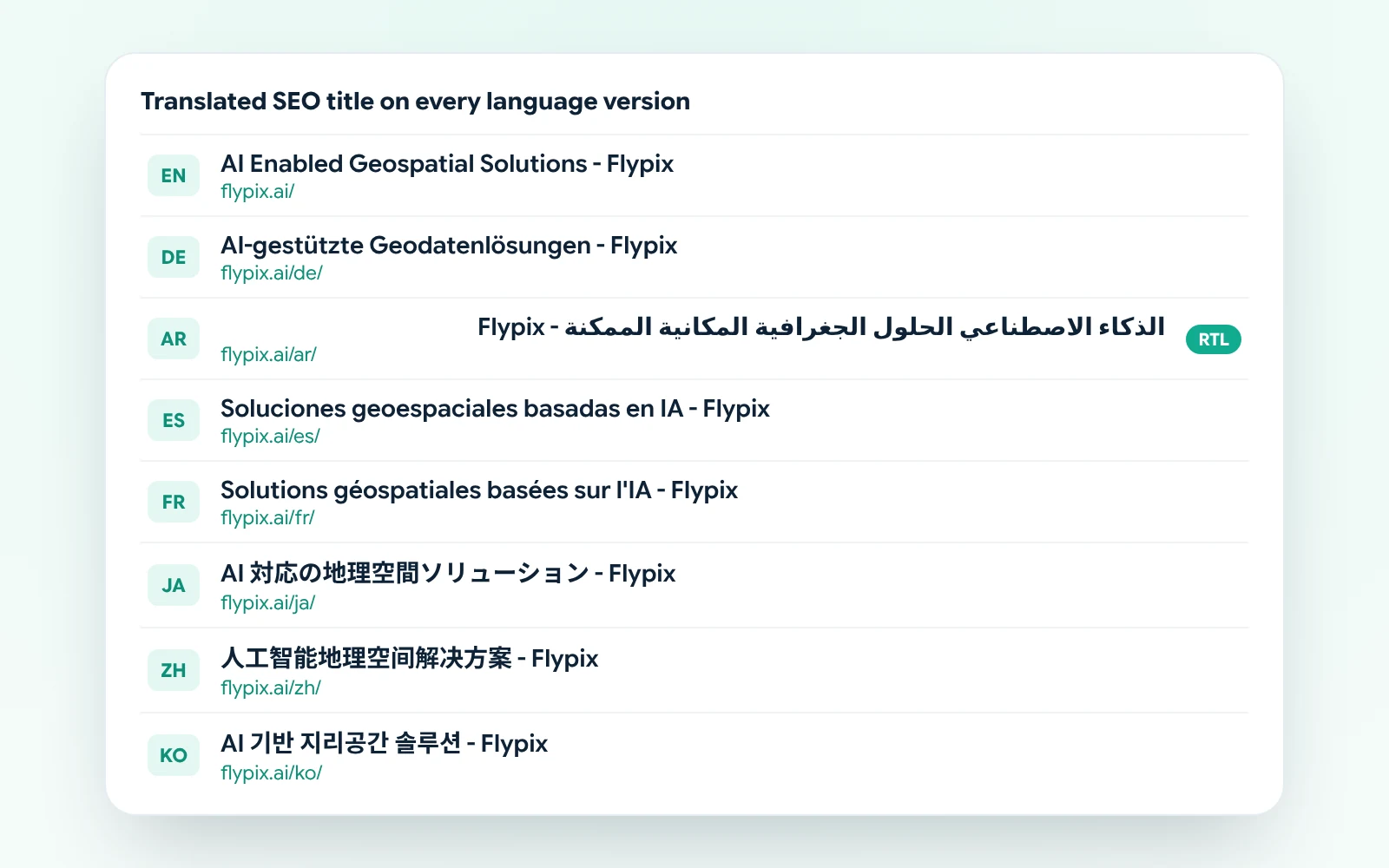
Pages, menus, buttons and SEO titles, language by language.

04

SEO checks

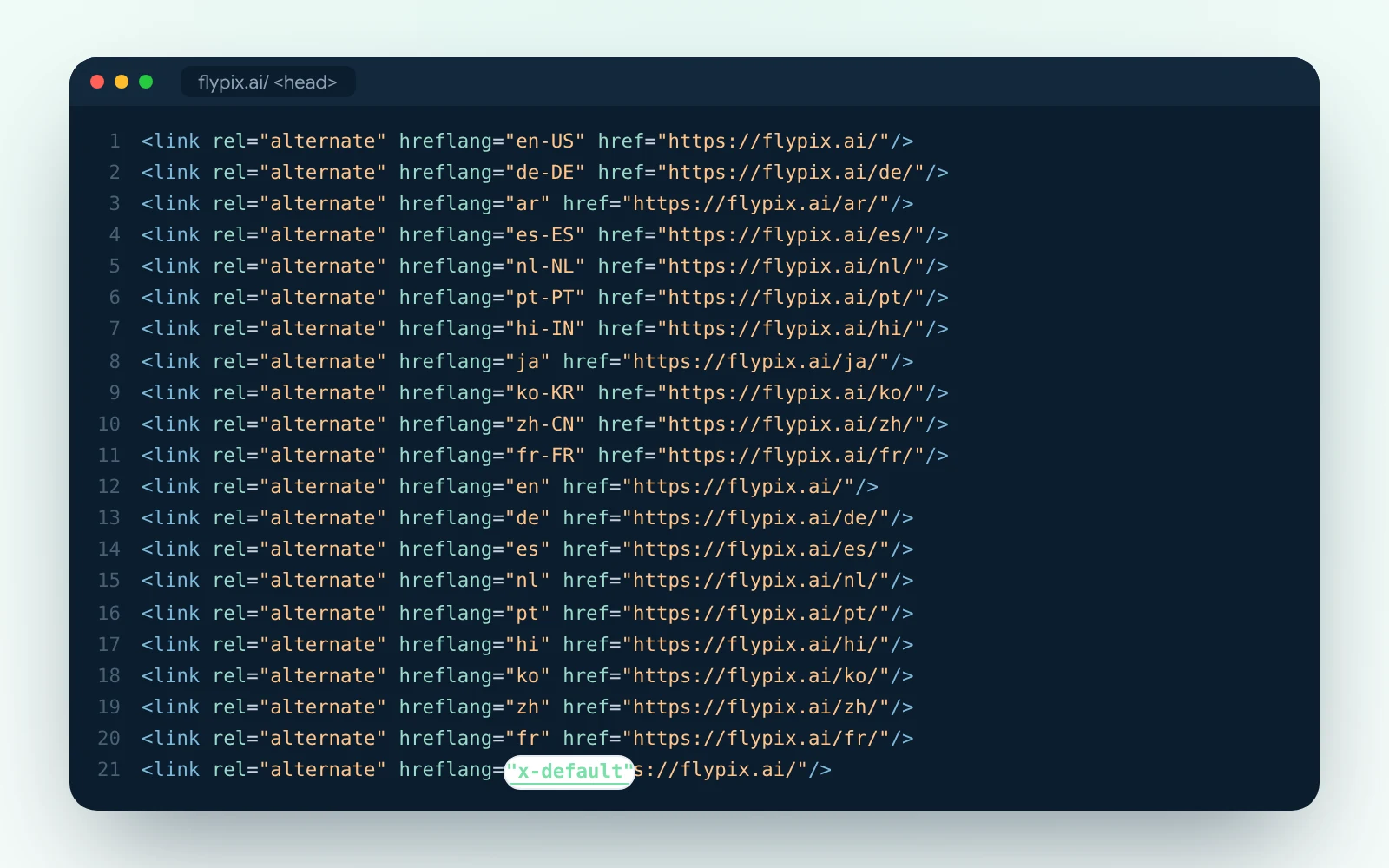
hreflang, x-default, canonical tags and the sitemap checked for every language.

05

Arabic and testing

Right-to-left layouts for Arabic, then checks on desktop and mobile.

Multilingual SEO

Google shows the right language in each country.

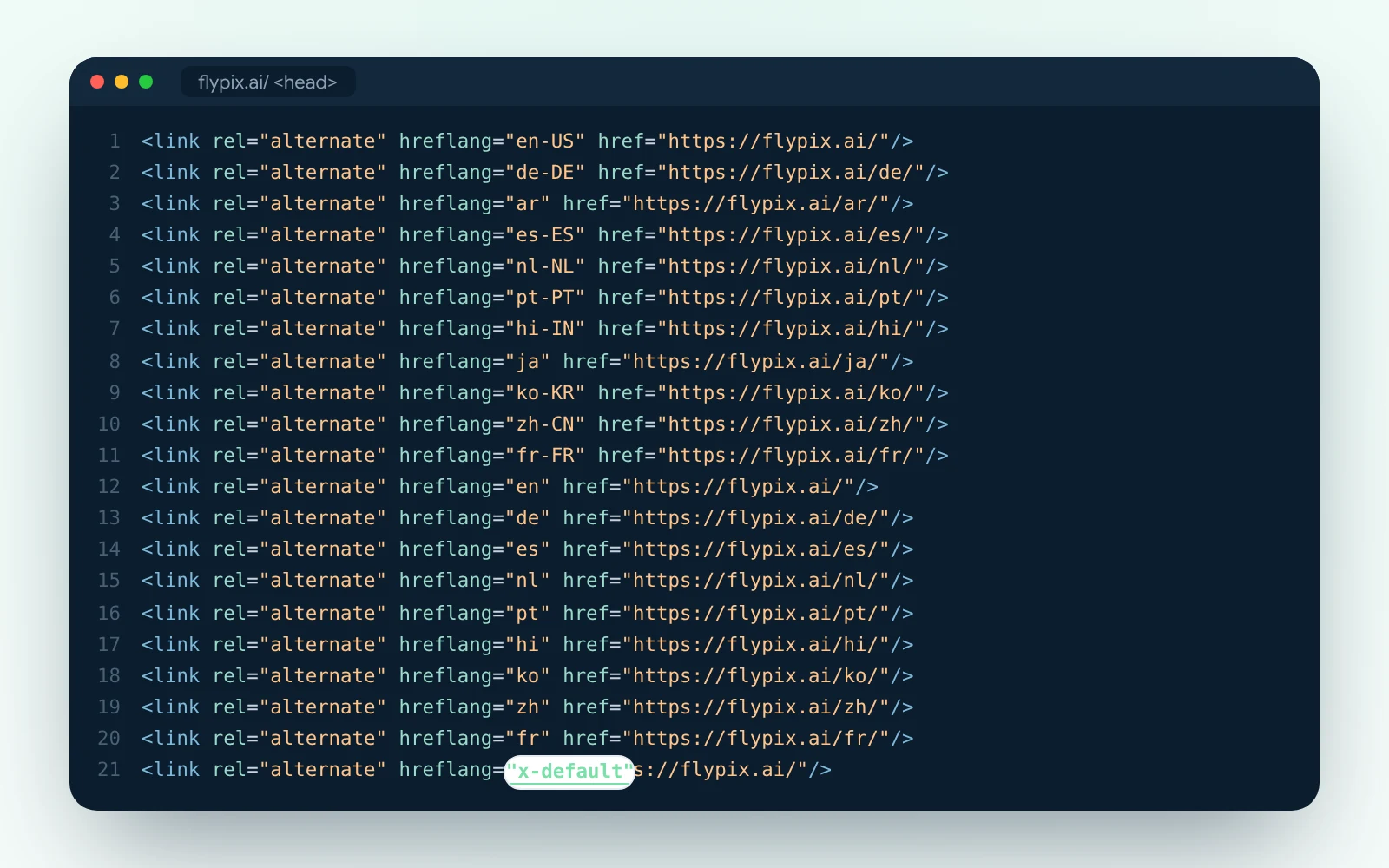
Every page carries 21 hreflang tags: one per language and region, plus an x-default for everyone else. Each language version also points to itself as the main web address, and the sitemap lists every translation, so search engines find and index all of them.
fp-tp-hreflang

The result

Same website, 11 languages
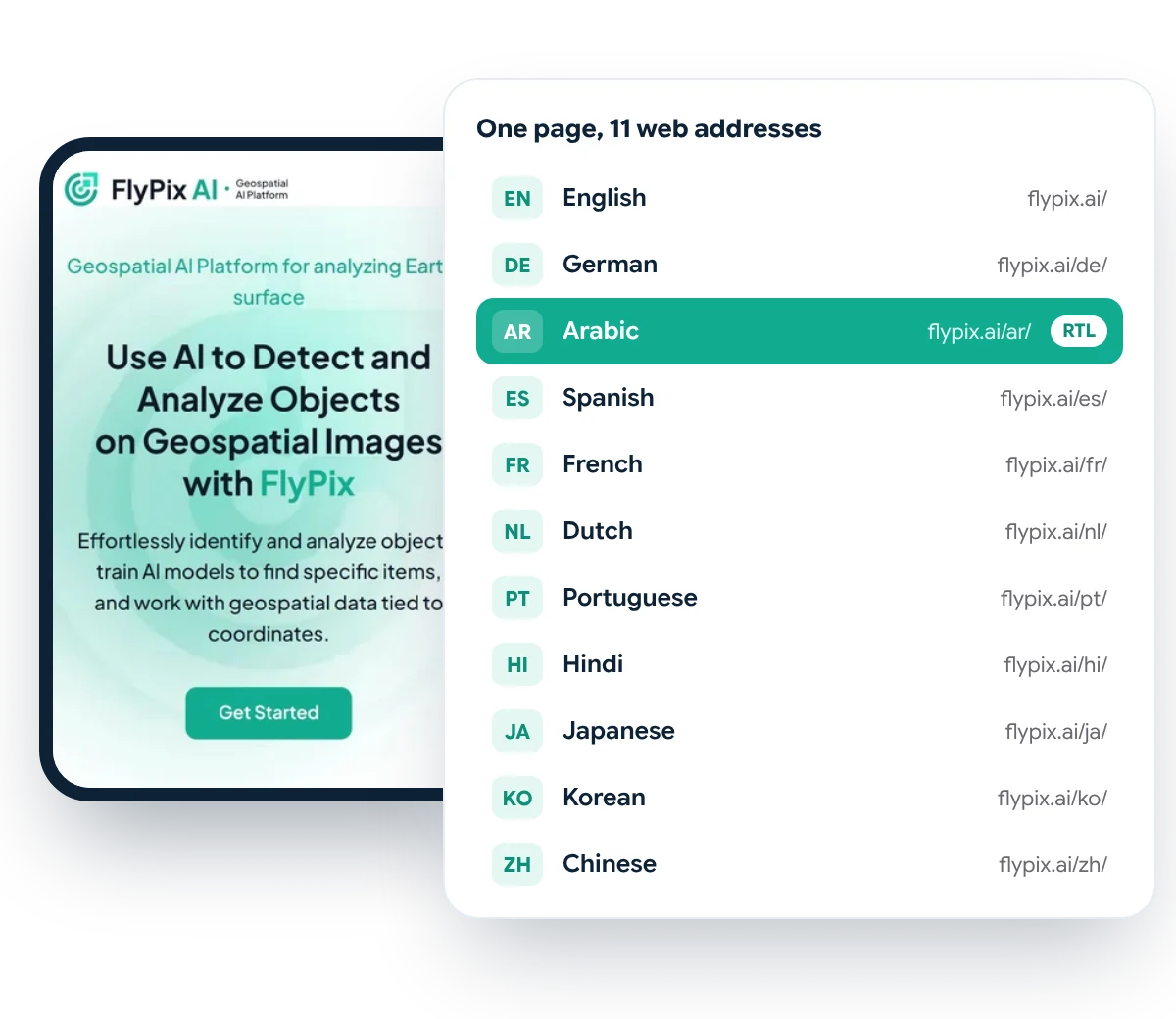
Built from the code of FlyPix AI’s multilingual Elementor site as it ran from 2024 to 2026. FlyPix has since moved its website to a new platform.
fp-languages

Site structure

11 web addresses
Every page lives in 11 folders, one per language, all on one WordPress install.
fp-tp-titles

Search

Translated SEO titles

Each language version has its own page title for search results.
fp-tp-buttons

Interface

Translated buttons

Menus and buttons switch language too, including right-to-left Arabic.
fp-tp-hreflang

Technical SEO

hreflang tags

21 tags on every page tell Google which version to show in which country.

Selling to more than one country?

We’ll make your WordPress website multilingual, set up for SEO in every language, without building separate sites.

Why PhpYouth

The team behind 700+ websites since 2015

Designers and WordPress developers in one team, with a dedicated project manager from the first Figma review to launch.
websites launched
0 +
clients worldwide
0 +
in-house specialists
0 +
Job Success on Upwork
0 %

Before you ask

Multilingual WordPress questions

Something else on your mind? Ask us in the form below and a real person on our team will reply.

We set up TranslatePress on FlyPix’s Elementor website for 11 languages: language folders, the language switcher, translated pages, menus, buttons and SEO titles, hreflang tags and right-to-left Arabic. We also built the website itself from Figma, which has its own case study.

No. Our WordPress setup ran from summer 2024 to autumn 2026. FlyPix has since moved its website to a different platform, so the images on this page come from the site as we set it up.

Both work well with Elementor. TranslatePress lets you translate on the live page and is simpler for most teams. WPML suits very large sites with complex translation workflows. We recommend one after looking at your site.

We can set up automatic translation with DeepL or Google and then have key pages reviewed, or work with your own translators. Automatic translation alone is rarely good enough for headings and sales pages.

It lets each language version rank in its own country, as long as hreflang, canonical tags and the sitemap are set up correctly. We set those up and check them in every language.

Start your project

Make your website work in every language you sell in.

Share your website and the languages you need. We’ll come back with a clear plan and timeline.

Share your details

Two minutes, this form. No commitment.

Free consultation call

We review your site, your markets and your languages.

Written proposal

Scope and timeline, before any work starts.

Get your free quote

Fields marked * are required.

No spam, ever. We only use this to reply to you.

More work

More case studies

Case study

Figma to Elementor build for a geospatial AI platform

Case study

Figma to WordPress build for a smart energy company

Case study

Website for a full-service Amazon agency