

Rank Math is a free WordPress SEO plugin used for on-page optimization, schema markup, and technical SEO management. This guide covers 16 Rank Math features most site owners never turn on, including Content AI, Instant Indexing, and the Advanced Schema Generator.
What You'll Learn
Quick answer: There are at least sixteen essential Rank Math SEO features that most WordPress sites never turn on. That list runs from an AI writing assistant to a one click WooCommerce noindex rule. Most of these Rank Math SEO features sit buried in a settings menu nobody opens twice.
This guide walks through each Rank Math SEO feature, what it actually does, and exactly where to find it in your dashboard.
If you installed Rank Math, ran the setup wizard, and never opened the settings again, you’re not alone. Most people treat SEO plugins the way they treat a smoke detector: install it once, forget it exists.
That’s fine if all you wanted was basic meta tags. It’s a waste if you’re sitting on a plugin that also does content analysis, automated redirects, image SEO, and now, in 2026, a full AI toolkit.
We went through every corner of the dashboard and pulled out the sixteen Rank Math SEO features that make the biggest difference and get used the least. Some are brand new for 2026. Others have been sitting in the settings menu for years, quietly ignored.
1. Content AI: Your Personal AI SEO Assistant
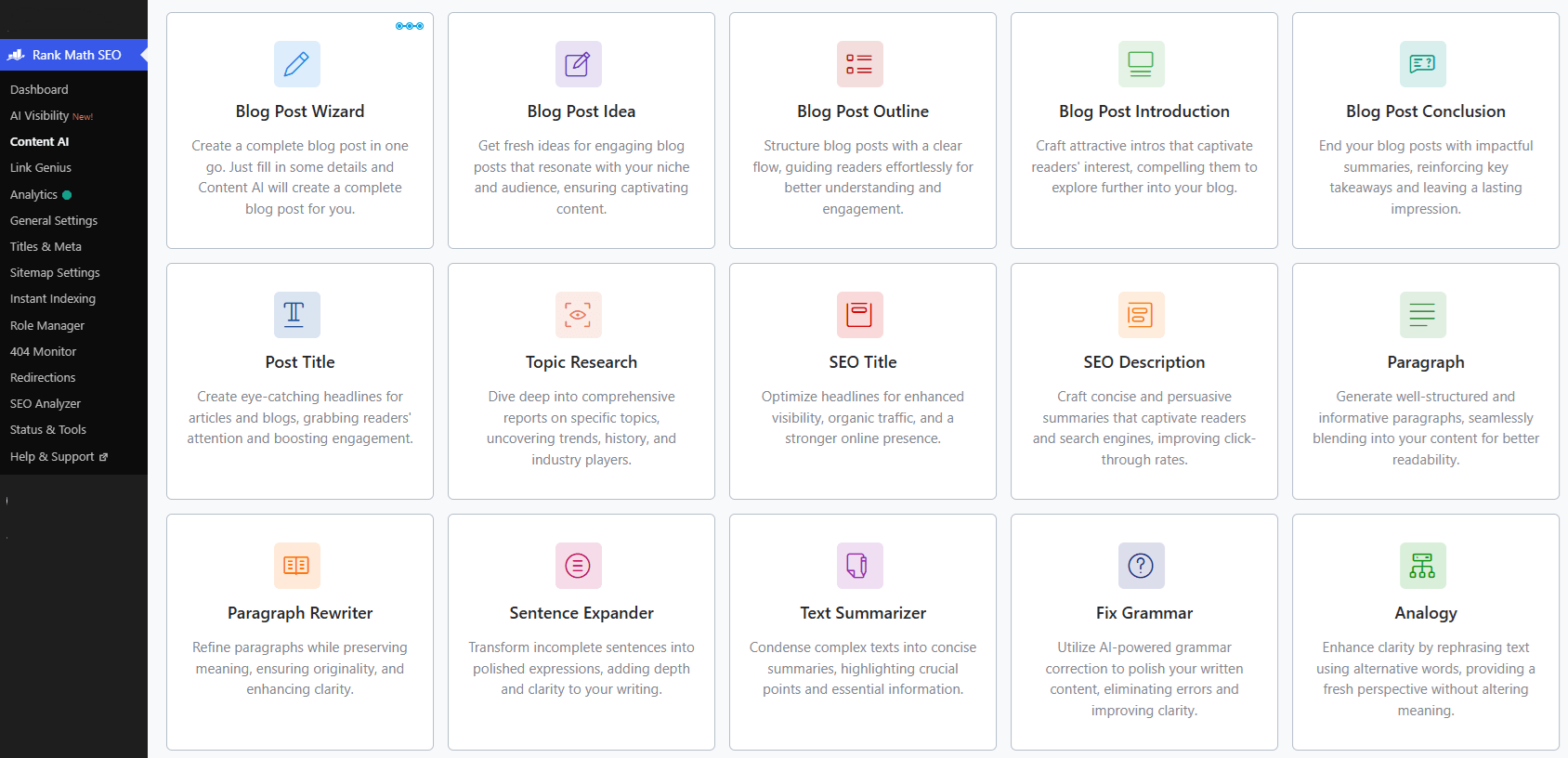
What You’re Missing: Content AI is Rank Math’s built-in writing assistant. It drafts sections, suggests outlines, pulls keyword ideas, and writes meta titles and descriptions, all from inside the same editor you already write in.
Why It Matters: Most people still bounce between three or four tabs to write one blog post: a keyword tool, a grammar checker, maybe ChatGPT, then back to WordPress to paste it all in. Content AI folds that into one place.
That makes it one of the more useful Rank Math SEO features on this list if you write often. You get 750 free credits a month on the free plan, which covers a handful of posts before you’d need to upgrade.
How to Use It: While editing a post, click the Content AI icon in the sidebar. It scores your draft against your focus keyword and gives you specific fixes rather than a vague grade. If you’re building out a full content plan, our guide to AI tools for WordPress covers where Content AI fits alongside the rest of your stack.
2. Instant Indexing: Get Faster Rankings
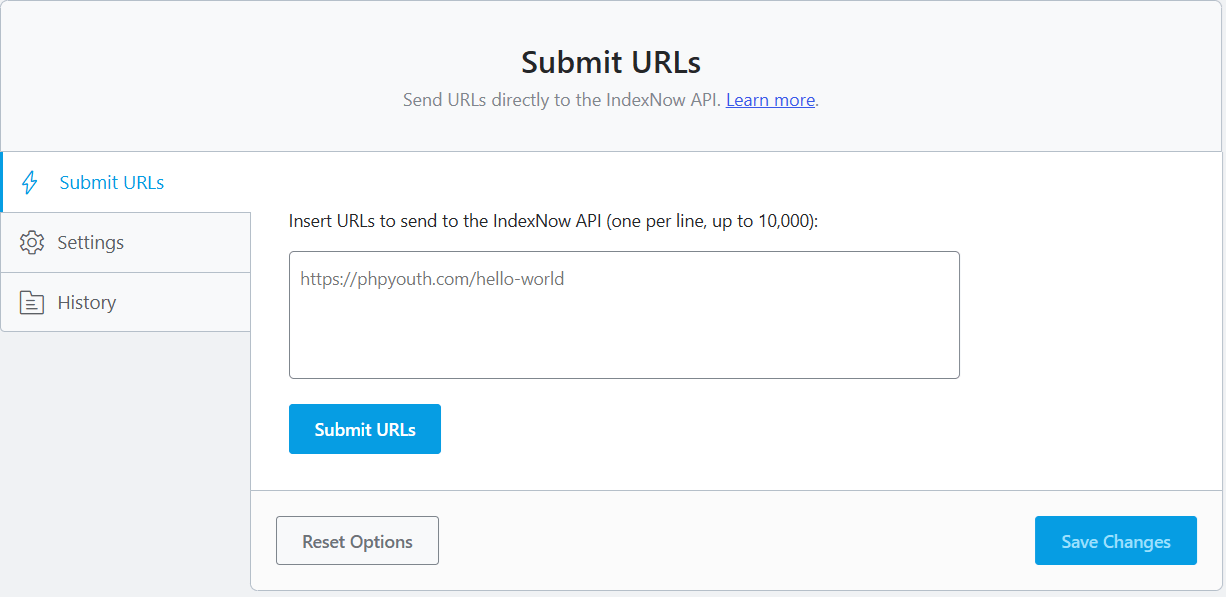
What You’re Missing: Instant Indexing pings search engines the moment you publish, using the IndexNow protocol, instead of waiting for Google to crawl your site on its own schedule.
Why It Matters: New posts can sit un-crawled for days. For time-sensitive content, that delay is the difference between ranking for a trend and missing it entirely. This one matters most if you publish frequently or cover anything remotely newsy.
How to Use It: Go to Rank Math SEO, then Instant Indexing, then Settings. Verify site ownership and enable it. From that point forward, every publish or update sends an automatic ping.
3. llms.txt Generator: AI Visibility
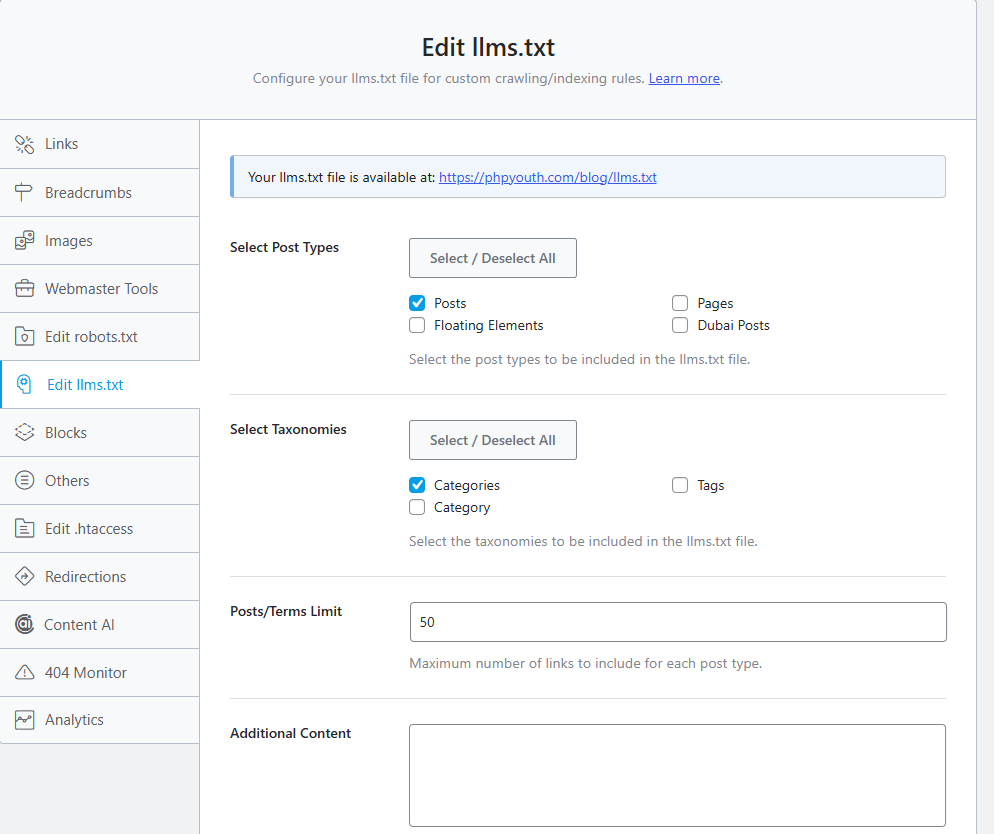
What You’re Missing: A growing share of searches now happen inside ChatGPT, Gemini, and Perplexity instead of Google. Rank Math generates an llms.txt file that tells AI crawlers exactly which pages on your site matter.
Why It Matters: Without this file, an AI bot has to guess its way through your navigation, sidebar, and footer to figure out what your site is actually about. A clean llms.txt file points it straight at your best content instead, which matters more every month as AI answer engines take a bigger slice of search traffic.
How to Use It: Enable the llms.txt module under Rank Math’s settings. It generates and maintains the file automatically as you publish new content.
4. Advanced Schema Generator
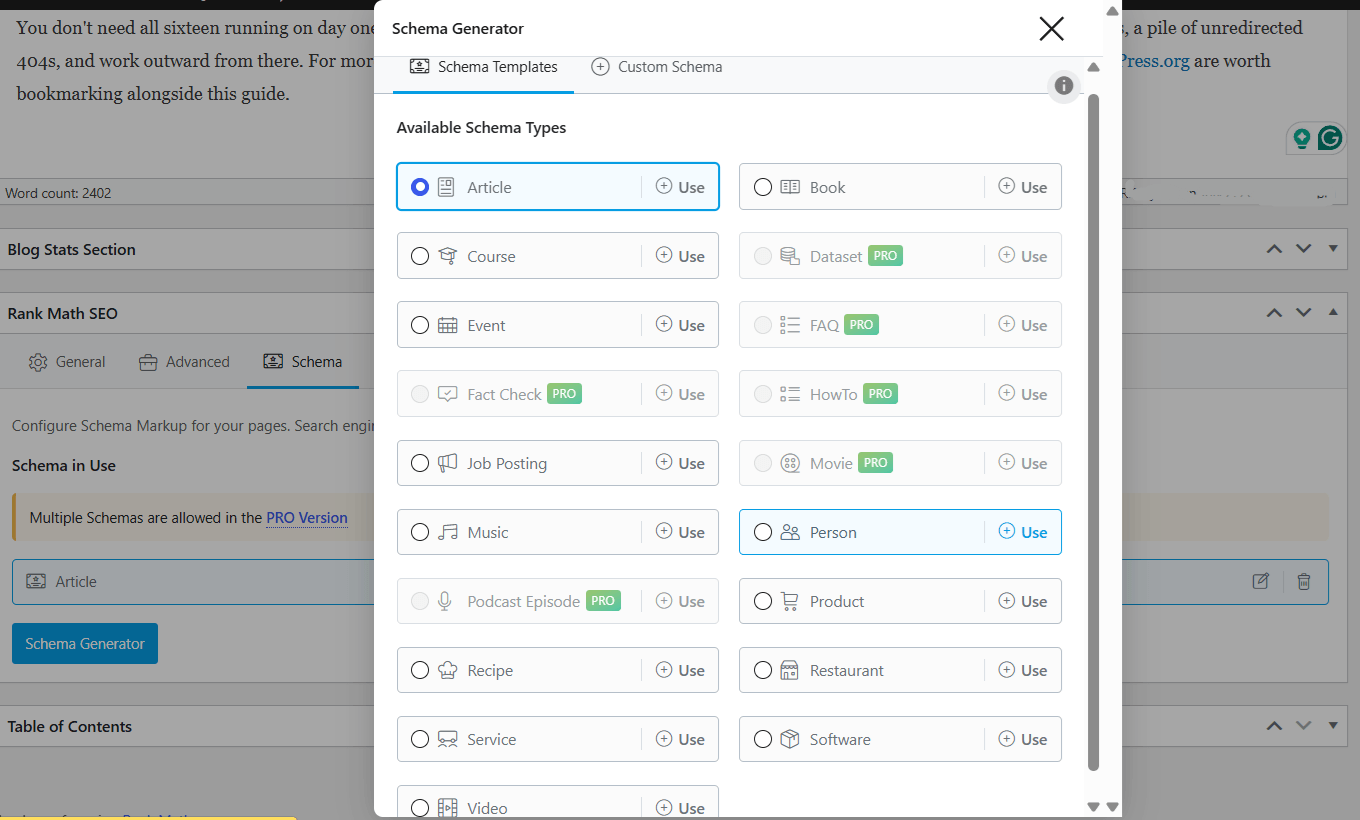
What You’re Missing: Rank Math’s free version supports over 18 schema types, including Article, Product, FAQ, HowTo, and Local Business. The Pro version unlocks more than 840.
Why It Matters: Schema is what turns a plain blue link into a rich result with stars, prices, or an FAQ dropdown right in the search results. Among the Rank Math SEO features covered here, this is the one with the most direct effect on click-through rate.
That’s because pages with schema simply take up more visual space in the results, before the user even clicks.
How to Use It: Open Titles and Meta, pick the post type you want to configure, then go to Schema Generator. Choose a type and fill in the fields. For posts like ours on contact form plugins or comparison guides, FAQ schema is usually the highest impact type to start with.
5. AI Link Genius: Smart Internal Linking
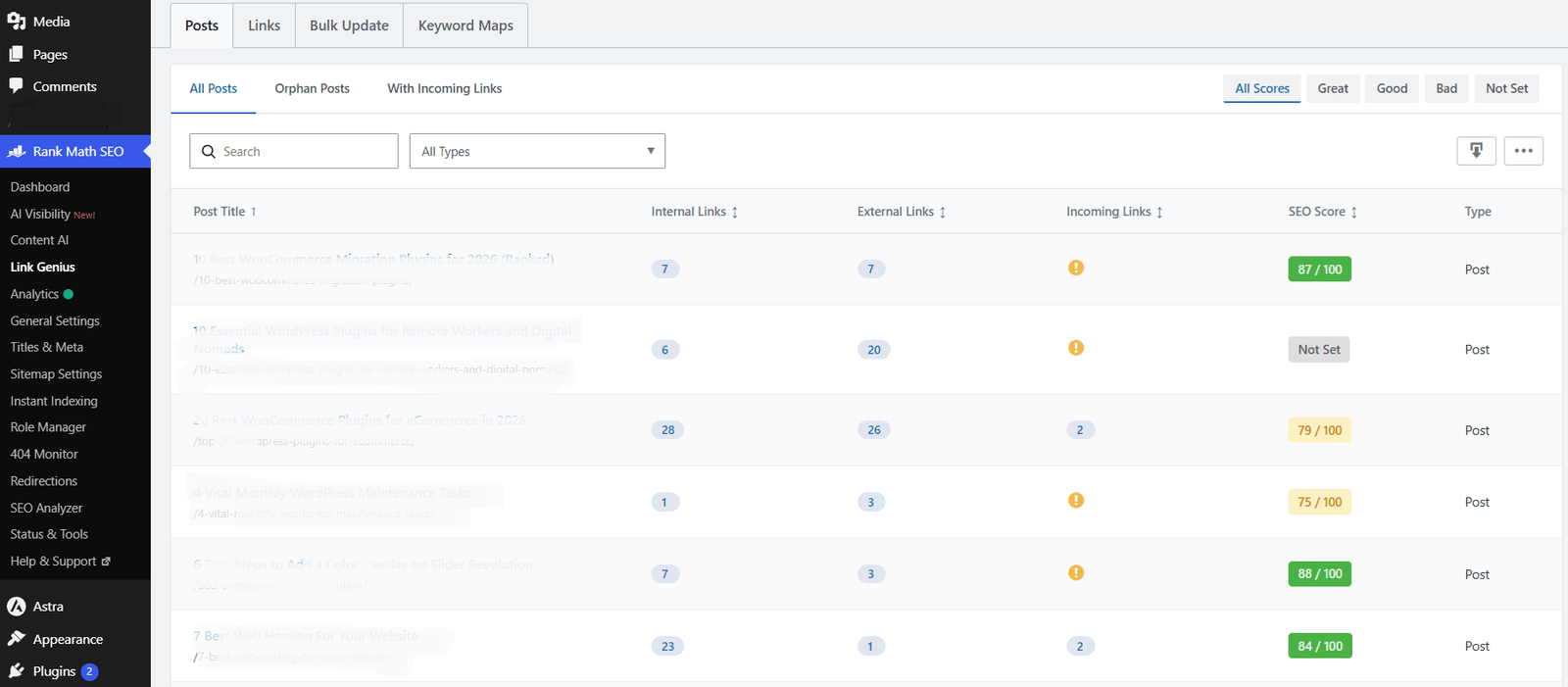
What You’re Missing: AI Link Genius scans your published content and suggests internal links based on topic and keyword overlap, then adds them with one click.
Why It Matters: Internal linking is one of those tasks everyone knows they should do more of and almost nobody does consistently, because it means re-reading old posts to find natural link spots. This automates the part people skip.
How to Use It: Turn it on under Rank Math, then Dashboard, then Modules. Review its suggestions before accepting them. It’s good, not perfect, so a quick sanity check beats blindly accepting every recommendation.
6. Google Analytics Integration
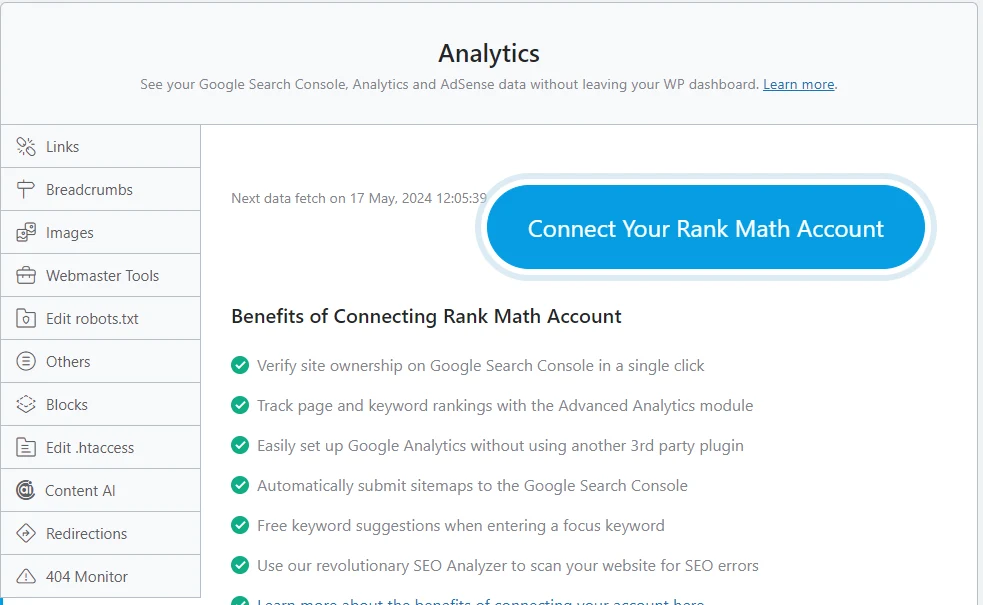
What You’re Missing: Rank Math pulls your Google Analytics data into the WordPress dashboard, so you can see traffic and behavior without opening a separate tab.
Why It Matters: The friction of switching tools is real. If checking your analytics means leaving WordPress, logging into another dashboard, and hunting for the right report, most people just stop checking. Keeping it in one place means you’ll actually look at it.
How to Use It: Enable the module under Rank Math, then Dashboard, then Modules, then connect your Google account.
7. 404 Monitor and Redirections Manager
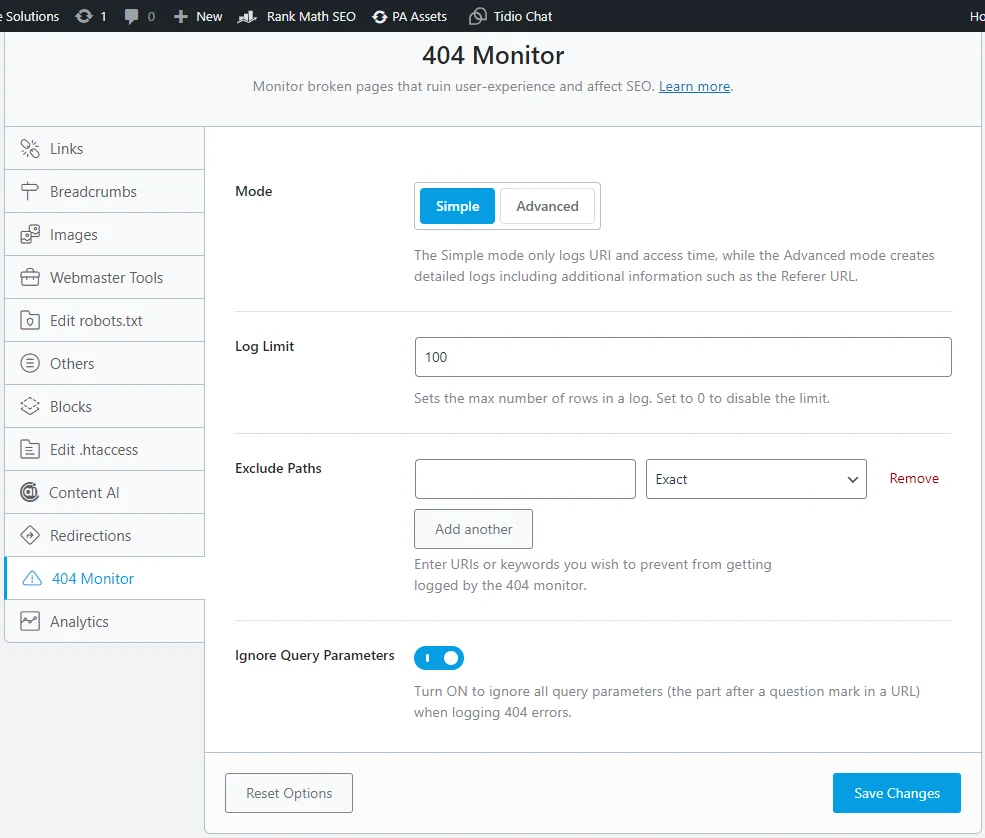
What You’re Missing: The 404 Monitor logs every broken link a visitor hits, including the referring URL. The built-in Redirections Manager lets you fix it on the spot.
Why It Matters: Every 404 is a visitor who almost certainly left. Worse, if you’ve ever changed a URL slug (something we do often on this site when cleaning up old posts), the old link keeps sending traffic and link equity into a dead end unless you redirect it.
How to Use It: Turn on the 404 Monitor from the dashboard, then use Rank Math, then Redirections to set up rules as errors show up.
8. Local SEO and Knowledge Graph
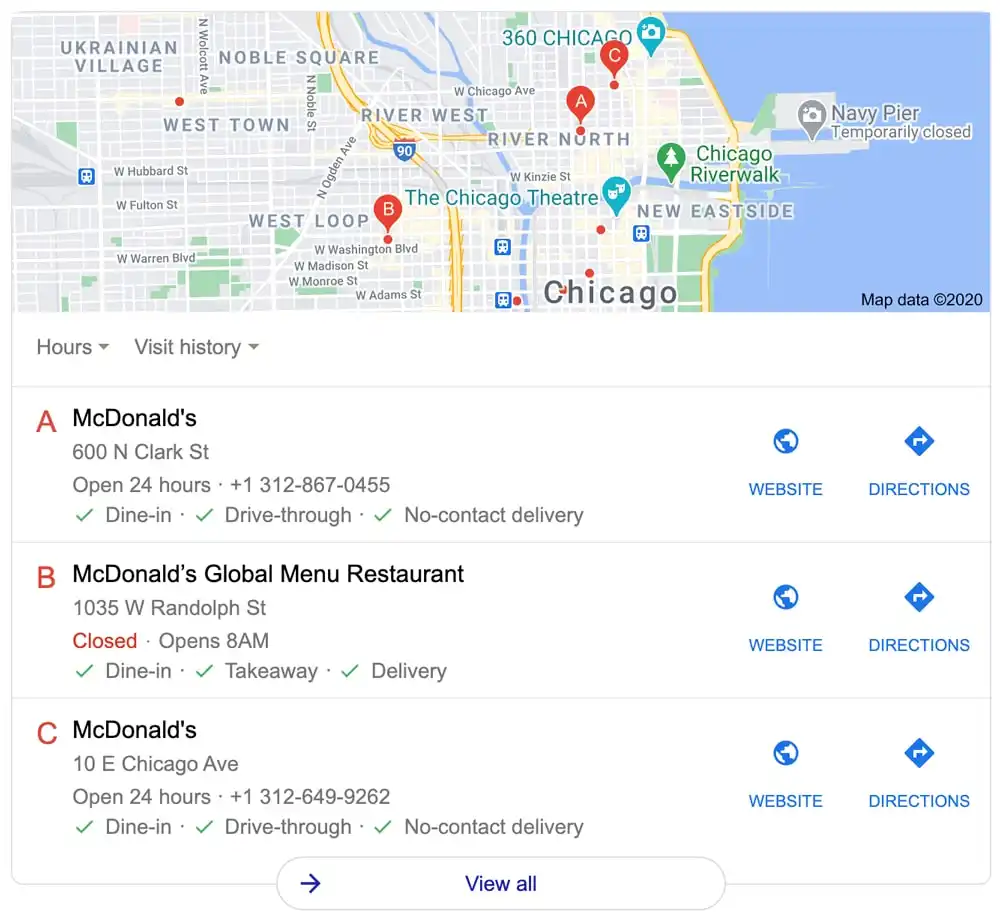
What You’re Missing: This module adds structured business information, hours, location, and contact details that feed Google’s Knowledge Graph and local search results.
Why It Matters: If any part of your business serves a local market, this is the fastest way to show up in map results and local pack listings without a separate plugin.
How to Use It: Go to Titles and Meta, then Local SEO, and fill in your business details.
9. Role Manager
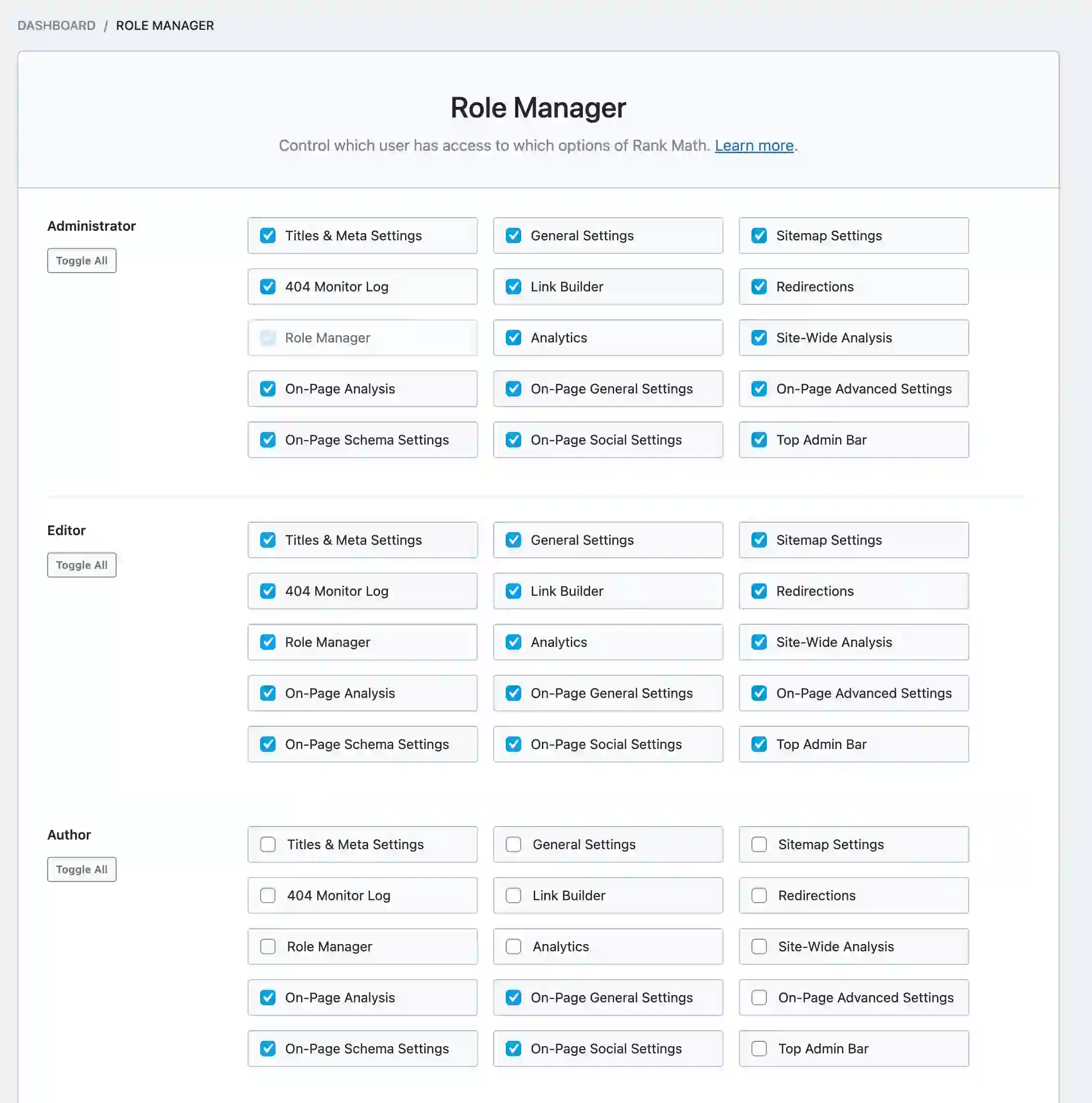
What You’re Missing: Role Manager controls which WordPress user roles can see or change specific Rank Math settings.
Why It Matters: If you work with writers, freelancers, or a small team, this stops someone from accidentally changing a redirect rule or a schema setting they didn’t mean to touch.
How to Use It: Find it under Rank Math, then Role Manager, and assign permissions per role.
10. Modular Design
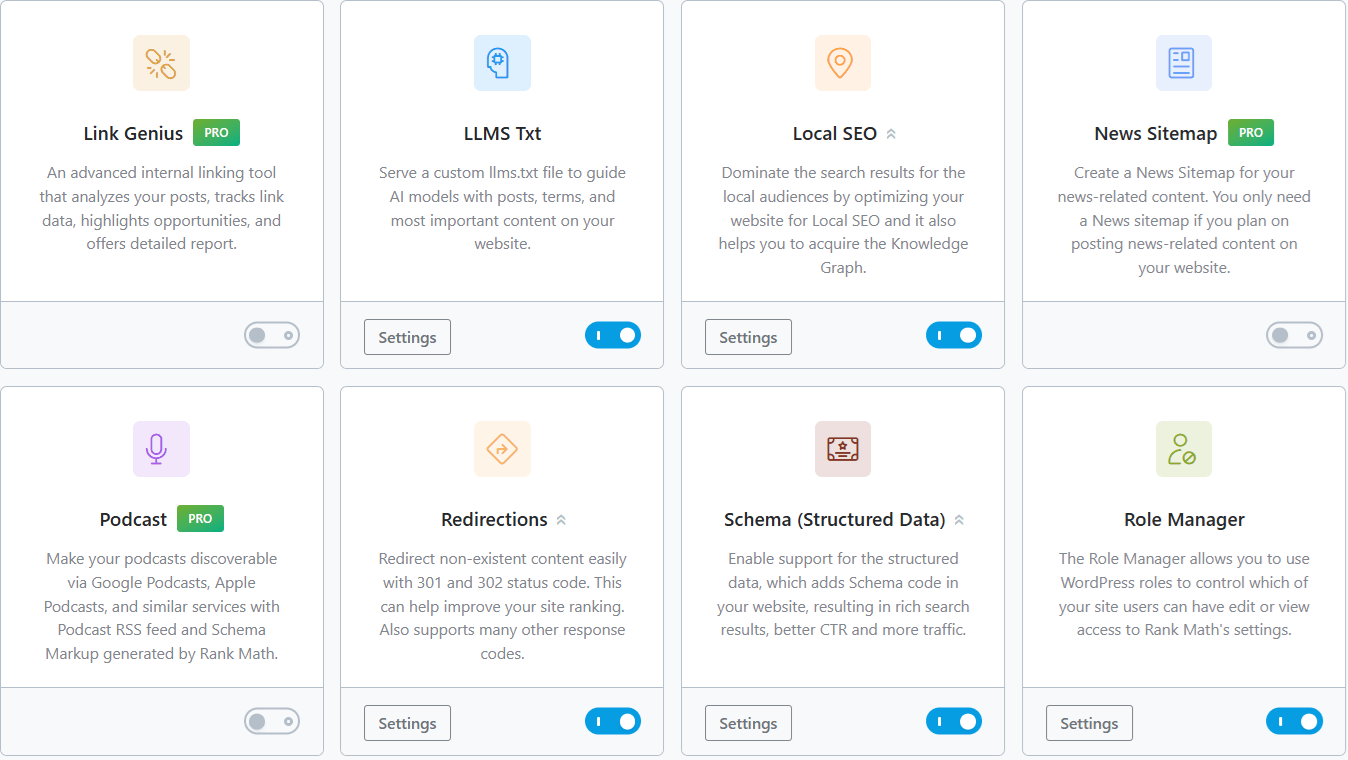
What You’re Missing: Rank Math only loads the modules you actually enable, instead of running every feature on every page load regardless of use.
Why It Matters: Plugin bloat is a real performance cost. Sites running dozens of unused features tend to feel it in load time. Rank Math sidesteps that by letting you switch modules off entirely rather than just hiding them in the interface.
How to Use It: Go to Rank Math, then Dashboard, then Modules, and toggle off anything you’re not using.
11. Automated Image SEO
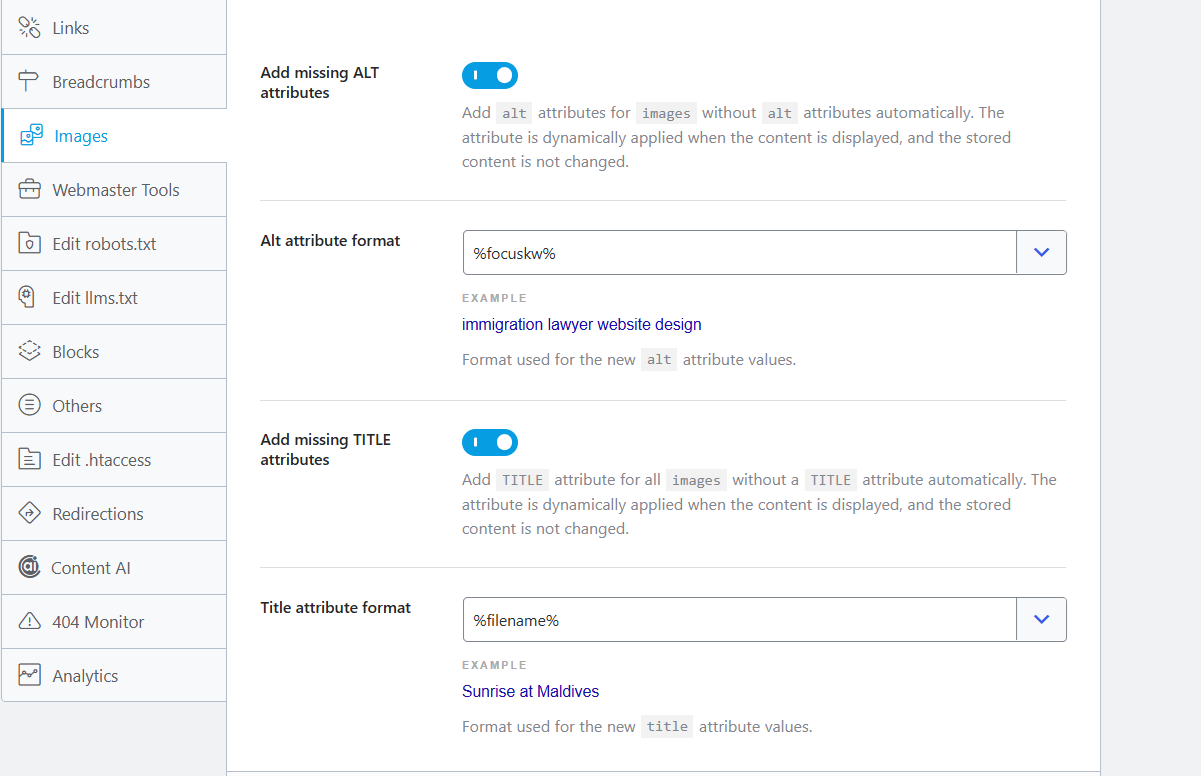
What You’re Missing: Rank Math can automatically add alt text and title tags to every image you upload, pulled from your focus keyword, the post title, or the filename itself.
Why It Matters: Missing alt text is one of the most common gaps on WordPress sites, and it costs you two things at once: visibility in Google Images and basic accessibility for screen reader users. Most people upload images and never go back to label them.
How to Use It: Go to Rank Math SEO, then General Settings, then Images. Turn on the missing alt and title attribute options and choose your source.
For images already sitting in your media library, use the bulk editing option under Titles and Meta, then Attachments, or let Content AI’s “Write Image Alt Text with AI” option handle it for you.
12. Bulk Title and Description Editor
What You’re Missing: You can edit SEO titles, meta descriptions, and robots settings for multiple posts or products at once, directly from the Posts or Products list, without opening each item individually.
Why It Matters: Anyone running a WooCommerce store with a large catalog knows how tedious one-by-one meta editing gets. This turns a multi-day cleanup into an afternoon task, especially if you’re refreshing an older content library for 2026.
How to Use It: Open your Posts or Products list, select the items you want, and click the pencil icon that appears over the SEO Title or SEO Description column. Edit inline and save together.
13. WooCommerce Noindex Hidden Products

What You’re Missing: When a product is hidden from your shop catalog, out of stock, or a variation used only for upsells, for example, Rank Math can automatically noindex that page so Google never sees it.
Why It Matters: Every hidden product page that stays indexed is a small drag on crawl budget and a source of thin or duplicate content in Google’s eyes. This matters most if your inventory turns over often.
If you’re building out your store’s plugin stack more broadly, see our roundup of the best WooCommerce plugins for eCommerce.
How to Use It: Go to Rank Math SEO, then General Settings, then WooCommerce, and turn on Noindex Hidden Products. It applies automatically from then on, no per-product tagging needed.
14. Edit .htaccess Without Leaving WordPress
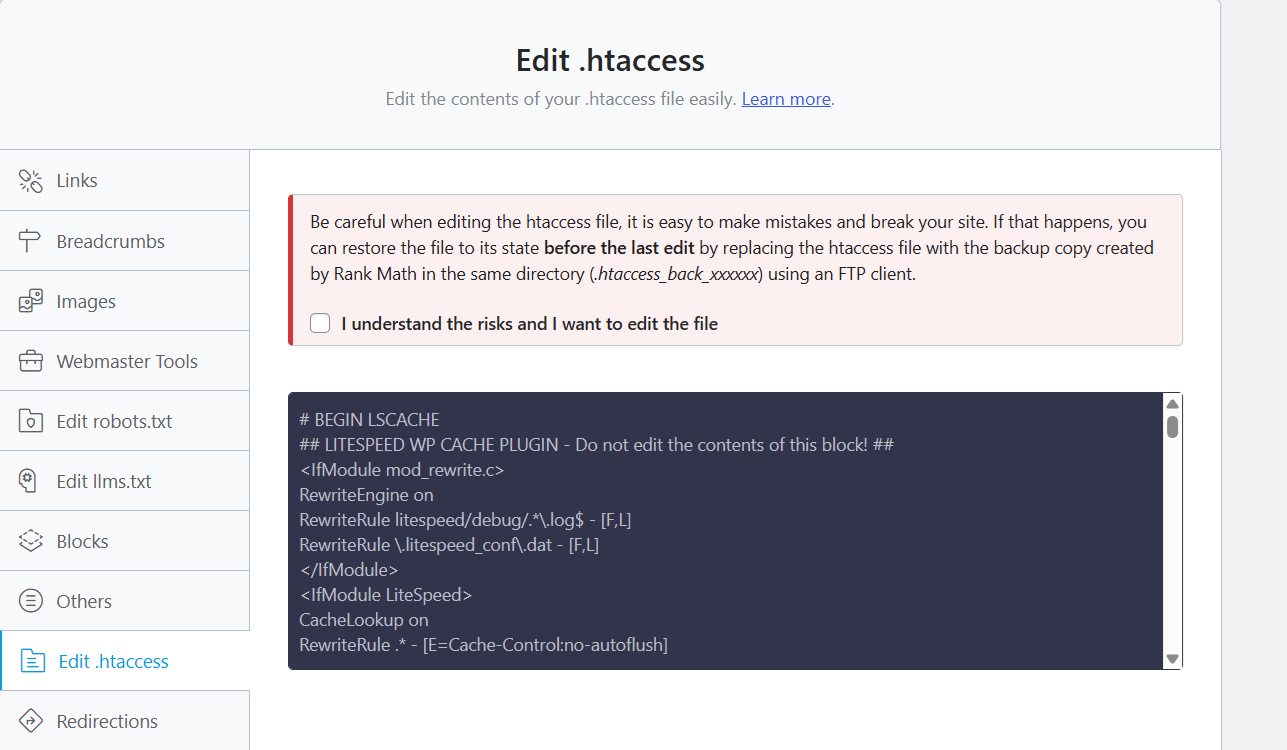
What You’re Missing: Advanced Mode includes a built-in .htaccess editor, so you can add redirects or server rules without touching FTP.
Why It Matters: A bad edit to this file can take your whole site down, which is exactly why most beginners avoid it and end up asking hosting support for help with something as small as one redirect rule. Editing it inside WordPress, with Rank Math tracking the change, is a safer middle ground.
How to Use It: Switch to Advanced Mode, then go to General Settings, then Edit .htaccess. Back up the file before saving. A syntax mistake here behaves the same as a mistake in the raw file.
15. Search Console and Multi Engine Verification
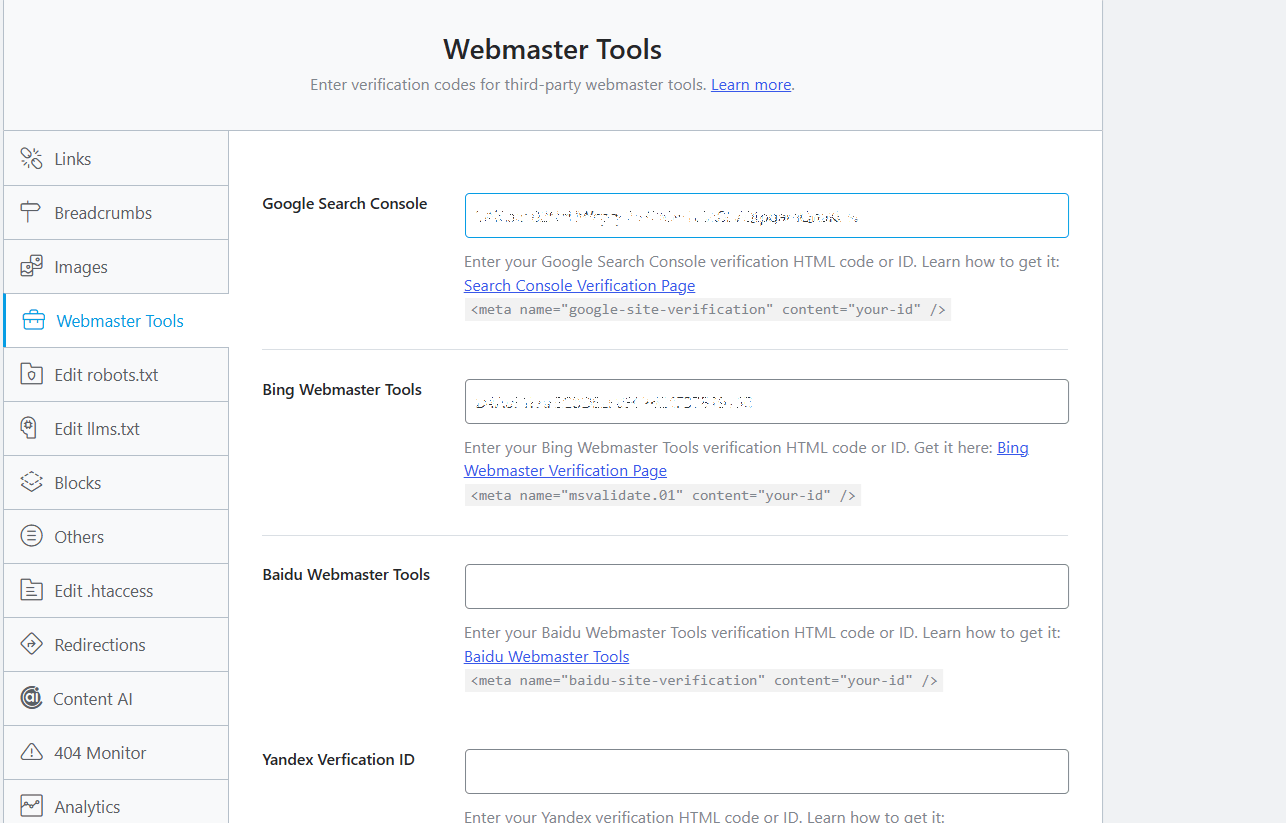
What You’re Missing: Rank Math lets you verify your site with Google, Bing, and other search engines from inside WordPress, and pulls Search Console data straight into your dashboard.
Why It Matters: Search Console is the closest thing to ground truth for how Google actually sees your site: clicks, impressions, position, indexing errors. But most people set it up once and never open it again. Having it inside WordPress removes the excuse.
How to Use It: Go to Rank Math SEO, then General Settings, then Webmaster Tools, and paste in your verification codes. Then connect Search Console under the Analytics tab.
16. SEO Analyzer: Full Site Health Score
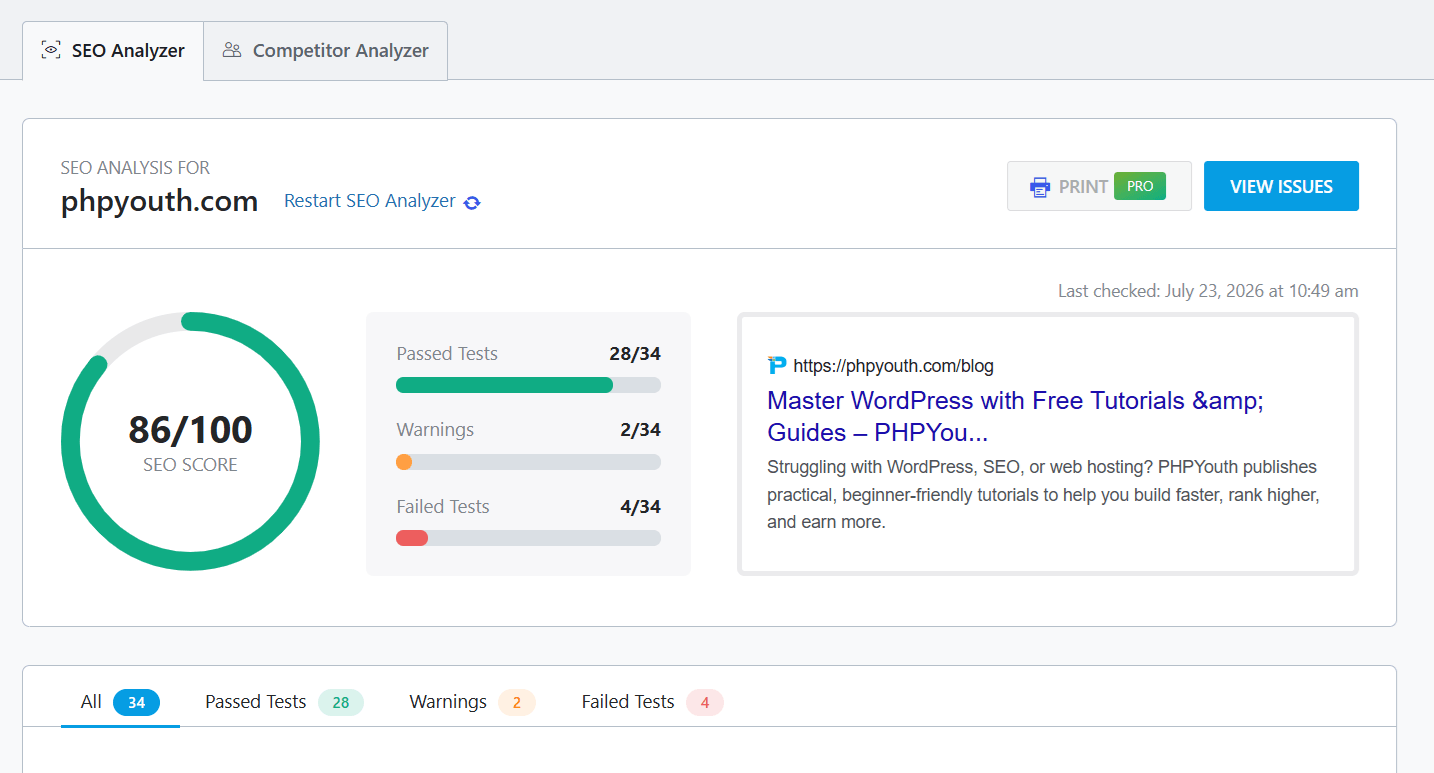
What You’re Missing: The SEO Analyzer scans your whole site for technical issues, missing alt tags, broken links, slow resources, weak titles, and gives you an overall health score with a prioritized fix list.
Why It Matters: Instead of guessing why a page underperforms, you get a ranked list of what to fix first. Running it monthly catches small problems before they pile up across dozens of pages.
How to Use It: Go to Rank Math SEO, then SEO Analysis, then Start Analysis. Work through the list from highest priority down, and re-run it after any major content update.
Frequently Asked Questions
What is Rank Math SEO?
Rank Math is a WordPress SEO plugin built around a wide set of Rank Math SEO features, schema markup, keyword tracking, content analysis, redirects, and, as of 2026, a built-in AI toolkit for writing and internal linking. It’s available free with a Pro upgrade for advanced features.
Why does schema markup matter in Rank Math?
Schema helps search engines understand your content well enough to show rich results, star ratings, FAQ dropdowns, and product prices right in the search listing, which tends to improve click-through rate.
How does the 404 Monitor help SEO?
It catches broken links visitors actually hit, along with the page that sent them there, so you can fix or redirect the URL before more traffic and link equity get lost to a dead page.
Does Rank Math integrate with Google Analytics?
Yes. Once connected, you can see traffic sources, user behavior, and performance data directly inside your WordPress dashboard.
What does the Redirections Manager do?
It lets you create and manage URL redirects so old links forward to new ones instead of returning a 404, which preserves both user experience and the SEO value of the original URL.
Does Rank Math automatically add alt text to images?
Yes. The Image SEO module can add alt and title attributes automatically based on your focus keyword, post title, or filename, and Content AI can generate alt text for images already on your site.
Can I bulk edit SEO titles and descriptions?
Yes. The Bulk Editor updates titles, descriptions, and robots meta for multiple posts or WooCommerce products at once from the Posts or Products list.
Does Rank Math handle WooCommerce SEO specifically?
Yes, including automatic noindexing of hidden or out-of-stock products, which keeps your store’s index clean without manual tagging on every item.
What is the SEO Analyzer?
A built-in site audit that scans for technical SEO issues and gives you a health score along with a prioritized list of fixes, similar to running a manual audit but without the manual part.
Conclusion
Rank Math earned its reputation as a solid SEO plugin years ago. What’s changed for 2026 is how much further the list of Rank Math SEO features now goes past the basics.
An AI writing assistant, instant indexing, an llms.txt generator built for the way people search now, and a set of smaller quality-of-life tools, bulk editing, automated image SEO, a built-in .htaccess editor, all quietly save hours once you know they exist.
You don’t need all sixteen Rank Math SEO features running on day one. Start with whichever gap costs you the most right now, missing alt text, unindexed new posts, or a pile of unredirected 404s, and work outward from there.
For more on the technical side of ranking well, Google’s own Search Central documentation and WordPress.org are worth bookmarking alongside this guide.
Discover more from Master WordPress with Free Tutorials & Guides
Subscribe to get the latest posts sent to your email.

10 thoughts on “Rank Math SEO Features You’re Not Using (But Should)”
Pingback: How to Use TranslatePress WordPress Plugin for SEO-Friendly
Pingback: Top WordPress Plugins for eCommerce 2025 [Best 20 Tools]
Pingback: SEO for Nanny Agencies: Boost Leads & Growth | PhpYouth
Pingback: SEO for Nanny Agency: Boost Leads & Growth | PhpYouth
Pingback: Affordable SEO for Lawyers | PhpYouth
Pingback: 10 Essential WordPress Plugins for Remote and Digital Nomads
Pingback: Best WordPress Contact Form Plugin: WPForms, Gravity Forms & Alternatives 2025
Pingback: Best 10 AI Tools for WordPress: Essential 2026 Guide
Pingback: TranslatePress Guide 2026: Setup, SEO & WPML Comparison
Pingback: 10 Best Web Technologies for WordPress Developers in 2026