
Skip to content
logo_phpyouth
  • Home
  • WordPress
    • Plugins
    • Elementor
    • Security
    • Maintenance
    • WooCommerce
  • Web Development
    • CSS
    • PHP
    • Database
  • SEO & Marketing
    • Google Adsense
    • Social Media
    • Law Firm Marketing
  • Web Hosting
    • cPanel
    • WHM
  • AI & Tools
    • Developer Tools
    • Website Builders
  • About
  • Home
  • WordPress
    • Plugins
    • Elementor
    • Security
    • Maintenance
    • WooCommerce
  • Web Development
    • CSS
    • PHP
    • Database
  • SEO & Marketing
    • Google Adsense
    • Social Media
    • Law Firm Marketing
  • Web Hosting
    • cPanel
    • WHM
  • AI & Tools
    • Developer Tools
    • Website Builders
  • About

Home » CSS » Customize Logo on WordPress Login/Register Page

Customize Logo on WordPress Login/Register Page

Updated On October 10, 2025
  • One Comment
  • CSS, PHP, Wordpress
  • December 8, 2018
  • One Comment
  • CSS, PHP, Wordpress
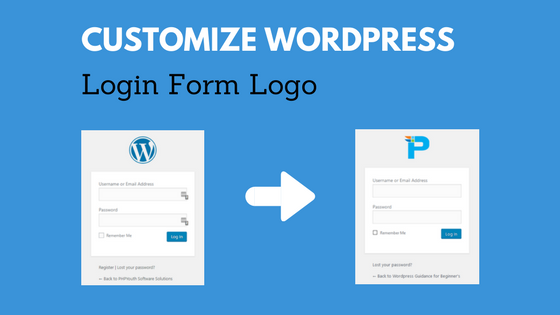
Customize WP login logo

Hello Friends!
Today, we will show how to customize the Logo on the WordPress Login and sign-up page. We often logged into WordPress websites, but never thought to apply our branding to the login page. It is straightforward code, just copy it and implement it on your website. Let’s see how we can change the logo in a minute.

Two Ways to Change

Below are:

  • PHP Function
  • WordPress Plugins

PHP Function

To begin with, you can use a PHP function to easily change the logo on the WordPress login page. Next, simply copy the code below and paste it into your website’s activated child theme function.php file. You can find this file by following the path: wp-content >> themes >> child-theme (activated) >> functions.php.

 
function py_login_logo() { 
<img src="data:image/gif;base64,R0lGODlhAQABAIAAAAAAAP///yH5BAEAAAAALAAAAAABAAEAAAIBRAA7" data-wp-preserve="%3Cstyle%20type%3D%22text%2Fcss%22%3E%20%0Abody.login%20div%23login%20h1%20a%20%7B%0Abackground-image%3A%20url(http%3A%2F%2Flocalhost%2Fwordpress%2Fone.jpeg)%3B%20%20%2F%2FAdd%20your%20own%20logo%20image%20in%20this%20url%20%0Apadding-bottom%3A%2030px%3B%20%0A%7D%20%0A%3C%2Fstyle%3E" data-mce-resize="false" data-mce-placeholder="1" class="mce-object mce-object-style" width="20" height="20" alt=">"> ?php 
} add_action( 'login_enqueue_scripts', 'py_login_logo' );

Please ensure that you replace the logo URL field(http://localhost/wordpress/one.jpeg) with your website logo with the proper path.
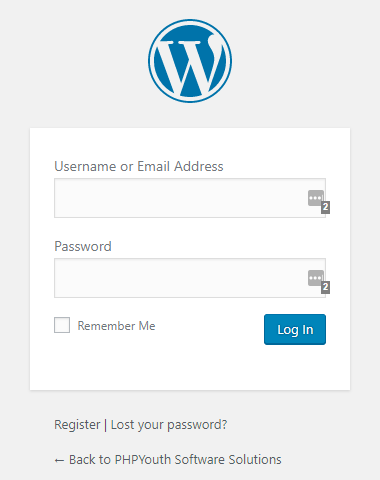
wordpress logo
BEFORE
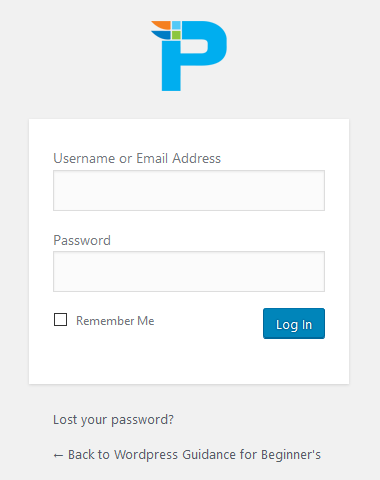
website branding
AFTER

WordPress Plugins

Using WordPress plugins, we can easily change the WordPress Logo on the Login page. You guys have to install and activate any of the following plugins and follow their instructions. We have searched for the best and updated plugins for you.

Login Logo

My WordPress Login Logo

Change WordPress Login LogoChange WordPress Login Logo

Related


Discover more from Master WordPress with Free Tutorials & Guides

Subscribe to get the latest posts sent to your email.

• Alo legal • GOOGLE ADS CASE STUDY

Ranking & Ringing for Marriage-Based Green Card Searches

140% Increase in Qualified Leads in Just 4 Months

Running targeted Google Ads campaigns on “Marriage Based Green Card Lawyer” keywords, PhpYouth grew Alo Legal from 20 to 48 monthly qualified leads — delivered as a mix of phone calls and form submissions — while cutting cost per lead down to just $20.

+140%
Qualified Leads
-58%
Cost Per Lead
$20
Avg. Cost Per Lead
48
Monthly Avg Leads
  • TAGS: customize wp-admin logo, wp-admin, wp-login.php logo

Share:

Facebook
X
LinkedIn
WhatsApp
Reddit
PrevPreviousEnable HTTP Security Headers
NextDisable Gutenberg Block Editor in WordPress 5.0Next

1 thought on “Customize Logo on WordPress Login/Register Page”

  1. phpyouth
    December 8, 2018 at 1:38 pm

    Thanks Fredric…

    Reply

Please share your thoughtCancel reply

Useful Guides
  • Wordfence vs Sucuri: Which WordPress Security Plugin Wins in 2026?
  • How to Secure WordPress Login Page & Admin Area (2026 Guide)
  • Best WordPress Security Plugins for 2026 (Compared & Ranked)
  • The Ultimate WordPress Security Checklist (2026)
  • Blog Writing Services for Law Firms: Why Outsourcing Content Works
  • 25 Lawyer Marketing Tips: Digital and Offline Strategies That Actually Work

© 2026 PHPYouth Software Solutions Pvt. Ltd. All Rights Reserved. | Privacy Policy