Build

Website Design

Conversion-led custom designs

Website Development

Fast, secure WordPress builds

eCommerce Development

Shopify and WooCommerce stores

Web Apps & API Integrations

Portals, dashboards and integrations

Grow

Search Engine Optimisation

Rank on Google and AI search

Content Marketing

Content that ranks and converts

Email & WhatsApp Marketing

Automations that bring customers back

Paid Ads (PPC)

Google, Meta and LinkedIn ads

Social Media Marketing

LinkedIn, Instagram and Facebook

Conversion Rate Optimisation

More enquiries from your traffic

Care & Brand

Logo & Brand Identity

Logos and brand guidelines

Website Maintenance

Updates, backups and security

SEO & Website Audit

Know exactly what to fix

Free website audit

Not sure where to start?

Scan your site for free and see what to fix first. No account needed.

Website design & development

Sellerplex

Website for an Amazon agency

Tuiopay

School and childcare SaaS website

Alo Legal

Immigration law firm website

Islamic Seminary of America

Course-rich education website

Canadian Tax Compliance

Tax compliance agency website

SEO results

EngineHire

+348% organic traffic for an HR SaaS

Alo Legal

+232% organic traffic for a law firm

Design to WordPress

Kimbal

Figma to WordPress with ACF

Peak Standard Dry Co.

Lovable design rebuilt in Elementor

Introhive

Blog and resources templates

700+ websites since 2015

Want results like these?

Tell us about your project and we’ll send a clear plan and timeline.

Home›Case studies›Introhive

Case studyBlog and resources templates

Introhive: a resource center that sorts itself.

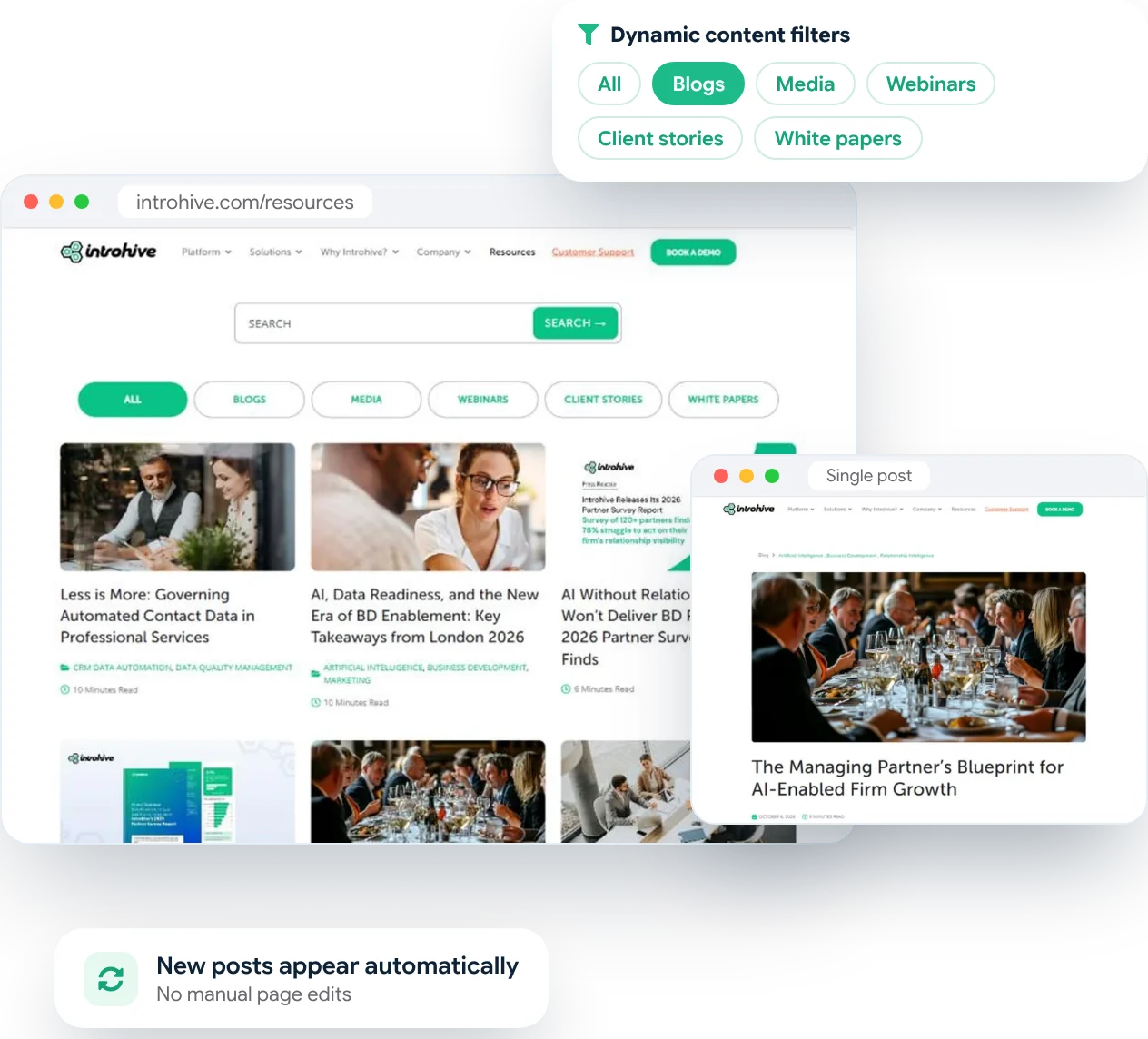
Introhive is a client intelligence platform for law, accounting and professional services firms. We designed its blog listing, resources hub and single post template, and made the resources filter dynamic, so every new blog, webinar or white paper lands in the right place on its own.
page templates designed
0
content types in one filter
0
post template for every article
0
manual page edits when new content goes live
0

The challenge

A growing library of content that needed to be easy to browse

The brief

Lots of great content, mixed together.

What we delivered

Three focused templates and a filter that runs itself.

Our process

How we built Introhive’s blog and resources pages

Five steps from reviewing the content library to live, dynamic templates.

01

Review the content

Every content type, category and post format mapped before design began.

02

Design the templates

Resources hub, blog listing and single post designed in Figma.

03

Refine with Introhive

Two rounds of feedback, then designs signed off by the team.

04

Make the filter dynamic

Each filter pulls posts by content type automatically, with pagination.

05

Test and hand over

Desktop, tablet and mobile checks, then handover to Introhive’s team.

Dynamic filtering

Publish once. It appears in the right place.

Each filter pulls posts from WordPress by content type, so when the marketing team publishes a new webinar or white paper, it shows up under All and under its own type straight away, with no one editing a page by hand.

The result

The templates we designed

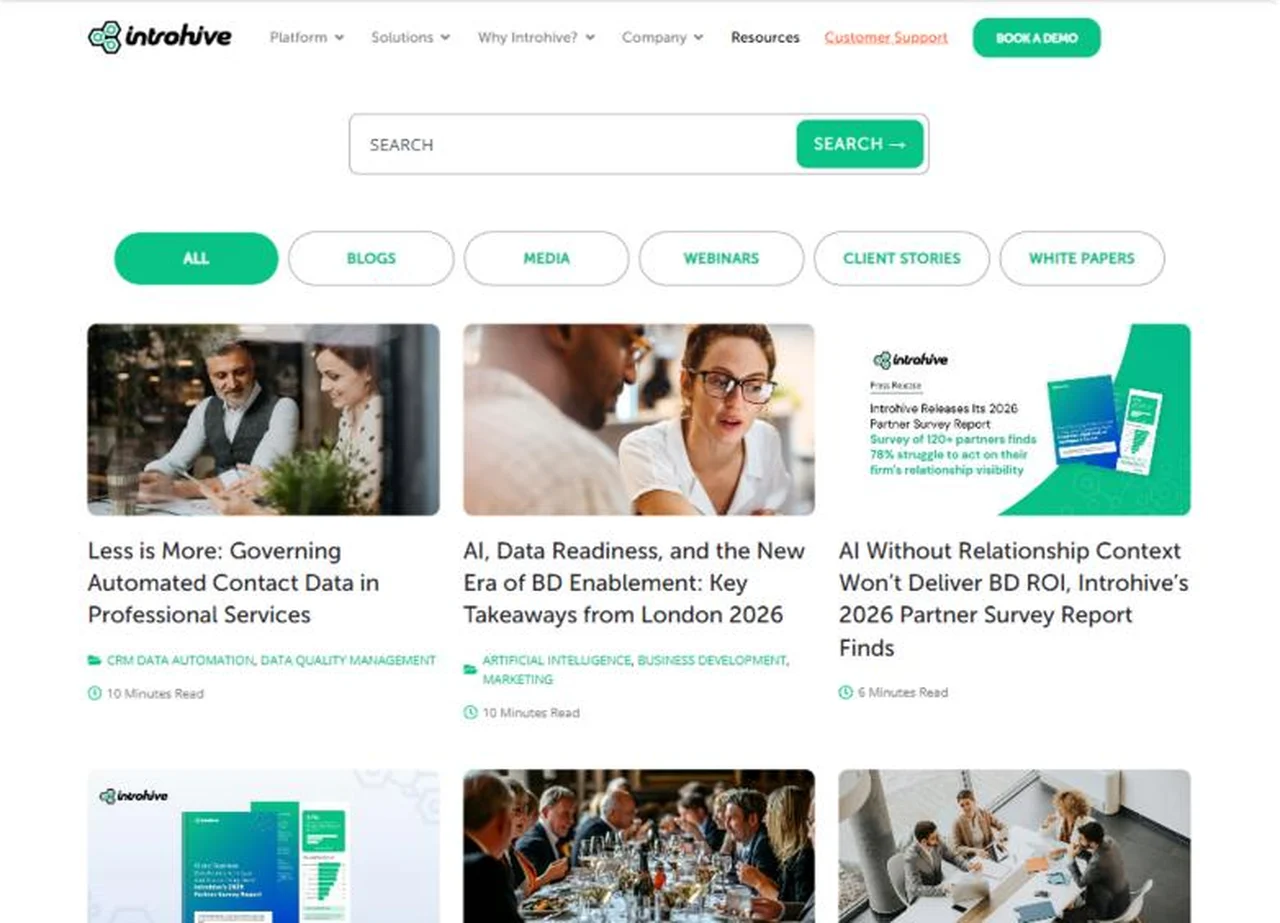
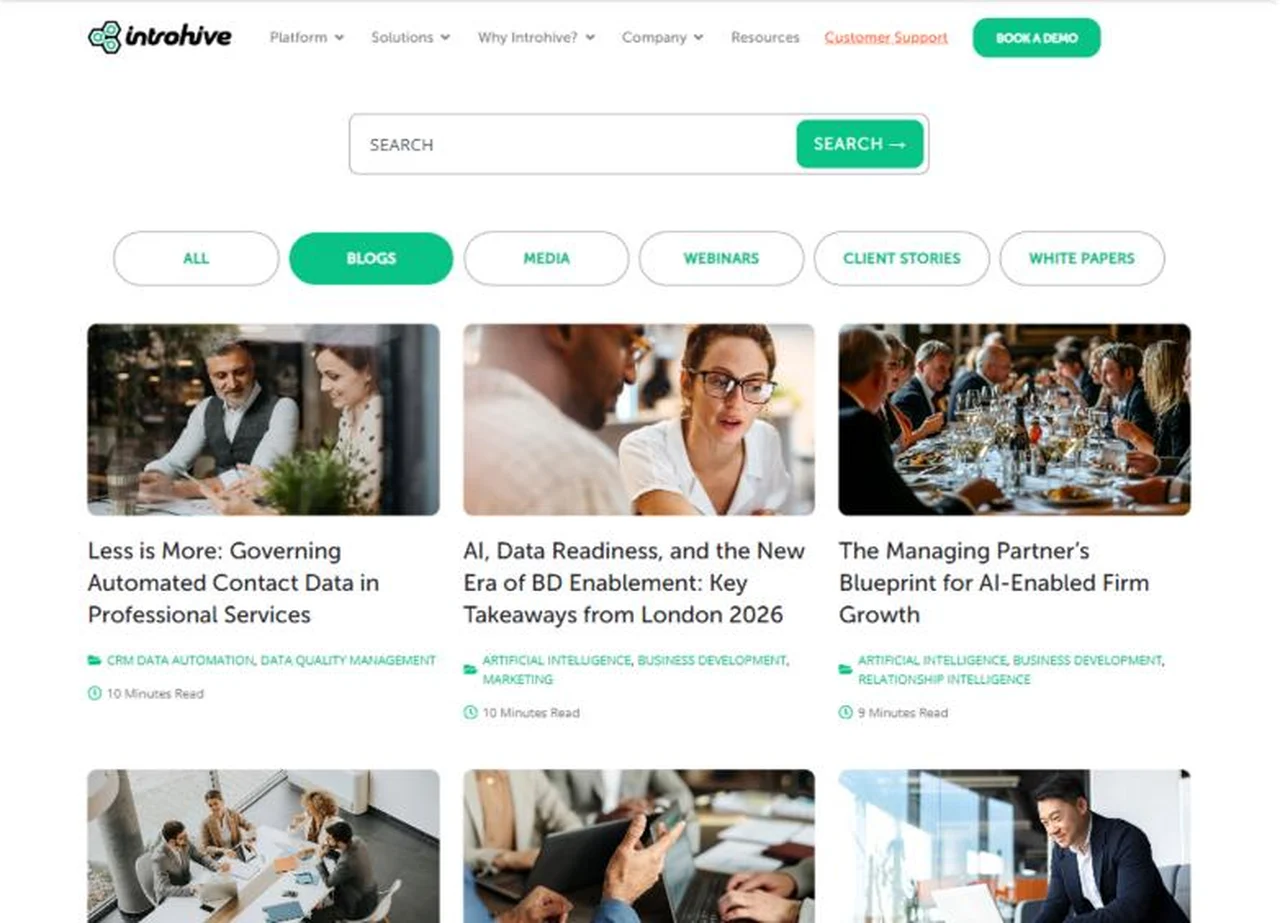
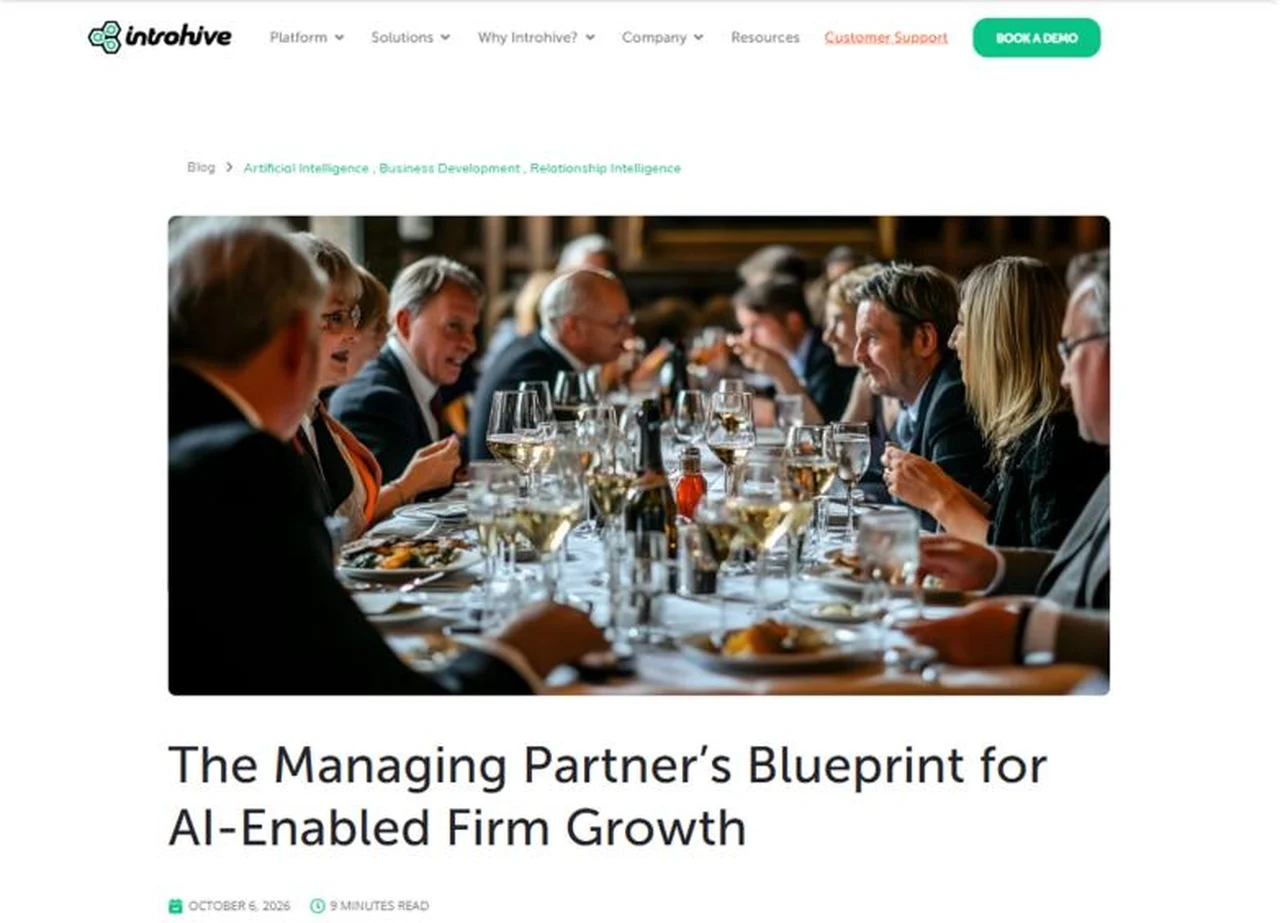
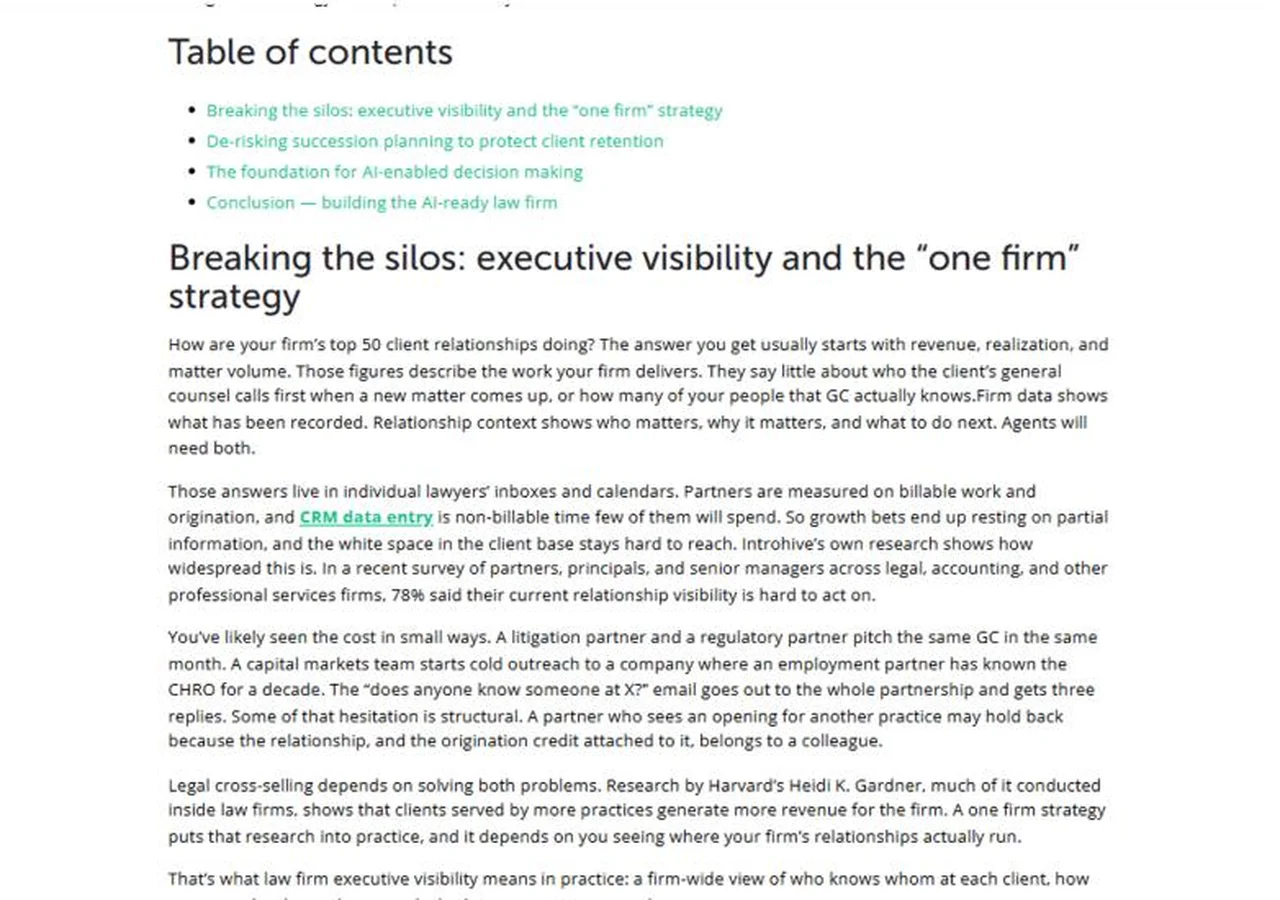
Three templates that every Introhive article, webinar and report now runs on. Open any page to see it live.

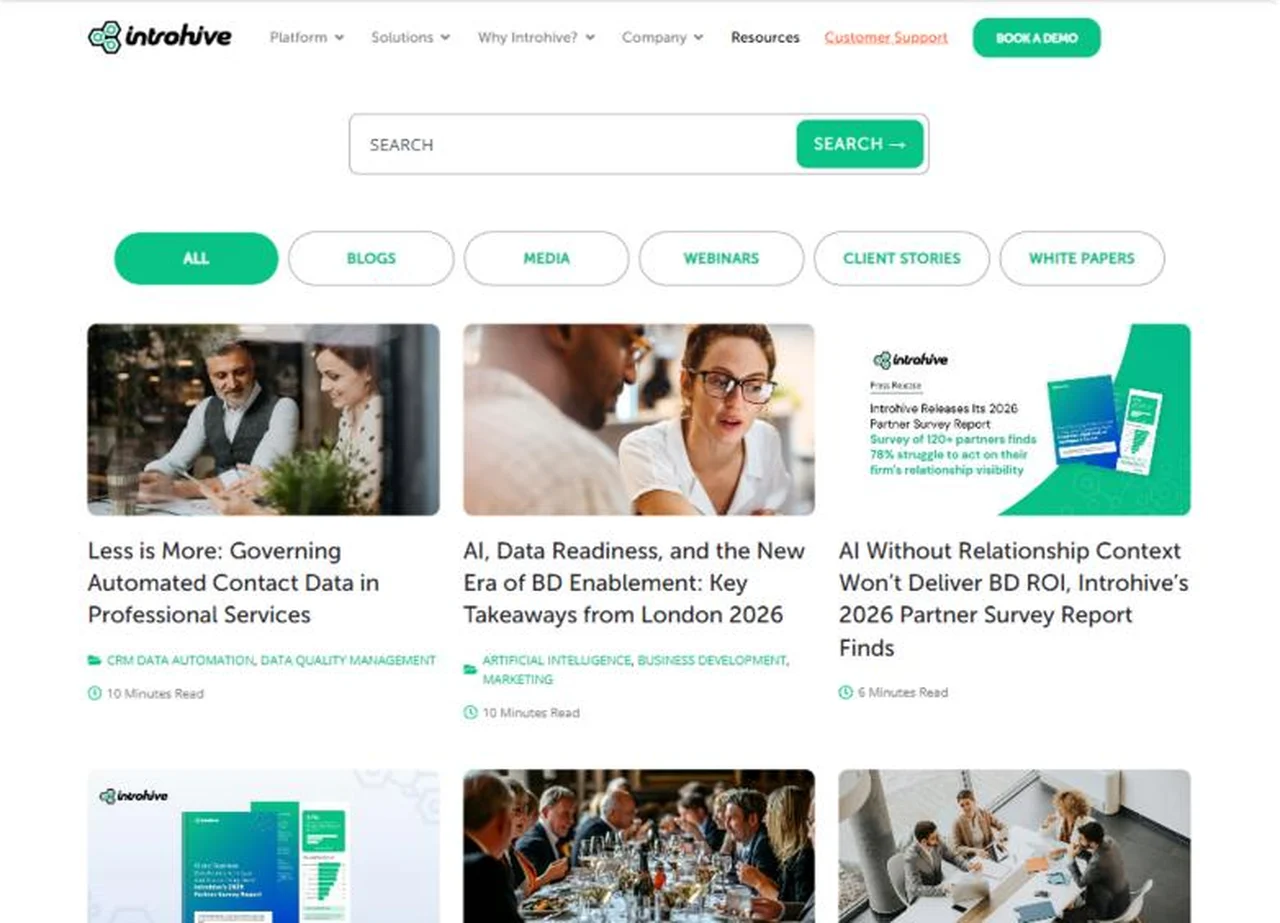
Listing template

Search, six content filters and a clean grid of the latest content.

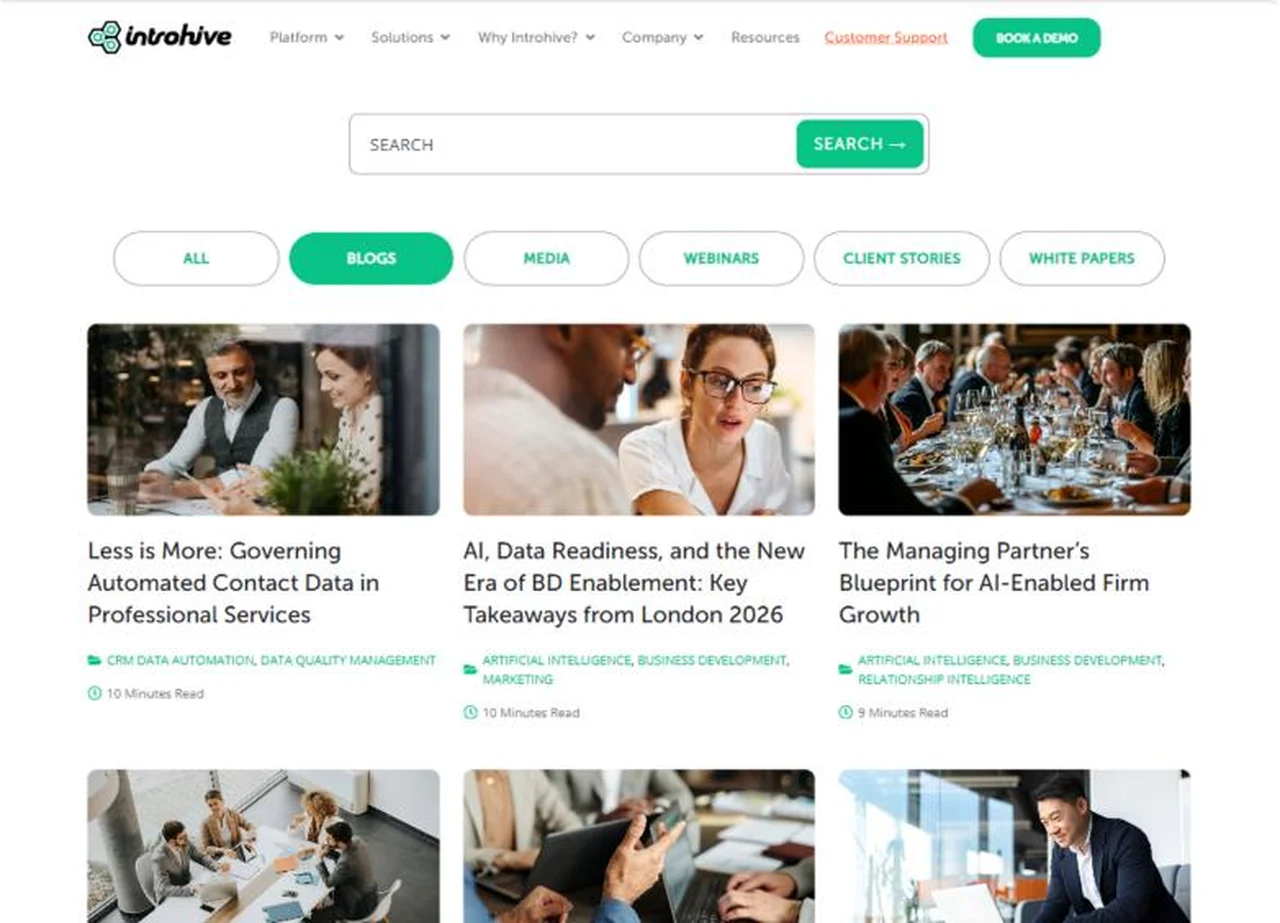
Filtered view

The same grid, filtered to blogs, with pagination for the full archive.

Post template

Topic breadcrumb, large featured image, date and reading time.

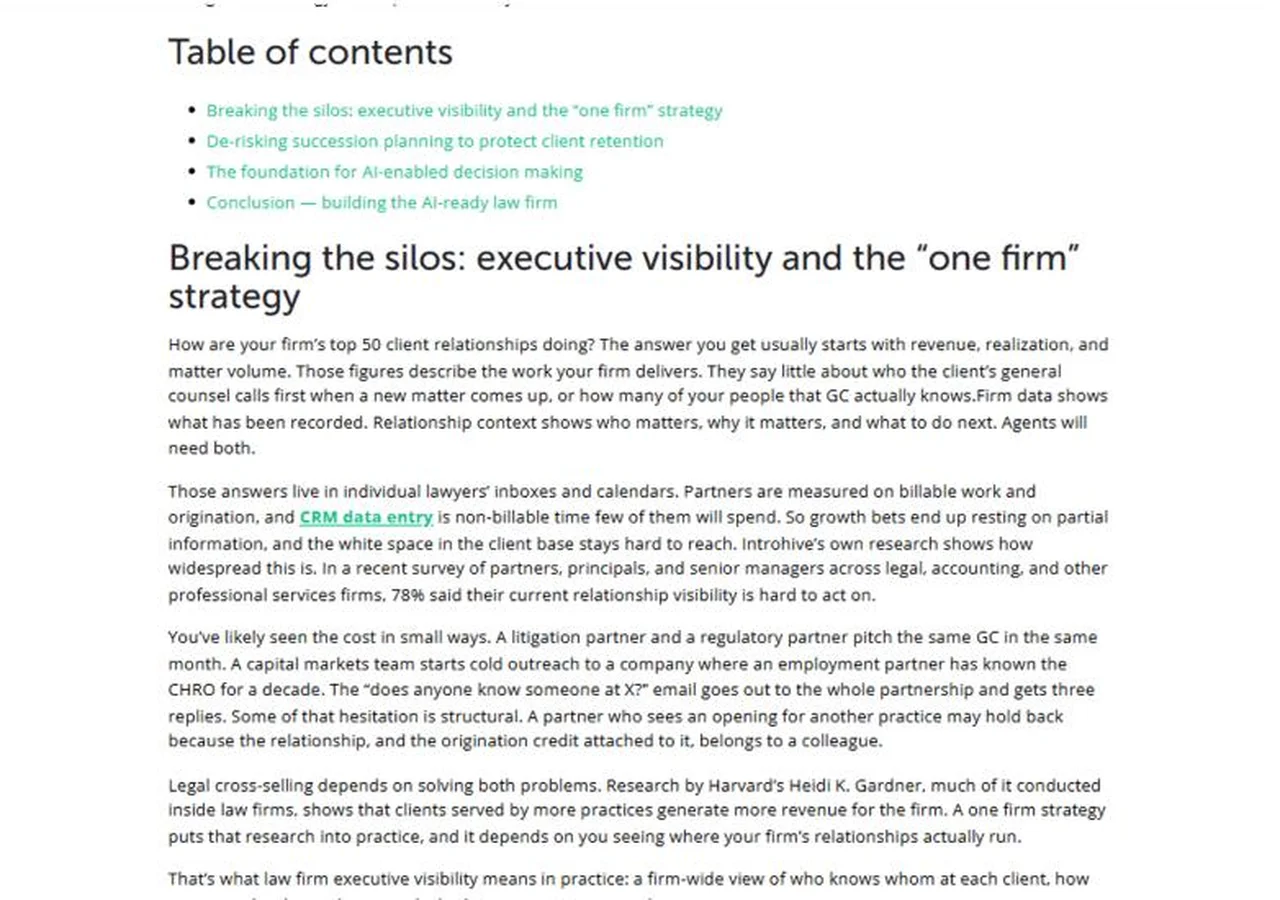
Post template

A linked table of contents so long articles stay easy to scan.

Is your blog or resource center hard to browse?

We’ll design templates that make your content easy to find, and filters that keep it organised on their own.

Why PhpYouth

The team behind 700+ websites since 2015

Designers and WordPress developers in one team, with a dedicated project manager from the first Figma review to launch.
websites launched
0 +
clients worldwide
0 +
in-house specialists
0 +
Job Success on Upwork
0 %

Before you ask

Blog and resource template questions

Something else on your mind? Ask us in the form below and a real person on our team will reply.

We designed the resources hub, the blog listing page and the single post template, and made the resources filter dynamic. The rest of introhive.com was not part of our project.

Yes. We often work on specific templates such as a blog, resources hub or single post, and match them to your existing brand and header.

Each filter pulls content automatically by type or category, so new posts appear in the right place as soon as they are published, without anyone editing a page.

Yes. Your team keeps writing and publishing in WordPress as usual. The templates handle the layout, tags, reading time and placement.

Yes. Both are built into the single post template, so every article gets them automatically.

Start your project

Get a blog and resource center readers can actually use.

Share your website and a few details. We’ll come back with a clear plan and timeline.

Share your details

Two minutes, this form. No commitment.

Free consultation call

We review your content and what your readers need.

Written proposal

Scope and timeline, before any work starts.

Get your free quote

Fields marked * are required.

No spam, ever. We only use this to reply to you.

More work

More case studies

Case study

Website for a childcare and school management SaaS

Case study

Website for a full-service Amazon agency

Case study

Custom website design and development