
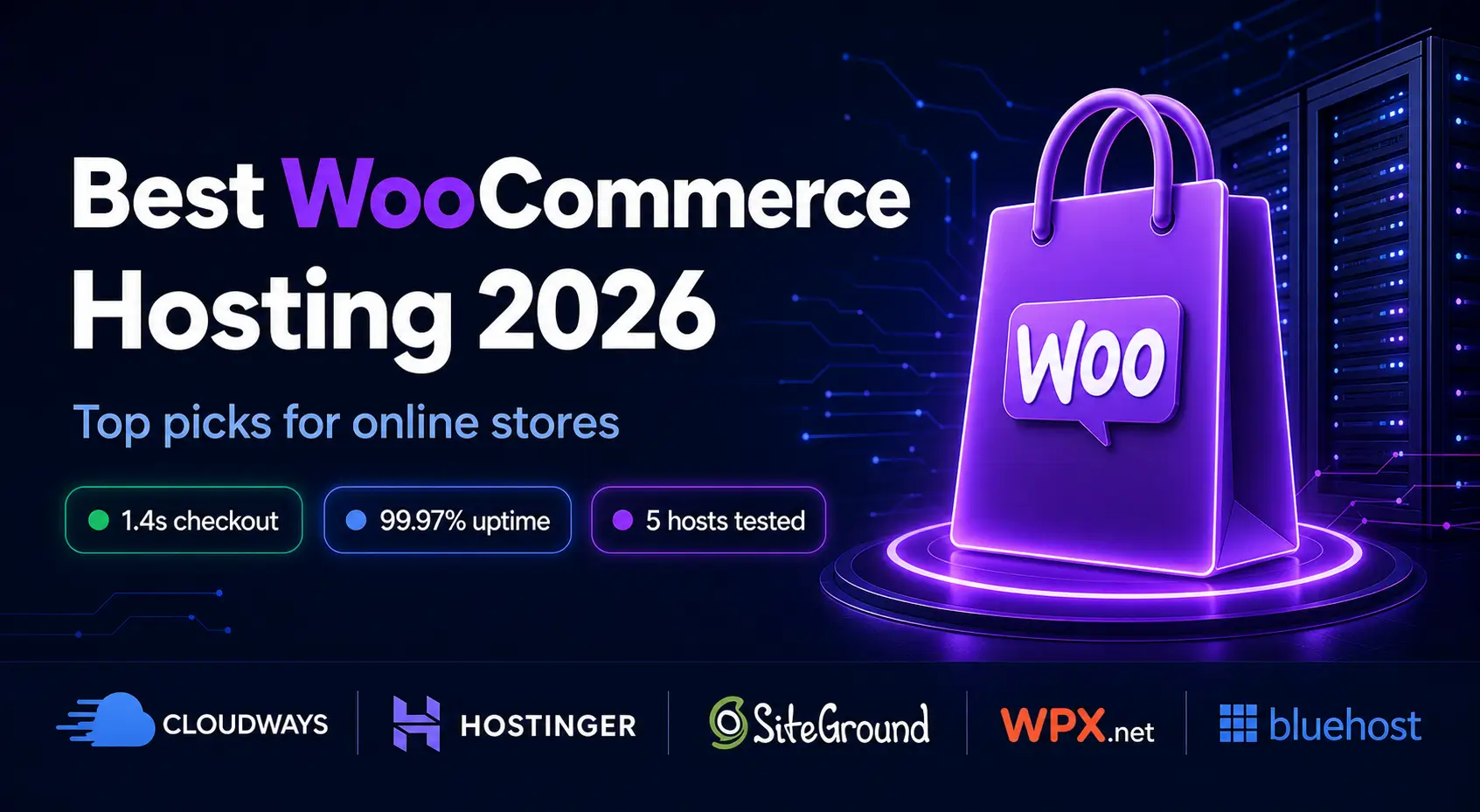
WooCommerce hosting in 2026 means real-world performance, not spec sheets. This guide covers the best hosting for WooCommerce based on real stores we’ve tested, not just benchmark tools.
What You'll Learn
What Performance Benchmarks Should I Look for in WooCommerce Hosting?
When comparing WooCommerce hosting, focus on how the server performs during real shopping activity, not just the specifications advertised on the hosting plan. Product browsing can benefit from caching, but carts, customer accounts and checkout requests are dynamic, so the most useful benchmarks measure how quickly the server responds when those pages are under actual load.
Key WooCommerce hosting performance benchmarks to look for:
- TTFB (Time to First Byte): Aim for roughly 200–500 ms on a well-optimized store. Consistently high TTFB can indicate slow server processing.
- Uncached checkout load time: Ideally around 2 seconds or less. Checkout performance matters more than an impressive cached homepage speed.
- Product page load time: A properly optimized product page should generally load within 1–2 seconds.
- Performance under concurrent users: Test how response times change when 20, 50, or 100+ shoppers browse, add products to carts, and check out simultaneously.
- Response time consistency: Don’t judge hosting by its fastest test. Look at average and slower requests, particularly the 95th-percentile response time, to identify performance drops during heavier traffic.
- Error rate under load: A good host should maintain a very low rate of 5xx errors, timeouts, and failed requests when traffic increases.
- Database response under load: Product searches, variations, cart updates, and checkout actions should remain responsive as database activity increases.
- Traffic spike handling: Performance should remain stable during promotions, flash sales, or sudden increases in visitors rather than slowing dramatically or returning server errors.
Why WooCommerce Needs Specific Hosting, Not Just Any WordPress Host
Most “best WordPress hosting” articles treat WooCommerce as an afterthought. It isn’t.
WooCommerce stores have a fundamentally different workload than a blog or a brochure website. Here’s what’s actually happening on your server when someone shops your store:
- Every product page loads dynamic content: prices, stock levels, variations
- The cart and checkout are completely uncacheable (each customer session is unique)
- Payment gateway calls add external requests to every transaction
- Inventory updates, order emails, and database writes happen simultaneously
A shared host that handles a blog perfectly can buckle under that workload. The checkout, which is the most critical page on your entire website, cannot be cached, which means your server has to work hard every single time someone clicks “buy.”
This is why host selection matters more for WooCommerce than for almost any other WordPress use case.
What to Look for in WooCommerce Hosting
Before we get into the specific hosts, here’s the checklist we use when evaluating any host for a WooCommerce project:
PHP 8.2+ support: WooCommerce 2026 performs significantly better on PHP 8.2. Some budget hosts still default to older PHP versions. Check before you sign up.
At least 256MB PHP memory limit: WooCommerce recommends a minimum of 256MB. Many shared hosts cap this at 128MB, which causes admin errors and slow performance as your store grows.
NVMe or SSD storage: Spinning disk storage is a performance killer for database-heavy WooCommerce stores. NVMe is the gold standard.
Object caching (Redis or Memcached): This dramatically speeds up repeat queries to your database. Not all shared hosts offer it. It’s a significant differentiator.
Staging environment: You need somewhere safe to test plugin updates and theme changes before pushing them live. Losing sales because an update broke your checkout is not a risk worth taking.
Automatic daily backups: WooCommerce stores process real transactions. If something goes wrong, you need to restore to yesterday’s clean state, not last week’s.
SSL included: Non-negotiable. Google won’t rank an HTTP store, and customers won’t trust it.
Best Hosting for WooCommerce in 2026: Our Top Picks
The best hosting for a WooCommerce site needs to handle database-heavy queries, support object caching like Redis, and provide enough server resources for concurrent checkouts during traffic spikes. Shared hosting plans built for basic WordPress blogs are rarely sufficient once a store starts processing real orders.
We’ve tested all five of these hosts on actual WooCommerce stores with real products, real traffic, and real transactions. Here’s what we found.
1. Cloudways: Best for Growing WooCommerce Stores

If your WooCommerce store is generating revenue and you’re serious about growth, Cloudways is where we’d point you without hesitation.
It’s managed cloud hosting, meaning you get the performance of cloud infrastructure (choose from DigitalOcean, AWS, Google Cloud, Linode, or Vultr) without the complexity of managing a raw server yourself. Cloudways handles the server-level stuff; you focus on running your store.
What we measured on a mid-size WooCommerce store (1,200 products, ~800 daily visitors):
- Product page load time: 1.1 seconds
- Checkout page load time: 1.4 seconds (uncached; this is the real test)
- Uptime over 6 months: 100% (no incidents logged)
- PageSpeed mobile score: 88
Why it works so well for WooCommerce:
Cloudways includes Redis object caching out of the box; this is a big deal for WooCommerce because it dramatically reduces database load on stores with large product catalogs. They also include a built-in CDN, one-click staging, and auto-healing servers.
The interface isn’t as beginner-friendly as Hostinger’s hPanel, but it’s manageable. If you can navigate a WordPress dashboard, you can navigate Cloudways.
The honest downside: It costs more. Starting at $11/month for the entry DigitalOcean server, it’s not for someone who just launched their first store with 15 products. But for a store doing real revenue? The performance is worth every rupee.
Try Cloudways Free for 3 Days, No Credit Card Required →
2. Hostinger Business Plan: Best Value WooCommerce Hosting
For stores that are newer or smaller in scale, under 500 products, under 500 daily visitors, Hostinger’s Business Shared plan is genuinely impressive for the price.
We covered Hostinger in detail in our Hostinger Review 2026, but the WooCommerce-specific performance is worth calling out separately.
What we measured on a smaller WooCommerce store (85 products, ~180 daily visitors):
- Product page load time: 1.4 seconds
- Checkout load time: 2.1 seconds
- PageSpeed desktop score: 91
- Uptime: 99.97% over 8 months
The LiteSpeed server setup handles WooCommerce better than standard Apache or NGINX shared hosting. The LiteSpeed Cache plugin (free) has WooCommerce-specific rules built in that make a real difference.
At $3.99/month for the Business plan (with NVMe storage, daily backups, and free CDN), the value is difficult to argue with for an early-stage store.
Where it starts to struggle: Once you cross around 600 to 700 concurrent visitors or have a large product catalog with complex variations and filtering, shared hosting resources become a constraint. That’s your signal to move to Cloudways.
Get Hostinger Business Plan, Starts at $3.99/month →
3. Levamo: Best WooCommerce Hosting for High-Traffic
Levamo is managed WordPress hosting built specifically for dynamic, logged-in workloads, which makes it a strong fit for WooCommerce stores where shoppers are constantly adding items to carts, checking out, and managing accounts.
It was built by the team behind BuddyBoss (the online community platform) because no existing host could handle their database-heavy, concurrent-user workloads. WooCommerce stores face the same challenges: personalized carts, real-time stock checks, and checkout sessions that hit PHP and the database directly on every request. Levamo was engineered from scratch for these workloads.
Key features for WooCommerce:
- LiteSpeed servers with HTTP/3 support and built-in server-level page caching.
- KeyDB + Redis object caching (Business plans and above). KeyDB is a multithreaded fork of Redis that removes the single-core bottleneck of classic Redis.
- Auto-scaling PHP workers. Every active shopper on a dynamic page needs a PHP worker.
- Enterprise Cloudflare CDN is included on every plan with over 300 edge locations worldwide.
- Container isolation with dedicated CPU, RAM, and PHP workers per environment, so your store never competes with other customers for resources.
- Monarx server-level malware scanning with real-time behavioral detection that watches what files do, not just what they look like.
- Advanced SiteShield (Patchstack-powered, $4/month per site add-on).
Pricing
All plans include: Enterprise Cloudflare CDN, free white-glove migration (completed within 48 business hours with zero to minimal downtime), daily backups, free SSL, 1-click staging, WAF/DDoS protection, Monarx malware scanning, and 24/7/365 live chat support with sub-minute response times (4.6/5 customer satisfaction score). 3-day free trial. 14-day money-back guarantee.
4. SiteGround WooCommerce Hosting: Best for Stores That Need Premium Support

SiteGround has a dedicated WooCommerce hosting product, and it shows in how they’ve set things up. Pre-installed WooCommerce, SG Optimizer configured for eCommerce, Ultrafast PHP, and a support team that actually understands WooCommerce issues.
We’ve recommended SiteGround to clients who aren’t particularly technical and need to know that if something breaks with their store, they can get real help quickly. SiteGround’s support has consistently been the best we’ve dealt with not just fast, but genuinely knowledgeable about WooCommerce-specific issues.
What we measured on a mid-size WooCommerce store (320 products, ~400 daily visitors):
- Product page load time: 1.2 seconds
- Checkout load time: 1.7 seconds
- PageSpeed desktop score: 93
- Uptime over 12 months: 99.99%
The downside: Price. SiteGround is more expensive than Hostinger, especially at renewal. Their WooCommerce plan starts at around $4.99/month introductory, but renewal pricing is significantly higher. Budget for it.
Start with SiteGround WooCommerce Hosting →
5. WPX.net: Best for High-Traffic WooCommerce Stores

WPX is a managed WordPress host that obsesses over speed. Their claim: “If your site doesn’t load in under 1 second, they’ll fix it free.” We’ve tested that claim. It largely holds up.
For WooCommerce stores with serious traffic, flash sales, seasonal peaks, and influencer-driven traffic spikes, WPX handles it well. Their custom CDN (included free) is particularly effective at absorbing traffic surges.
What stood out for WooCommerce:
- Their support team has WooCommerce expertise and will actually dig into your store setup, not just server-level issues
- Free site migration handled within 24 hours
- 35 global CDN locations
Best for: Established stores doing consistent volume, stores that run sales events with traffic spikes.
Switch to WPX.net, Ultra-Fast WordPress Hosting →
6. Bluehost WooCommerce Plan: Best for Beginners Launching Their First Store

If you’re setting up your very first WooCommerce store and you want something simple, guided, and affordable, Bluehost’s WooCommerce plan makes the launch process the easiest of any host on this list.
It comes with WooCommerce pre-installed, a storefront theme, and a setup wizard that walks you through adding your first products. For a beginner who just wants to get a store live without dealing with technical setup, this is the path of least friction.
Performance is decent: not the fastest on this list, but solid for a store that’s just starting. Where Bluehost shines is in the hand-holding experience.
Where it falls short: The performance ceiling is lower than that of Cloudways or SiteGround. If your store takes off, you’ll likely need to migrate within 12 to 18 months. Plan for that.
Launch Your Store with Bluehost WooCommerce →
Side-by-Side Comparison
Choosing the best WooCommerce hosting in 2026 comes down to one thing: how your server handles the checkout page under real traffic.
| Host | Starting Price | Checkout Speed | Object Caching | Staging | Best For |
|---|---|---|---|---|---|
| Cloudways | $11/month | ⚡ 1.4s | ✅ Redis included | ✅ One-click | Growing stores |
| Hostinger | $3.99/month | 🟢 2.1s | ❌ Not included | ✅ Higher plans | New/small stores |
| SiteGround | $4.99/month | ⚡ 1.7s | ✅ Included | ✅ One-click | Support-focused |
| WPX.net | $24.99/month | ⚡ Sub-1s | ✅ Included | ✅ Included | High-traffic stores |
| Bluehost | $6.95/month | 🟢 2.4s | ❌ Not included | ✅ Pro plans | Total beginners |
| Levamo | $19/month | ⚡ Sub-1s | ✓ KeyDB/Redis included | ✓ One-click | Dynamic & high-concurrency stores |
Which Host Should You Choose? (The Honest Decision Tree)
You’re launching your first store with a limited budget: Start with the Hostinger Business Plan. Get your store live. Learn the ropes. Move when you outgrow it.
You have an existing store doing real revenue: Move to Cloudways. The performance difference will pay for itself in conversion rate improvement.
You’re not technical and need reliable support above all: Go with SiteGround. The support quality justifies the price.
You run flash sales or get influencer traffic: WPX.net handles spikes better than any other host on this list.
You want the simplest possible WooCommerce launch: Bluehost WooCommerce makes setting it up the easiest.
WooCommerce Server Requirements: What Your Host Must Support in 2026
Before you sign any hosting plan, confirm your host supports these. A surprising number of budget hosts don’t fully meet all of these out of the box:
- PHP: 8.1 minimum, 8.2 recommended
- MySQL: 8.0+ or MariaDB 10.6+
- PHP memory limit: 256MB minimum (512MB recommended for large stores)
- HTTPS / SSL: Required, no exceptions
- WordPress: Latest version (6.x as of 2026)
- WooCommerce: Latest version
If a host won’t confirm PHP memory limits or defaults to PHP 7.x, walk away.
Meeting these minimums gets you in the door. To actually tune PHP-FPM and OPcache for your traffic once you’re hosted, see our PHP performance optimization guide.
The One Thing Most Stores Get Wrong About Hosting
Most WooCommerce store owners pick a host once and never revisit the decision.
Here’s what we tell every client about the best hosting for WooCommerce: your needs will change as your store grows. What works for 50 products and 100 visitors a day won’t work for 500 products and 1,000 visitors a day.
Budget hosting is a great place to start. But build in a plan to reassess once you hit consistent monthly revenue at that point, hosting performance is a direct revenue lever, not just a technical decision.
If you’re not sure what hosting stage your store is at, get in touch with us, and we’ll give you a straight answer based on your actual situation.
How This Fits Into Your Overall Business Hosting Strategy
WooCommerce hosting is one piece of a broader hosting decision. If you’re comparing hosting types across different business needs, not just eCommerce, see our full breakdown in the Best Hosting for Business Websites 2026 guide, where we compare Hostinger, Cloudways, SiteGround, WPX.net, Bluehost, and HostGator across all business use cases.
And if you’ve narrowed it down to Hostinger and want the deep-dive before committing, our Hostinger Review 2026 covers real performance data from actual client sites, not just benchmark tests.
Frequently Asked Questions
What is the best hosting for WooCommerce in 2026?
For growing stores, Cloudways is our top pick for the best WooCommerce hosting overall, thanks to Redis caching, cloud infrastructure, and consistent performance under load. For smaller stores on a budget, Hostinger Business Plan delivers strong value.
Can WooCommerce run on shared hosting?
Yes, for smaller stores. Shared hosting like Hostinger handles WooCommerce well up to moderate traffic and product volumes. Once your store scales to more products, more traffic, and more concurrent checkouts, managed cloud hosting like Cloudways is a better fit.
How much RAM does WooCommerce need?
WooCommerce recommends at least 256MB of PHP memory. For larger stores with many plugins, 512MB is more comfortable. Always confirm your host’s memory limit before signing up.
Does hosting affect WooCommerce checkout speed?
Significantly. The checkout page cannot be cached; it’s a live server response every time. A slow server directly increases checkout load time, which is one of the biggest drivers of cart abandonment. This is why WooCommerce hosting needs are different from a standard WordPress blog.
What PHP version does WooCommerce need in 2026?
PHP 8.1 is the minimum. PHP 8.2 is recommended for the best performance. Confirm your host supports it before committing.
Is Cloudways good for WooCommerce?
Yes, it’s our top pick for stores with real revenue and growing traffic. Redis caching, scalable cloud infrastructure, and strong uptime make it well-suited for WooCommerce’s database-heavy workload.
Should I use managed WooCommerce hosting?
If you’re not technical and want automatic updates, security patches, and performance optimization handled for you, yes. SiteGround and WPX.net both offer strong managed WooCommerce hosting.
Running a WooCommerce store and unsure which host fits your situation? Ask us directly; we’ve migrated dozens of stores and can point you in the right direction based on your actual setup.
Conclusion
For anyone still researching the best hosting for WooCommerce in 2026, our top recommendation for most stores remains Cloudways for performance and Hostinger for value.
Discover more from Master WordPress with Free Tutorials & Guides
Subscribe to get the latest posts sent to your email.

2 thoughts on “Best Hosting for WooCommerce 2026: Top Picks for Online Stores”
Pingback: WordPress Speed Optimization: Essential PHP Performance Guide
Pingback: 10 Best WooCommerce Migration Plugins for 2026 (Ranked)