
If you want to Increase WordPress Memory Limit using php.ini, and you have access to your website’s root directory, you can easily do this by editing the php.ini file.
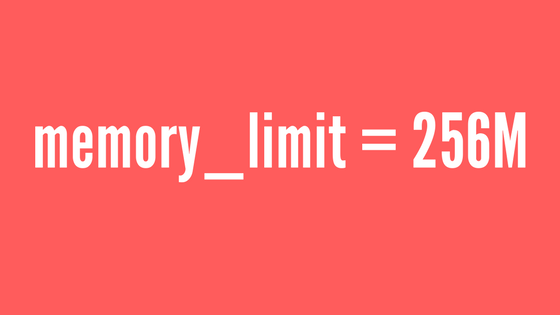
Simply add or update this line in your php.ini file to set the memory limit to 256MB:
memory_limit = 256M;
If you already have this setting but still face memory issues, try increasing the memory limit further by setting it to 512MB in the php.ini file.
memory_limit = 512M;
By following these steps, you can successfully Increase WordPress Memory Limit using php.ini and avoid errors like “Allowed memory size exhausted”. This also helps improve the performance of your WordPress site when running resource-heavy plugins or themes.
Pro-Tip: If you are running into persistent technical limits while configuring a complex membership platform, it might save you hours to hire a MemberPress developer to audit your server environment.
Discover more from Master WordPress with Free Tutorials & Guides
Subscribe to get the latest posts sent to your email.
