
Hello Friends, today we will first show how we can disable the Gutenberg Block Editor in WordPress 5.0. Additionally, on 27th November 2018, WordPress 5.0 was released with the Gutenberg Block Editor. Because Gutenberg Editor is a major update, it automatically sets all users to be the default content editor.
Loss of Classic Builder Access
Because of this, the Administrator cannot edit their posts/pages using premium builders like Visual Composer, Divi Builder, and Muffin Builder. That’s because WordPress version 5.0 replaced classic builders with the Gutenberg block builder.
How to Restore Classic Editor Access
So today, we will see how we can resolve this and make the website administrator work on their premium builders. Let’s follow the steps below.
First, let me show you how your editor sees before and after WordPress 5.0, see screenshots below:
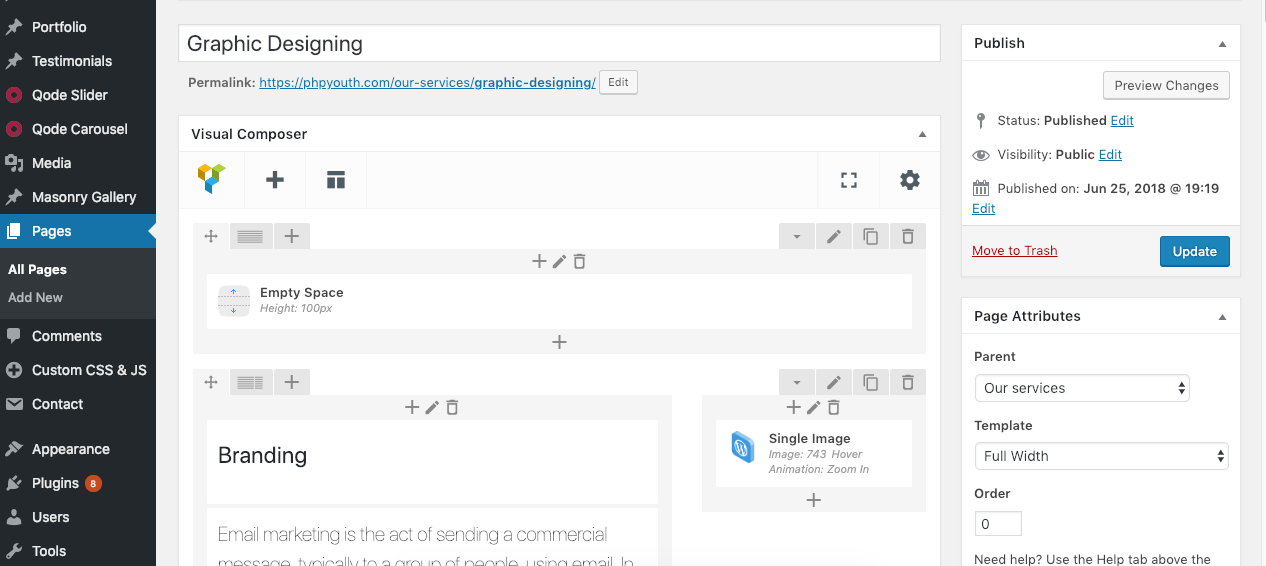
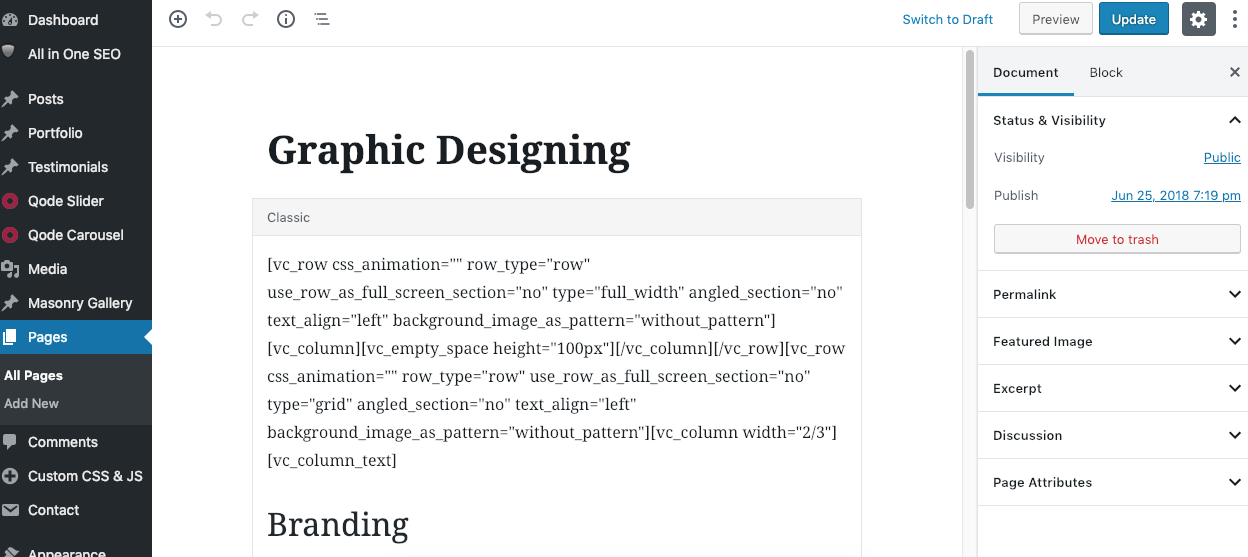
Editor Before vs After WP 5.0
Below are a few steps for both administrators who have updated to WP version 5.0 or not.
STEP 1: If WordPress 5.0 has already been updated, then open WordPress’s about page www.yourdomain.com/wp-admin/about.php(make sure to change your website name instead of yourdomain).
STEP 2: On the WordPress about page, scroll to the bottom. You will see a button Install the Classic Editor, Hit the button to install.
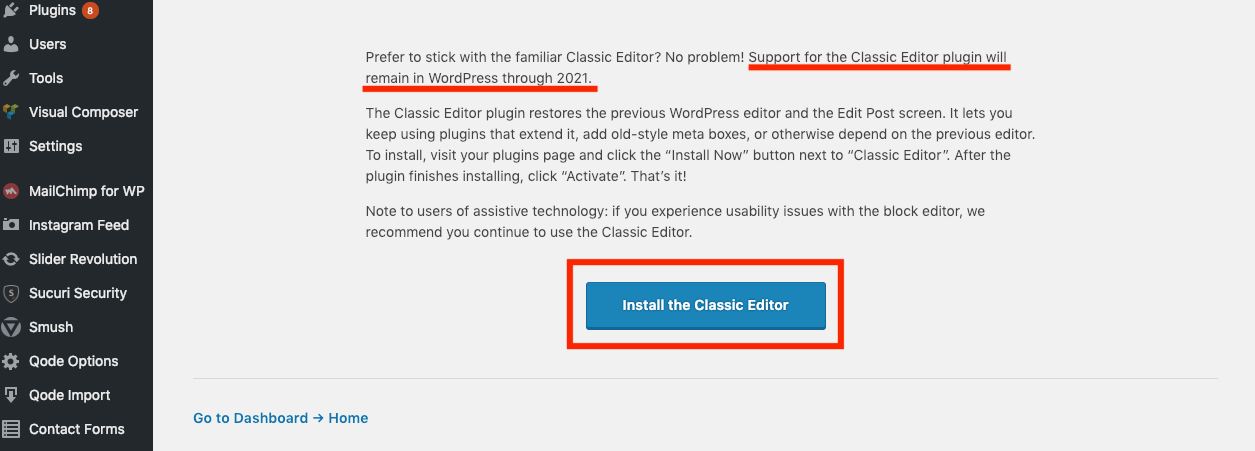
You can see that 1+ million installations already did. See screenshot…
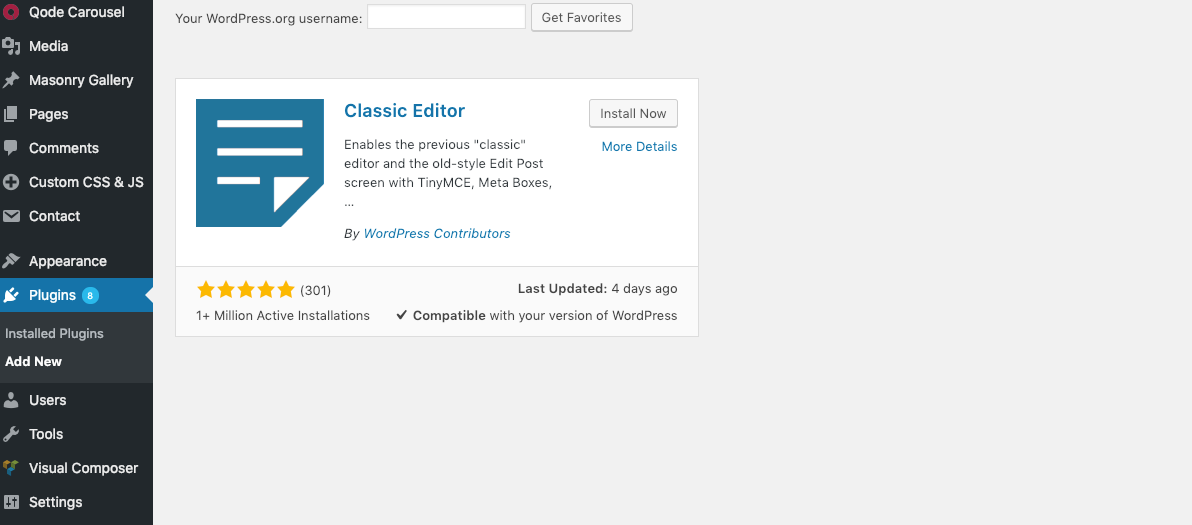
STEP 3: Once Classic Editor is installed, click the Activate button. So it will prevent to use Block/Gutenberg Editor.
STEP 4: Once Classic Editor is activated in WordPress 5.0, you can now easily access your premium builders.
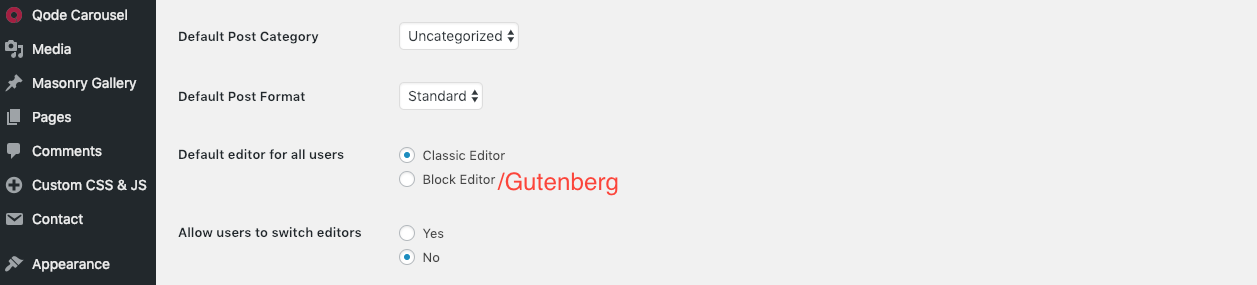
STEP 5: We can also set a default Editor for the users; this option is only available if you have multiple Editors. For this, we have to go:
Go to Settings >> Writing and select your default Editor and hit the Save Changes button. See screenshot…
Conclusion
If you follow these steps, you will definitely be able to prevent the Gutenberg Editor and easily access your premium builders/editors. Please let me know through your comments if this article helps you. Keep learning.


Discover more from Master WordPress with Free Tutorials & Guides
Subscribe to get the latest posts sent to your email.
